

7 bedste mus til tennisalbue – smertereducerende og veljusterede arbejdsgange
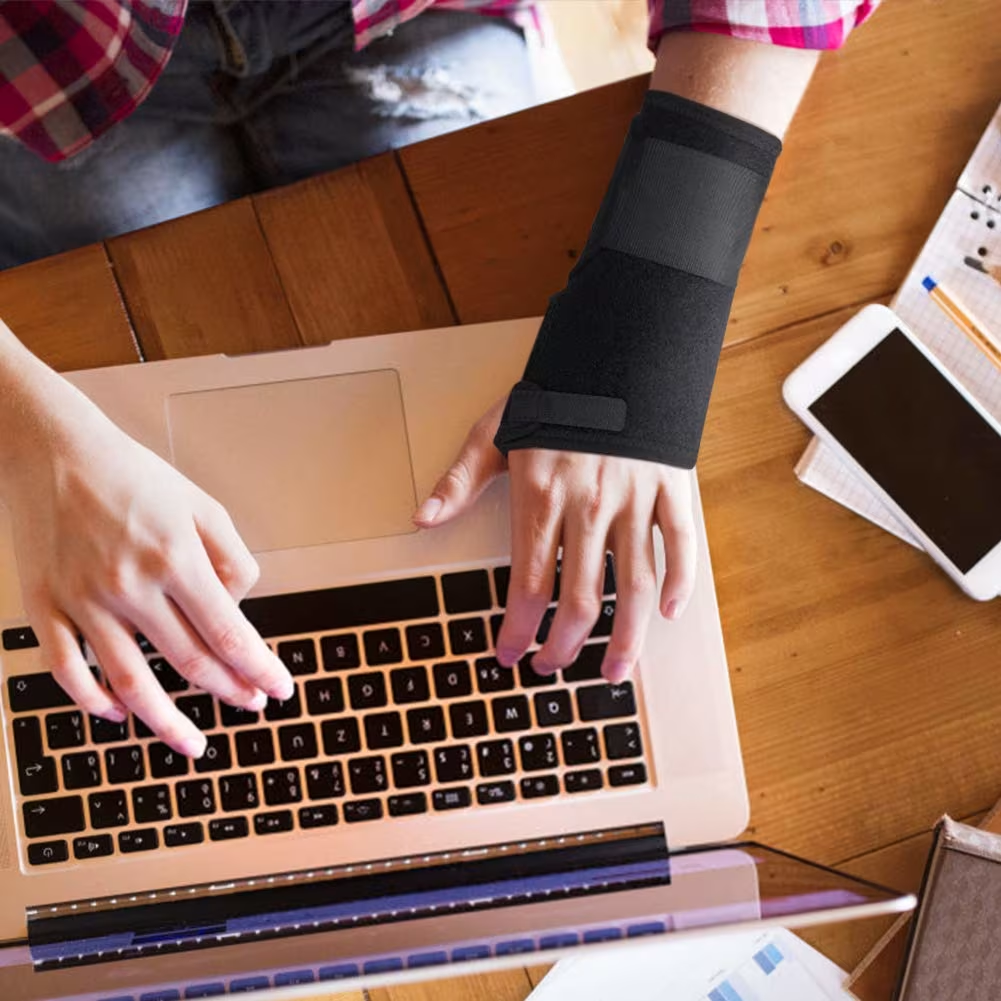
Det starter som et lille træk på ydersiden af albuen, når du griber om musen. Ved frokosttid svier hvert klik. Hvis du leder efter den rigtige mus til tennisalbue, vil du have lindring uden at miste fart eller præcision. Du kan få begge dele med smartere ergonomi og enheder, der hjælper dig med at holde underarmen neutral, rækkevidden centreret og grebet let. Hvis smerten følges af prikken eller følelsesløshed i ring- og lillefinger, kan årsagen være indeklemt ulnarisnerve snarere end et seneproblem.
1. Centreret RollerMouse: Ingen rækkevidde, mindre belastning

En centreret pegeenhed minimerer rækkevidde og vrid i underarmen — de to bevægelser, der oftest forværrer tennisalbue ved meget musearbejde.
Sådan hjælper den mod tennisalbue
Med en RollerMouse (fx RollerMouse Red) bliver dine hænder tæt på hjemmerækken, og cursor-baren glider under dine tommelfingre. Ingen række ud, ingen dreje, ingen klemmegreb. Det betyder, at ekstensorsenerne ved albuen holdes mere rolige — mindre belastning, færre opblussen. For mange er dette den mest effektive mus til tennisalbue, fordi den reducerer netop de bevægelser, der gør ondt i første omgang. Nogle studier kobler mindre rækkevidde og neutral underarmsstilling til lavere risiko for muskel- og skeletbesvær (Ergonomics and Musculoskeletal Disorders, NIOSH/CDC, 2020).
Pasform og opsætning: Vælg håndleds-/håndfladestøtte, align til mellemrumstasten
Vælg en størrelse håndfladestøtte, der passer til din skulderbredde og tastaturets dybde. Skub RollerMouse helt ind til mellemrumstasten, så dine håndled forbliver lige, albuerne i ~90–100°, og skuldrene afslappede. Sæt markørhastigheden midt i området, og skru derefter lidt op, indtil du kan bevæge dig på skærmen med en lille, blid tommelfingerbevægelse. Hold klikstyrken lav — tap, ikke pres.
Hvem den passer til: Mange timer ved skærmen
Hvis du redigerer tidslinjer, skifter mellem paneler eller jonglerer regneark, holder central styring dig lige og effektiv. Kombinér med korte tastaturgenveje for ekstra fart. Contour Design har bygget RollerMouse til at levere centreret kontrol og maksimal aflastning på lange dage — flot, funktionel og bygget til at holde.
2. Justerbar vertikal mus (Contour Unimouse): Find din vinkel
.avif)
Et vertikalt design placerer hånden i en “håndtryks”-stilling, som reducerer underarmspronation og kan mindske belastningen på den laterale epicondyl.
Hvorfor vinkel og tommelfingerstøtte betyder noget
Unimouse fra Contour lader dig justere vinklen fra cirka 35° til 70° og skubbe tommelfingerstøtten, så den passer til din hånd. Den justerbarhed er vigtig — din ideelle vinkel er den, der dæmper smerte, mens du stadig har kontrol over markøren. En god mus til tennisalbue reducerer klemmegreb og lader tommelfingeren hvile, så ekstensorerne ikke overarbejder. Kliniske oversigter peger på, at mindre gentaget klemning og rotation i underarmen kan hjælpe på symptomerne (Tennis Elbow, NHS, 2023).
Justér markørfølsomhed til afslappet kontrol
Start med medium DPI. Hvis du mærker, at du “jager” markøren, så øg DPI i små trin, indtil små, rolige bevægelser dækker dine typiske afstande på skærmen. Hvis præcisionen falder, så gå et trin tilbage. Hold klik lette, brug scroll-trin frem for lange scrolls, og map hyppige handlinger til sideknapper for at skære ned på gentagelser.
3. Trackball-mus: Markøren bevæger sig, din albue gør ikke

En trackball holder armen i ro — rigtig god, når bevægelse i underarmen irriterer albuen.
Indlæringskurve, rengøring og kuglestørrelse
Med tommelfinger-trackballs eller finger-trackballs bevæger markøren sig under dine fingerspidser, mens albue og skulder kan være helt rolige. Der er en kort indlæringskurve (en dag eller to), og derefter genfinder de fleste præcisionen. Rengør kuglen og lejerne ugentligt: et 30-sekunders wipe holder glidet let. Vælg kuglestørrelse efter din kontrolstil: større kugler giver ofte mere præcision med langsommere bevægelse; mindre kugler føles hurtige, men kan kræve mere finmotorik i fingrene.
Bedst til begrænset bordplads
Hvis dit skrivebord er fyldt, eller du ofte er på farten, er en trackball kompakt og stabil. Den kan være en stærk mus til tennisalbue, når selve bevægelsen er triggeren. Hvis tommelfingersenerne allerede er ømme, så prøv en fingerbetjent model for at dele belastningen. For mere generel vejledning om risikofaktorer og gentagelser, se "Lateral Epicondylitis," Mayo Clinic, 2023.
4. Pen-mus eller stylus til tablet: Præcision med let greb
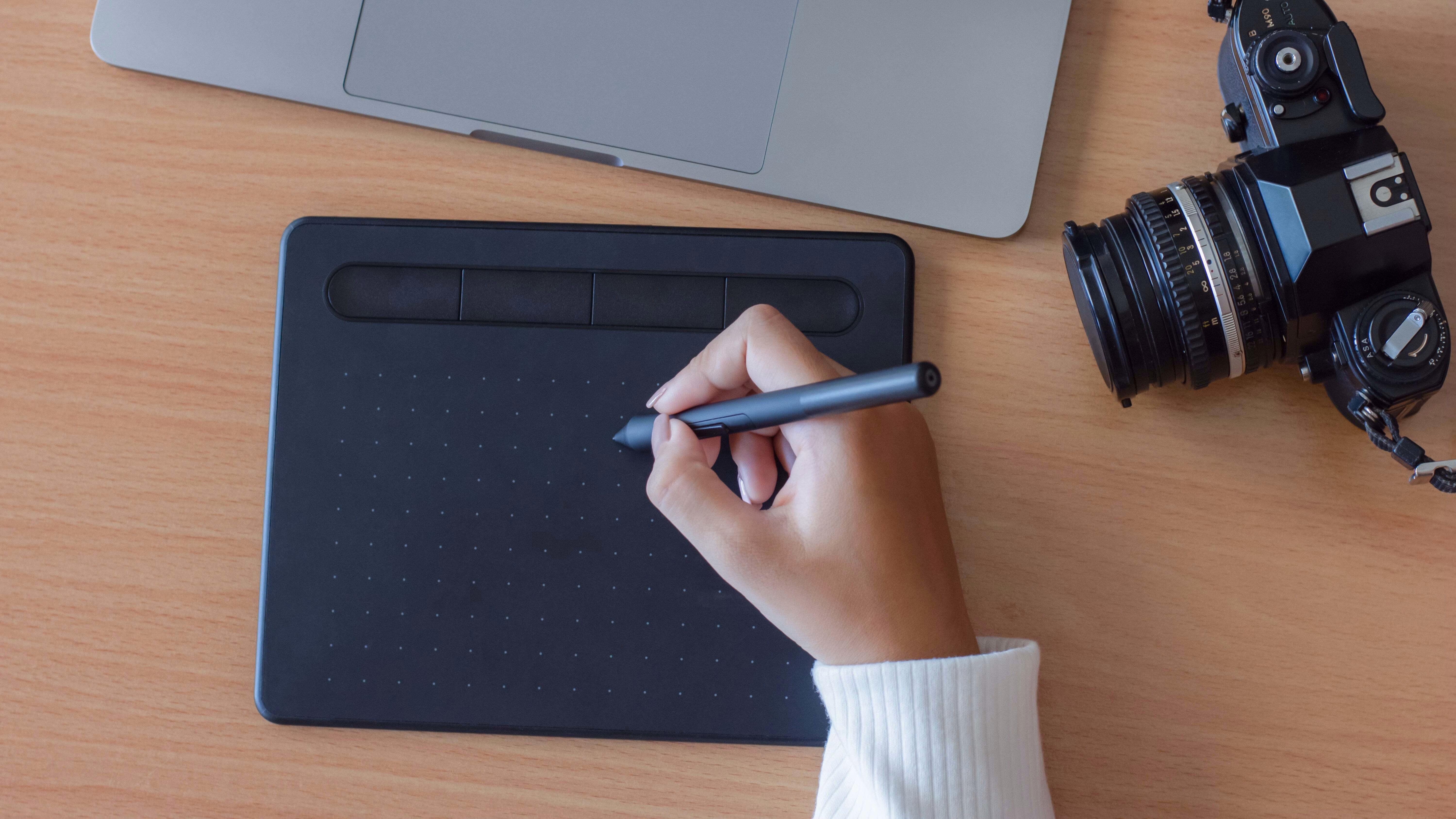
Et pen-greb kan føles naturligt og præcist — forudsat at du holder grebet let og undgår afvigelse i håndleddet.
Hvornår du skal bruge den, og hvornår du skal undgå den (triggerpunkter og grebstyrke)
Pen-input er stærkt til præcisionsredigering, retouchering og vektorarbejde. Men her er det tricky: Hvis du klemmer om pennen, belaster du de samme underarmsekstensorer, der blusser op ved tennisalbue. Hold grebet afslappet, og tag mikropauser hver 20–30 minutter. Hvis du har aktive triggerpunkter i ekstensor-muskulaturen (øverst på underarmen), så begræns pen-tid, indtil symptomerne falder til ro med hvile, udspænding eller vejledning fra en fagperson.
Opsætninger, der minimerer klemmegreb og håndledsafvigelse
Placér tabletten lige under tastaturet, parallelt med bordkanten. Indstil moderat pen-tryk og aktivér hover-klik eller bløde tap. Hold håndleddet lige, og bevæg fra albue og skulder — ikke fra et bøjet håndled. Brug et lille, blødt pen-greb, hvis dine fingre har tendens til at klemme.
5. Touchpad med lav kraft: Skånsomme bevægelser, centreret kontrol
.avif)
Contour Touch tilbyder lavkraft, centreret pegekontrol, som kan give din albue ro på dage med meget musearbejde.
Effektive gestus og tap-indstillinger
Slå tap-to-click til med én finger og tap-to-right-click med to fingre for at reducere tryk. Brug korte, effektive gestus: tre-finger swipe til skriveborde, to-finger scroll i dokumenter. Hold markøracceleration moderat, så små bevægelser rækker langt uden ekstra indsats. En touch-overflade med lav kraft kan være et smart alternativ til mus ved tennisalbue på rejser eller i møder.
Håndfladeafvisning og placering
Aktivér håndfladeafvisning for at undgå fejlklik. Placér touchpad’en centreret under mellemrumstasten — ligesom en RollerMouse. Hvis dine skuldre sniger sig op, så sænk bordet eller hæv stolen, så albuerne kan hvile i 90–100°. Små tweaks i opsætningen kan give stor effekt (Office Ergonomics, HSE guidance, 2022).
6. Skift mellem hænder: Del belastningen mellem armene
Hovedpointe: Når du fordeler pegearbejdet mellem venstre og højre hånd, spreder du belastningen og giver væv under heling tid til at falde til ro.
En to-ugers overgangsplan
- Dag 1–3: 20 minutter pr. time med din ikke-dominerende hånd. Sæt tempoet ned: præcision først.
- Dag 4–7: 30–40 minutter pr. time. Lad den ømme side hvile under skiftet.
- Uge 2: Sigt efter en 50/50-fordeling — eller det, der føles bedst.
Hold dig til enheder med lav friktion: En centreret RollerMouse gør side-skift helt enkelt; en vertikal mus med en venstrehåndsvariant kan også fungere. Forvent et lille dyk i produktivitet, som betaler sig tilbage i komfort og holdbarhed.
Genveje og layout-tilpasninger, der reducerer friktion
Flyt hyppige handlinger til tastaturgenveje og knapper på enheden. Map kopi/indsæt, luk fane og mission control til tommelknapper eller RollerMouse-knapper. Hav en lille “cheat sheet” på bordet i tre dage — det sidder hurtigt fast.
7. Kompakt, kort rækkevidde: Ergonomisk mus + smalt, neutralt tastatur
Et kompakt tastatur holder din pegeenhed tættere på din midtlinje og reducerer rækkevidden, der belaster albuen.
Hvorfor tastaturets bredde og piletaster betyder noget
Et standard tastatur i fuld størrelse skubber musen langt til højre. Den lange rækkevidde øger skulderabduktion og vrid i underarmen — dårlig nyt for en mus til tennisalbue. Et tenkeyless- eller kompakt layout trækker musen ind. Low-profile switches og en lav hældning hjælper med at holde håndleddene neutrale.
Tips til Balance Keyboard-parring og skrivebordshøjde
Contour’s Balance Keyboard er smalt, neutralt og passer perfekt sammen med RollerMouse eller Unimouse. Den lave forkant og justerbare hældning reducerer håndledsekstension, og den kompakte form forkorter rækkevidden. Bordet i albuehøjde. Stolen indstillet, så fødderne står fladt, hofterne er åbne ~100–110°, og skuldrene kan falde ned. Små justeringer, stor lindring.
Konklusion
Du behøver ikke kæmpe med dit udstyr. Den bedste mus til tennisalbue reducerer rækkevidde, rotation og grebstyrke — tre greb, du kan justere allerede i dag. Start centreret med en RollerMouse for at minimere bevægelse, eller finindstil en Unimouse til din vinkel. Tilføj et kompakt Balance Keyboard for at trække alt ind. Skift mellem trackball, touchpad eller stylus, når dit arbejde ændrer sig, og skift hånd for at dele belastningen.
Komfort er ikke valgfrit: Det er sådan, du beskytter dine hænder, dit fokus og din karriere. Vælg én ændring, du kan gennemføre inden for de næste 24 timer, sæt den op med omtanke, og læg mærke til, hvordan albuen føles kl. 16 i morgen. Contour-enheder er formet til at hjælpe dig med at arbejde mere aligned og produktivt — bedre for dig, bedre for planeten. Find dit match. Gør mirakler.
Vigtigste takeaways
- Til en mus til tennisalbue minimerer en centreret RollerMouse rækkevidde og vrid i underarmen; align den til mellemrumstasten, hold albuerne ~90–100°, og brug lette klik med mellem til høj markørhastighed.
- En justerbar vertikal mus (fx Contour Unimouse) i en 35°–70° “håndtryks”-vinkel reducerer pronation; justér DPI til afslappet kontrol, og map hyppige handlinger til sideknapper.
- En trackball holder armen i ro for at beskytte albuen; vælg den rigtige kuglestørrelse, rengør ugentligt, og brug en fingerbetjent model, hvis din tommelfinger er sensitiv.
- Brug en pen-mus eller tablet-stylus med afslappet greb og lige håndled; aktivér bløde tap/lavt tryk, placér tabletten lige under tastaturet, og tag mikropauser hver 20–30 minutter.
- En touchpad med lav kraft som Contour Touch, centreret under mellemrumstasten, reducerer indsatsen på dage med meget musearbejde; aktivér tap-to-click, håndfladeafvisning og moderat markøracceleration.
- Kombinér din ergonomiske mus med et kompakt tastatur og indfør skift mellem hænder (byg mod 50/50 på to uger) for at forkorte rækkevidden og dele belastningen — for den bedste opsætning til tennisalbue.
Ofte stillede spørgsmål
Hvad er den bedste mus til tennisalbue ved kontorarbejde?
En centreret pegeenhed er ofte den bedste mus til tennisalbue, fordi den minimerer rækkevidde og vrid i underarmen. Når hænderne bliver tæt på hjemmerækken, reducerer det klemning og drej. Sæt markørhastigheden til mellem/høj, hold klik lette, og align enheden tæt til mellemrumstasten for neutrale håndled.
Vertikal mus vs. trackball: Hvad er bedst til tennisalbue?
Begge kan hjælpe — på hver sin måde. En vertikal mus reducerer pronation i underarmen ved at placere hånden i en “håndtryks”-stilling; justér vinklen, til smerten dæmper sig, mens du bevarer kontrollen. En trackball holder armen i ro og er nyttig, når bevægelse i sig selv udløser symptomer. Hvis tommelfingersenerne er ømme, så vælg en fingerbetjent trackball.
Hvordan bør jeg sætte en mus op ved tennisalbue for at reducere smerte?
Centrér enheden under eller tæt ved mellemrumstasten, hold albuerne omkring 90–100°, og sænk skuldrene. Brug et kompakt tastatur for at skære ned på rækkevidden. Start med medium DPI, og øg, indtil små, blide bevægelser dækker skærmen. Map hyppige handlinger til sideknapper eller genveje, og hold klik/tap bløde for at reducere belastningen.
Kan det hjælpe at skifte hånd ved tennisalbue?
Ja. Skift side for at dele belastningen og give irriteret væv tid til at komme sig. Prøv en to-ugers plan: start med 20 minutter pr. time på den ikke-dominerende side, byg til 30–40 minutter, og sigt mod ca. 50/50 i uge to. Forvent et kort dyk i præcision; centrerede enheder med lav friktion gør overgangen lettere.
Skal jeg bruge håndledsstøtte eller albuebandage ved tennisalbue?
Brug en blød håndfladestøtte, der holder håndleddene neutrale; undgå hårde håndledsstøtter, der kan trykke på karpaltunnelen. En counterforce-albuebandage kan reducere belastningen på senen ved opblussen, men er en kortsigtet hjælp — ikke en løsning. Prioritér ændringer i opsætning og mindre gentagelse. Søg faglig rådgivning, hvis smerten fortsætter eller forværres.
