

Computer Elbow Symptoms: What They Mean And How To Find Relief

Your deadline is approaching, your shoulder's creeping toward your ear, and a sharp, nagging ache fires along the outer elbow every time you click. If you’ve wondered whether this feeling is normal or if they are computer elbow symptoms, this guide is for you. You'll get clear answers, practical fixes you can try today, and an understanding on how ergonomic devices can help you stay comfortable, aligned, and in control.
What Is “Computer Elbow”?
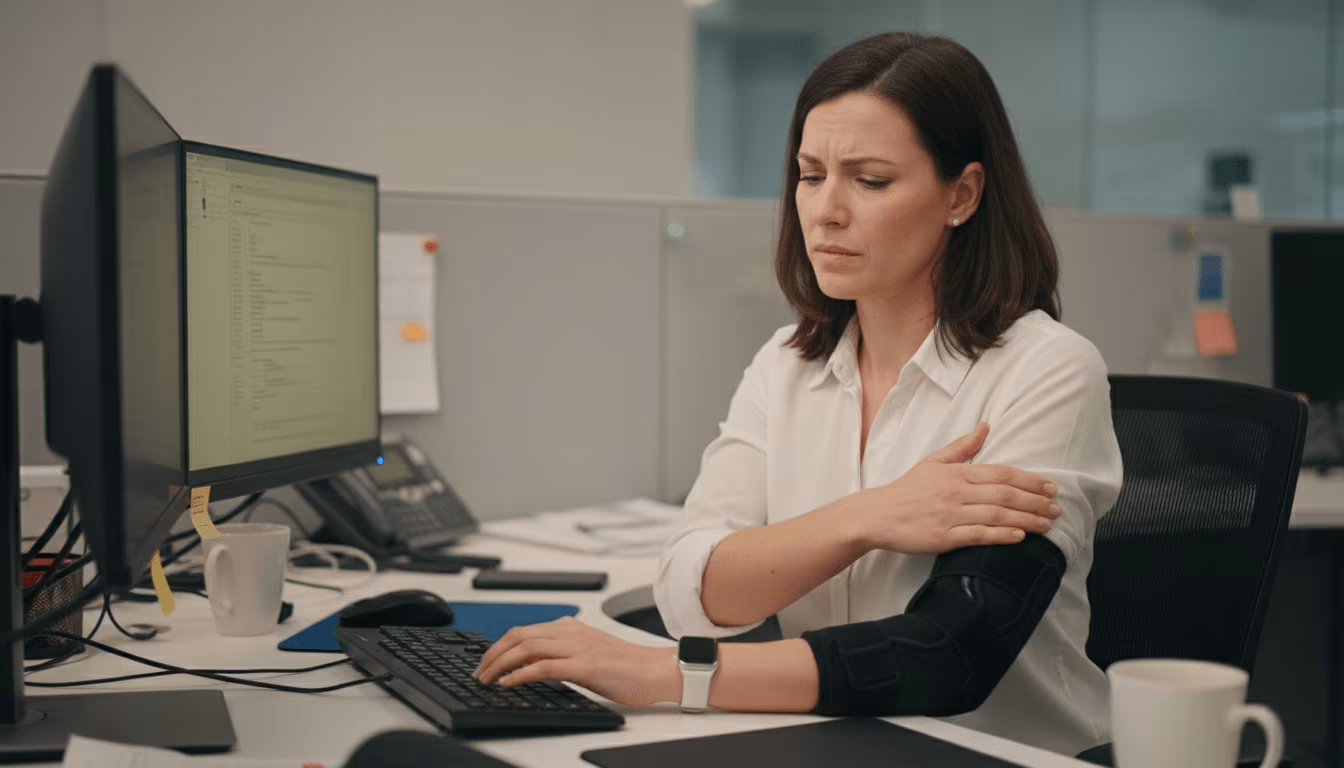
Computer elbow is a handy, catch‑all label for elbow pain linked to long hours at a desk. It isn't one single diagnosis: it's a cluster of overuse tendon and nerve issues that flare when grip, reach, and posture work against you.
Lateral Epicondylitis (Mouse Elbow)
Outer elbow pain with gripping or wrist extension often points to lateral epicondylitis which is often referred to as mouse elbow. If clicking, lifting a kettle, or twisting a jar sparks pain on the bony outside of your elbow, this is a usual suspect. Microtears in the common extensor tendon (often the extensor carpi radialis brevis) build from repetitive mouse use and tight grip. Expect tenderness on the outer side of the elbow (lateral epicondyle) and pain with wrist extensions (Tennis elbow, NHS)
Medial Epicondylitis (Golfer's Elbow)
Inner elbow pain caused by wrist flexion, or strong gripping points towards Golfer’s Elbow (Medial Epicondylitis). You'll feel it on the inside bump of the elbow, sometimes radiating down the forearm toward the wrist. Activities like carrying groceries, typing or mousing with bent wrists, or as the name implies, golfing can trigger it. Same overuse story, different side of the joint.
Cubital Tunnel Syndrome
Numbness or tingling in the ring and little fingers suggests ulnar nerve irritation. Long bouts of bending your elbows to extreme angles like when you hold your phone to your ear, or leaning on hard desk edges narrows the cubital tunnel, which is the main pathway for the ulnar nerve. Symptoms can include nighttime tingling, weakened grip, and aching at the inner elbow. Persistent or worsening symptoms may require medical intervention. (Cubital Tunnel Syndrome, OrthoInfo, AAOS).
Radial Tunnel Syndrome
Dull aches along the outer forearm can stem from radial nerve compression, mimicking mouse elbow. Symptoms often feel more diffused than tendon pain and may worsen with repetitive forearm rotation. Sometimes neck or shoulder tension can cause pain into the elbow region. Sorting tendon vs. nerve drivers issues what to change first.
Symptoms You’ll Typically Feel

Computer‑related elbow problems share a few patterns. Learn the signals, then match fixes to what you feel.
Pain Patterns and Triggers
Pain flares with repetition, gripping, and static postures. Outer or inner elbow tenderness that worsens with clicking, trackpad tapping, or lifting a coffee mug points to tendon strain. Leaning on your elbow or typing with bent wrists can aggravate it. Many people notice a "morning warm‑up" stiffness that eases, then an afternoon spike in pain when fatigue hits.
Sensation Changes and Weakness
Numbness/tingling hints at the involvement of nerves, weak grip is also a strong indicator. Tingling in the ring/little fingers suggests the ulnar nerve (cubital tunnel). A broad, aching burn down the extensor side can signal radial nerve irritation. Struggling to hold a pan, a phone, or a full water bottle? That's your forearm asking for relief.
Red Flags Requiring Prompt Care
Don't wait for progressive nerve symptoms. Seek a clinician if you have persistent numbness or tingling, marked weakness, visible swelling, fever, trauma, or sleep‑disrupting pain. Early care shortens recovery. This article is for general information and isn't a diagnosis.
Why Desk Work Irritates the Elbow

Elbows don't work alone. What happens with your mouse, keyboard, neck, and shoulders shows up here.
Repetition, Grip, and Static Load
Small movements add up fast. Thousands of clicks and scrolls with stress tendons, especially with a tighter grip or lower mouse sensitivity. Holding postures, hand hovering, elbow being bent to 120° for hours, starves tissues of blood flow, slowing recovery between sprints.
Reach, Angle, and Contact Stress
Overreaching multiplies strain. If your mouse lives too far out to the right, away from your keyboard, your shoulder abducts, your wrist deviates, and your elbow takes the torque. Hard desk edges compress nerves. A desk that is too high forces shrugged shoulders, while a too‑low desk collapses posture. A neutral, supported posture is the target you should be looking to achieve.
Whole-Chain Factors: Neck, Shoulder, and Wrist Alignment
Our body is an integrated system of joints, muscles, and nerves that all work together to produce our movements. It’s known as the kinetic chain, and it matters more than you may think. A forward head and rounded shoulders add tension in the brachial plexus and forearm musculature. Wrist extension while typing drastically increases tendon load at the elbow. When the chain lines up, head over ribs, ribs over hips, wrists neutral, the forces working against your body drop. (Ergonomics and musculoskeletal disorders, EU‑OSHA.)
Self-Checks and Early Self-Care

Quick checks can clarify what causes your pain and what calms it.
Simple Tests You Can Try Safely
Gentle provocation helps you map the pain. Press around the outer and inner elbow for localized tenderness. Try resisted wrist extensions (straighten your arm, make a fist, resist your other hand) for lateral pain and resisted wrist flexion for medial pain. Stop if sharp pain or numbness occurs.
Activity Modifications and Microbreaks
Little changes add up. Alternate tasks every 20–30 minutes. Use voice dictation for email triage. Switch hands for simple pointing tasks for 2–3 minutes every hour. Take a 60-second break every 30-40 minutes,, your tendons love short, frequent rests.
Calm The Irritation: Ice/Heat but Over‑The‑Counter Options
Match the modality to the moment. Ice 10–15 minutes after flare‑ups to calm sharp pain. Use gentle heat for morning stiffness. Over‑the‑counter NSAIDs like ibuprofen can help short term: confirm with your clinician, especially if you have GI, kidney, or heart conditions. (See: "Tennis elbow," NHS, 2023.)
Gentle Mobility and Eccentric Strengthening
Move first, then strengthen. Do pain‑free wrist flexor/extensor stretches, research exercises called nerve glides if tingling is mild, and forearm rotations. Add light eccentric loading (slow lowering) for extensors and flexors 3–4 days a week. Start with 2–3 sets of 8–12 reps with a 1–2 lb weight, progressing slowly. Many studies report eccentrics help tendon remodeling.
When To See a Clinician
Don't push through persistent symptoms. If pain lasts beyond a few weeks, wakes you at night, or limits daily function, book an appointment with your doctor. Physical therapists can tailor loading progressions, while clinicians can rule out nerve entrapment and discuss options like bracing, corticosteroid injections, or other therapies when appropriate.
Ergonomics Can Reduce Strain Fast

Ergonomics lowers load at the source. Centered control. Minimal reach. Neutral wrists. Relaxed shoulders. Less irritation, more flow. If you want to explore more about ergonomic workstation setup, read about how elbow support for your desk can relieve your pain.
Center Your Pointing Device to Reduce Reach
Bring control to your midline. A central pointing device keeps hands close to the keyboard, cutting reach and shoulder abduction. Contour RollerMouse places a intuitive Rollerbar beneath the spacebar, so you navigate without gripping or twisting, just a light glide. Less movement, less strain, more all-day comfort.
Prefer a trackpad-like feel with dedicated buttons? SliderMouse Pro offers centered, ambidextrous control with clean lines and palm support choices.
Choose A Mouse That Matches Your Grip and Hand Size
Fit matters. If you prefer a traditional mouse, UniMouse adjusts in angle and thumb support so you can fine-tune tilt and grip posture to reduce forearm tension. Customizable sensitivity lets you use smaller finger forces.
Align Keyboard, Forearm Support, And Desk Height
Keep elbows near 90°, wrists straight, shoulders relaxed. A compact keyboard like the Balance Keyboard narrows your reach, aligning mouse and keys within the shoulder line. Add a soft forearm support to avoid pressure from hard edges, and set your chair height so forearms rest level with your keyboard.
Workflow Tweaks: Shortcuts, Sensitivity, and Alternation
Reduce clicks and the distance your hand travels to the mouse. Map your most‑used shortcuts to hotkeys or mouse buttons. Increase pointer sensitivity so smaller motions cover the screen. Alternate tasks and, if possible, left and right hands, central devices make left/right switching effortless. For more workflow and setup tweaks, see ergonomic mouse guidance.
Your Sustainable Prevention Plan
Pain relief is great. Staying pain‑free is better. Build tiny habits you'll actually keep.
A 60‑Second Break Script You'll Actually Use
One minute per hour pays off. Stand. Unclench your jaw. Roll shoulders back twice. Shake out hands. Extend arms, palms down and gently flex and extend wrists for 5 breaths. Open and close your hands 10 times. Place hands on ribs and take two slow nasal breaths.
A Simple Weekly Progression Plan
Progress, don't punish.
- Week 1–2: light mobility daily, eccentrics 2x/week.
- Week 3–4: add a third eccentric day and bump weight by 0.5–1 lb if pain stays ≤3/10 during and after.
- Week 5+: maintain 2–3x/week, reassess your workstation monthly. If symptoms creep back, lower load for a week and re‑focus on breaks.
Conclusion
Computer elbow symptoms are messages, not life sentences. Center your control, loosen your grip, and line up kinetic chain. Choose devices that meet you where you work. RollerMouse, SliderMouse Pro, UniMouse, and Balance Keyboard help you stay aligned and comfortable. Protect your hands, protect your career.
Key Takeaways
- Computer elbow symptoms often stem from overuse: outer elbow pain when gripping suggests lateral epicondylitis, inner elbow pain points to medial epicondylitis, tingling in ring/little fingers flags cubital tunnel, and a diffused outer forearm ache may indicate radial tunnel involvement.
- Cut strain fast by improving ergonomics: center your pointing device, keep wrists neutral, set elbows near 90°, add soft forearm support, and raise pointer sensitivity to reduce grip and reach.
- Use smart self-care: take 60‑second microbreaks each hour, ice after flare‑ups and heat for stiffness, and add gentle mobility plus light eccentric forearm work 2–3 times per week.
- Seek prompt care if numbness or tingling persists, weakness increases, swelling or fever appears, trauma occurs, or pain disrupts sleep; a clinician or PT can tailor rehabilitation programs and discuss bracing or other therapies.
- Prevent recurring computer elbow symptoms by alternating tasks, mapping shortcuts, progressing exercises gradually, and reassessing your workstation monthly.
Frequently Asked Questions
What are the most common computer elbow symptoms?
Typical computer elbow symptoms include aching or sharp pain on the outer or inner elbow that worsens with clicking, gripping, or lifting a mug. Many notice morning stiffness that eases, then an afternoon flare-up of pain with fatigue. Tingling in the ring and little fingers and weak grip suggest nerve involvement.
How can I tell lateral epicondylitis from medial epicondylitis at my desk?
Outer elbow pain that increases with gripping or resisted wrist extension points to lateral epicondylitis (mouse/tennis elbow). Inner elbow pain that worsens with wrist flexion or strong gripping leans medial (golfer’s elbow). Localized tenderness on the respective bony bumps helps distinguish them. Stop tests if sharp pain or numbness increases.
What quick fixes help computer elbow symptoms right now?
Take 60‑second microbreaks each hour, relax your shoulders, and keep wrists neutral. Increase pointer sensitivity to reduce grip and travel, and alternate tasks or hands briefly. Use ice 10–15 minutes after flare‑ups, gentle heat for morning stiffness, and consider short‑term NSAIDs if appropriate—confirm safety with your clinician.
When should I see a clinician for computer elbow symptoms?
Seek care if symptoms persist beyond a few weeks, wake you at night, or limit daily function. Red flags include progressive numbness or tingling, marked weakness, visible swelling, fever, or trauma. Early evaluation can rule out nerve entrapment and guide treatments like bracing, targeted loading, or other therapies.
Which ergonomic changes or devices reduce elbow strain fastest?
Center your pointing device to cut reach and shoulder abduction. A RollerMouse or SliderMouse Pro enables light, midline control. Pair a compact keyboard with soft forearm support and set desk/chair height to allow for your elbows to be near 90° and a neutral posture for your wrists. Map shortcuts and raise pointer sensitivity to reduce clicks and wasted motions.
Do braces or straps help computer‑related tennis elbow?
A counterforce elbow strap can reduce load on the extensor tendon during painful tasks, offering short‑term relief. A neutral‑wrist splint at night may help some. Ensure a comfortable fit and avoid compressing the ulnar nerve at the inner elbow. Use braces alongside exercise, load management, and ergonomic changes.
