

Miten hiirikyynärpäätä hoidetaan: käytännöllinen ja ergonominen suunnitelma, joka suojaa käsiäsi ja työtäsi

Kysymys siitä, miten hiirikyynärpäätä hoidetaan, ei ole teoreettinen silloin, kun kello on 16.30, deadline painaa päälle ja hiirikäsi lähettää terävän kivun kyynärpään ulkosivulle. Hierot kohtaa, ravistat rannetta ja jatkat, koska mitä muutakaan voisit tehdä? Tässä on parempi tapa: vaihe vaiheelta etenevä suunnitelma, joka rauhoittaa kipua, korjaa työpisteesi ja auttaa sinua työskentelemään mukavammin. Käytämme yksinkertaisia toimia ja Contour Devices® -ergonomiatyökaluja kuormituksen vähentämiseen ilman, että päiväsi menee uusiksi. Jos hiirikyynärpään oireisiin liittyy puutumista nimettömässä ja pikkusormessa, kyse voi olla kyynärhermon pinneoireesta eikä jänneperäisestä kyynärpääkivusta.
Tarkenna ongelma: onko kyse “hiirikyynärpäästä”?
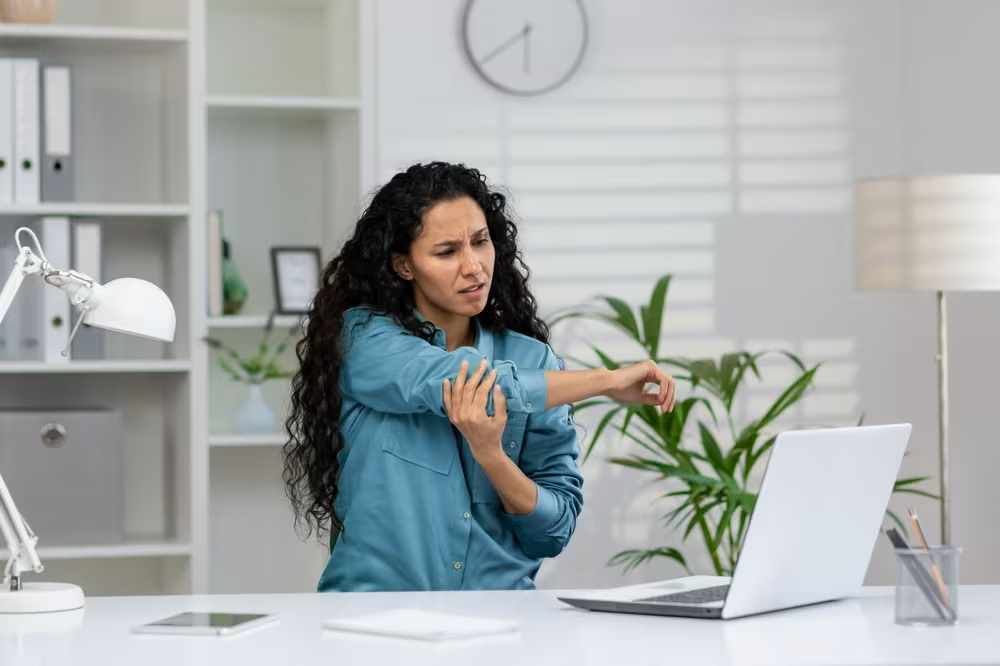
Yleiset merkit ja missä kipu tuntuu (lateraalinen vs. mediaalinen)
Useimmiten “hiirikyynärpää” tarkoittaa tenniskyynärpäätä (lateraalinen epikondyliitti): kipua kyynärpään ulkosivulla, joka pahenee tarttuessa tai ranteen ojennuksessa.
Mitä saatat huomata:
- Lateraalinen (ulkosivu): arka kohta lähellä luista kyhmyä, kipu kun nostat mukia, klikkaat hiirtä tai näppäilet voimalla. Tätä kutsutaan usein hiirikyynärpääksi tai tietokonekyynärpääksi.
- Mediaalinen (sisäsivu): jomottava tai terävä kipu ranteen koukistuksessa (ajattele kämmen alaspäin -asentoa ja voimakkaita painalluksia). Tämä on golfkyynärpää – eri kudokset, samantyyppinen kuormitustarina.
Jos et ole varma, tee kevyt nyrkki ja ojenna rannetta taaksepäin. Jos se provosoi kipua kyynärpään ulkosivulla, lateraalinen vaiva on todennäköinen.
Miksi sitä tulee työpöydällä: kurottaminen, puristus ja toisto
Kurottaminen + toisto = ylikuormitus. Pienet kyynärvarren jänteet eivät pidä pitkistä tunneista, joissa puristat ja ohjaat hiirtä sivulla.
Tyypillisiä syitä:
- Kurotat kaukana olevaan hiireen, käsivarsi loitonnuksessa ja ranne “kulmassa”.
- Tiukka, jatkuva ote isosta hiirestä.
- Korkea osoittimen vastus, joka pakottaa mikrojännitystä koko päivän.
- Leveä näppäimistö, joka työntää hiiren vielä kauemmas.
Vähemmän kurottamista, kevyempi ote ja keskitetty ohjaus vähentävät jänteiden kuormaa.
Hälytysmerkit, jotka vaativat nopeaa lääkäriin hakeutumista
Kaikki oireet eivät ole hiirikyynärpäätä. Hae apua nopeasti, jos huomaat:
- Selvä turvotus, kuumotus tai punoitus.
- Kova kipu “poksahduksen” tai kaatumisen jälkeen.
- Puutuminen tai heikkous, joka ei helpota lyhyellä levolla.
- Kuume, yleinen sairaudentunne tai kyvyttömyys liikuttaa kyynärpäätä.
Nämä voivat viitata murtumaan, infektioon tai hermo-oireeseen – hakeudu arvioon viipymättä (AAOS OrthoInfo, "Tennis Elbow," 2020).
Vähennä ärsytystä nyt: kuormituksen hallinta ja kotihoito

Vähennä provosoivia tekijöitä: hiiripainotteiset tehtävät, tiukka ote ja pitkät putket
Pienennä “annosta”, joka ärsyttää kudosta.
Tänään ja tällä viikolla:
- Rajoita pitkiä hiirijaksoja: vaihda tekemistä 20–40 minuutin välein.
- Kevennä otetta: pidä klikkaukset hellinä.
- Käytä pikanäppäimiä vähentääksesi osoittelua 20–40 %.
- Siirrä hiiri lähemmäs: vältä kurottamista.
Pienikin provosoivan kuorman vähennys tuo usein nopeaa helpotusta.
Kylmä/lämpö, itsehoitolääkkeet ja tuki yöllä (kliininen varovaisuus)
Rauhoita oireita samalla, kun muutat kuormitusta.
- Kylmä 10–15 minuuttia, 2–3 kertaa päivässä pahenemisvaiheessa.
- Harkitse itsehoito-NSAID-lääkkeitä, kuten ibuprofeenia, jos se sopii sinulle: noudata pakkausselostetta ja terveydenhuollon ohjeita (American Family Physician, "Nonoperative Management of Lateral Epicondylitis," 2007).
- Päivällä vastavoimapanta (counterforce) voi vähentää jänteen jännitystä; pehmeä yölastä pitää ranteen neutraalina ja ehkäisee kivuliaita asentoja. Jos kipu jatkuu, ole yhteydessä lääkäriin tai fysioterapeuttiin.
Kevyttä liikelaajuutta ennen venyttelyä
Pidä nivel liikkeessä ilman kipupiikkiä.
Kaksi kertaa päivässä, 1–2 minuuttia kutakin:
- Kyynärpään koukistus/ojennus kivuttomassa laajuudessa.
- Rannepyöritykset hitaasti, molempiin suuntiin.
- Supinaatio/pronaatio: käännä kyynärvartta kämmen ylös → kämmen alas, kevyessä laajuudessa.
Lopeta ennen terävää kipua. Säästä venyttely siihen vaiheeseen, kun perusarkuus on selvästi rauhoittunut.
Rakenna työpiste uudelleen neutraalia, keskitettyä hallintaa varten
.avif)
Säädä ensin korkeudet: tuoli, pöytä ja käsivarsituki
Neutraali asento vähentää jänteiden kuormaa.
- Tuoli: lonkat polvien tasolla tai hieman ylempänä. Jalat tuettuina.
- Pöytä: kyynärpäät noin 90–110°, hartiat rentoina.
- Käsivarsituki: kevyt kyynärvarsikontakti pöydällä tai käsinojilla, ei olkapäiden nostelua.
Pienet korkeussäädöt suojaavat kyynärpäätä koko päivän.
Kohdista näyttö ja näppäimistö, jotta vältät kurottamisen ja kiertymisen
Keskitä keho työhön, jotta käsivarsi ei loitonnu sivulle.
- Näyttö keskellä, yläkolmannes silmien tasolla tai hieman alempana.
- Näppäimistö keskelle navan kohdalle. Vedä se lähemmäs vähentääksesi kurottamista.
- Suosi kompakteja/matalaprofiilisia näppäimistöjä, jotta hiiri tai osoitinlaite pysyy hartialinjan sisäpuolella.
Keskitä kursori: liike roller-barilla, ei ranteella
Keskitetty osoitin vähentää sivukurottamista ja ranteen ojennusta.
Roller-bar-laite on näppäimistön edessä, jolloin molemmat kädet voivat ohjata kursoria hyvin pienin liikkein. Vähemmän kurottamista, vähemmän puristusta, vähemmän ärsytystä. Monet kokevat kivun helpottavan jo pelkästään keskittämällä ohjauksen.
Valitse matalaprofiilinen näppäimistö ja sopiva kämmentuki
Matalammat näppäimet ja oikeanlainen kämmentuki vähentävät ojennusta ja painetta.
- Matalaprofiilinen näppäimistö: vähentää ranteen ojennusta.
- Kämmentuki: mitoitettu kätesi mukaan, pitää kyynärvarret tasossa.
- Vältä kovia reunoja, jotka painavat jänteitä.
Mukavuus kasvaa, kun jokainen pinta tukee neutraalia linjausta.
Liiku fiksusti: mikrotauot, venyttely ja varhainen vahvistaminen
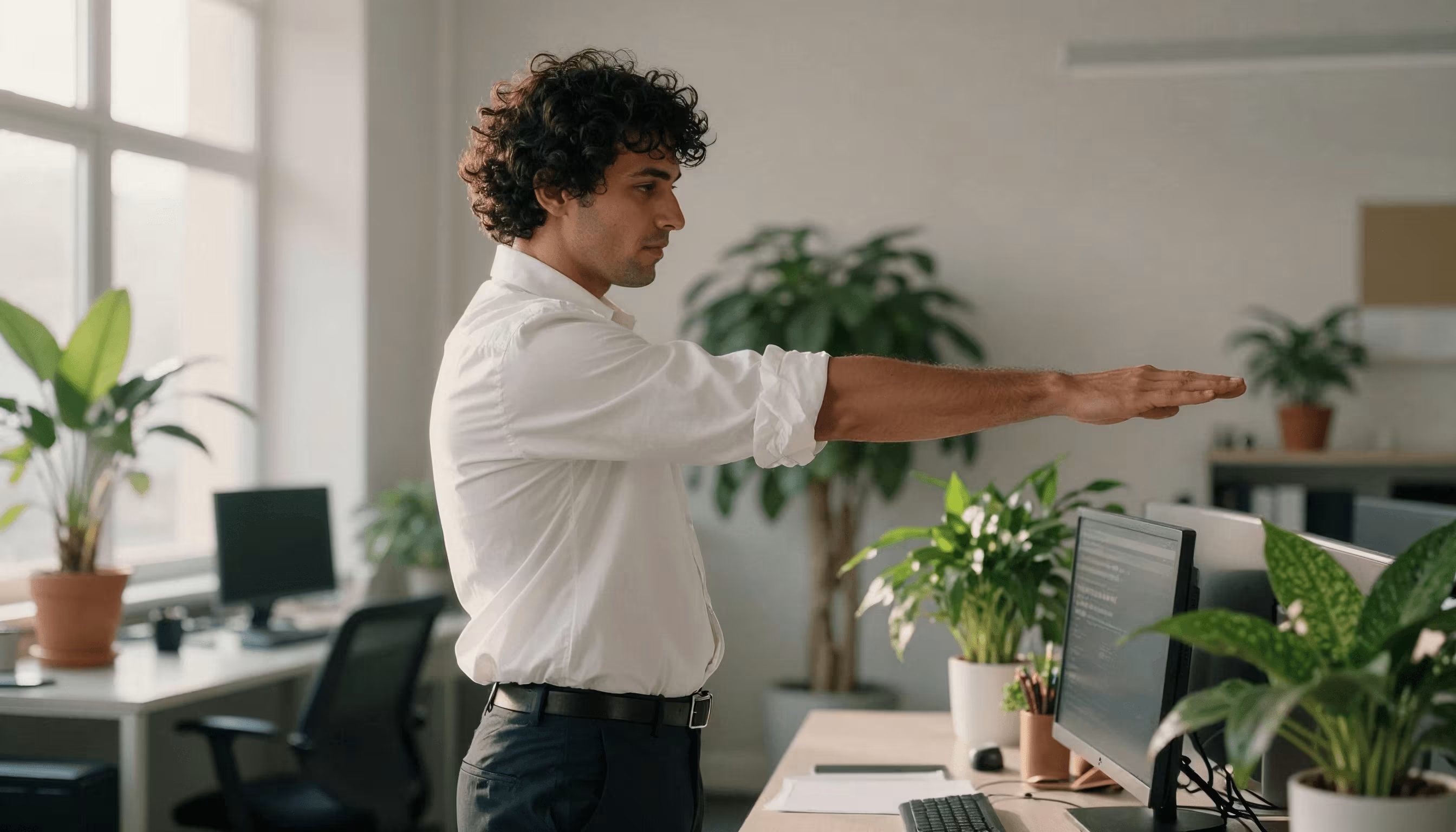
Mikrotauot, jotka oikeasti toimivat: 20-8-2 tai Pomodoro arkeen
Liike ehkäisee rasituksen “hitaan palamisen”.
- Kokeile 20-8-2: jokaista 30 minuuttia kohden istu 20, seiso 8, liiku 2.
- Tai tee 25 minuutin Pomodoro -blokkeja ja 3–5 minuutin palautus. Nouse ylös, pyöritä hartioita, rentouta ote.
Aseta ajastin, jota noudatat. Johdonmukaisuus voittaa intensiteetin.
Kyynärvarren koukistajien/ojentajien venytykset (kevyt kuorma, ei nipistystä)
Hellä, ei-ärsyttävä venytys tukee palautumista.
- Ojentajat: kyynärpää suorana, ranne koukussa (kämmen alas, sormet kohti sinua), kunnes tunnet miedon venytyksen kyynärvarren yläpuolella. Pidä 20–30 sekuntia. 2–3 toistoa.
- Koukistajat: kyynärpää suorana, ranne ojennuksessa (kämmen ylös, sormet taakse), kunnes tunnet miedon venytyksen kyynärvarren alapinnalla. Pidä 20–30 sekuntia. 2–3 toistoa.
Lopeta, jos tunnet terävää kipua tai kihelmöintiä.
Eksentrinen vahvistusprogressio (kevyt → kohtalainen kuorma)
Eksentrinen kuormitus auttaa jännettä uudelleenrakentumaan, kun kipu sen sallii.
3–4 kertaa viikossa, kipua sietäen (enintään 2–3/10):
- Ranteen ojentajien eksentriset: tue kyynärvarsi. Nosta kevyt paino toisella kädellä ja laske hitaasti oireilevalla puolella 3–4 sekunnin aikana. 2–3 sarjaa, 8–12 toistoa.
- Lisää kuormaa pienin askelin 1–2 viikon välein, kun oireet rauhoittuvat (JOSPT, "Tendinopathy Rehabilitation," 2015).
Milloin ja miten lisätä hermoliukuja (jos sinulla on kihelmöintiä)
Lisää vain, jos sinulla on puutumista/kihelmöintiä ja ammattilainen suosittelee niitä.
Fysioterapeutin/toimintaterapeutin ohjauksessa tee kevyitä hermoliukuja (mediaani/radialis). Liikkeet ovat helliä, oireettomia eikä niitä koskaan pakoteta.
Optimoi työnkulku: ohjelmistoasetukset ja pikanäppäimet, jotka vähentävät kuormaa

Säädä osoittimen nopeus, kiihtyvyys ja vieritys vähentääksesi puristusvoimaa
Tee kursorista “tuleva luoksesi”.
- Nosta osoittimen nopeutta, kunnes liikkeet ovat pieniä ja tarkkoja.
- Hillitse kiihtyvyyttä, joka aiheuttaa ylityksiä ja korjausliikkeitä.
- Tasainen vieritys ehkäisee nopeita sorminipsuja.
Tämä vähentää mikrojännitystä, joka ruokkii hiirikyynärpäätä.
Määritä pikanäppäimet/makrot toistuviin toimintoihin
Korvaa 500 hiirenklikkausta viidellä fiksulla oikotiellä.
- Opi sovelluskohtaiset pikanäppäimet (kopioi/liitä, pan/zoom, tasojen togglaus, koodinavigointi).
- Käytä laitteen ohjelmistoa makroihin toistuville sarjoille.
Muutama minuutti asetuksiin voi säästää tuhansia klikkauksia viikossa.
Vaihtele syöttötapoja ja käytä molempia käsiä kuorman jakamiseen
Älä anna yhden jänteen tehdä kaikkea.
- Vaihda osoitinkättä pitkissä jaksoissa.
- Käytä keskitettyä laitetta, jotta kumpikin käsi voi osallistua.
- Sanelu muistiinpanoihin ja sähköposteihin oireiden pahentuessa.
Vaihtelu jakaa kuormaa ja nopeuttaa palautumista (OSHA, "Computer Workstations eTool," päivitetty ohjeistus).
Valitse ergonomiset työkalut, jotka tukevat palautumista — ja kestävyyttä
Keskitetty hallinta: RollerMouse-tuoteperhe kurottamisen poistamiseen
Pidä kädet lähellä, hartiat rentoina ja ranteet neutraaleina.
RollerMouse sijoittaa tuntopalkin näppäimistön eteen, jolloin ohjaat kursoria pehmeillä sormen ja peukalon liikkeillä kehon keskellä – ilman sivulle kurottamista ja ilman ranteen “kulmaa”. Se on pieni muutos, jolla voi olla suuri vaikutus lateraaliseen epikondyliittiin. Tutustu RollerMouse-mallistoon ja valitse tuntuma sekä kämmentuki, jotka sopivat sinulle. Monet tiimit aloittavat RollerMouse Red -mallilla sen tarkkuuden ja hiljaisen varmuuden vuoksi.
Säädettävä tarkkuus: UniMouse neutraaliin, tuettuun otteeseen
Kulmalla on väliä, kun kipu reagoi ranteen asentoon.
UniMouse antaa sinun säätää kallistusta ja peukalotukea, jotta kyynärvarsi lepää neutraalimmassa, avoimemmassa asennossa – vähemmän puristuspainetta ja vähemmän kömpelöitä mikrokorjauksia. Se on ihanteellinen, jos tarvitset perinteisen hiiren muodon, mutta haluat vahvaa säädettävyyttä.
Matalaprofiilinen Balance Keyboard ja yhteensopivat kämmentuet
Matalammat näppäimet ja kompakti leveys tuovat osoitinlaitteen lähemmäs.
Balance Keyboard pitää ranteet matalammassa asennossa ja vähentää hartioiden loitonnusta. Yhdistä siihen käsiisi sopiva kämmentuki luodaksesi tasaisen, pehmustetun alustan – selkeät linjat, minimaalinen kuormitus ja vähemmän painepisteitä.
Refurbished-vaihtoehdot, kokeilut ja tiimikäyttöönotot (parempi sinulle, parempi planeetalle)
Mukavuuden ei pitäisi tarkoittaa tuhlausta.
Contour tarjoaa refurbished laitteita sekä yritysdemoja, jotta voit testata, mikä toimii, ja laajentaa ratkaisun tiimillesi luottavaisin mielin. Kestävä rakenne, kierrätysmateriaaleja mahdollisuuksien mukaan, pitkä käyttöikä – parempi sinulle, parempi planeetalle. Contour Devices. Work miracles.
Seuraa edistymistä ja tiedä, milloin hakeutua hoitoon
Yksinkertainen kipu/toiminta -seuranta ja kahden viikon tarkistuspisteet
Mittaa, jotta voit hallita.
- Päivittäinen kipu (0–10) levossa ja hiirtä käyttäessä.
- Toiminta: pystytkö työskentelemään kokonaisen työblokkin ilman pahenemista? Saatko otettua mukin? Teetkö harjoitteet?
- Tarkista kahden viikon välein. Tällä suunnitelmalla pitäisi näkyä tasaista parantumista.
Milloin edetä seuraavalle tasolle: fysio/TO, injektiot ja työjärjestelyt
Älä odota kuukausia, jos kehitys pysähtyy.
- Jos kipu jatkuu yli 6 viikkoa muutoksista huolimatta, hakeudu lääkärin tai fysioterapeutin/toimintaterapeutin vastaanotolle kohdennettua kuntoutusta varten.
- Keskustele kuvantamisesta tai pistoshoidoista sitkeissä tapauksissa.
- Kysy työpaikan mukautuksista: pienet muutokset voivat tuoda suuren helpotuksen (NHS, "Tennis elbow," viimeksi tarkistettu 2023).
Säilytä tulokset: asteittainen kuormitus, tapojen ankkurointi ja seuranta
Pidä kiinni siitä, minkä olet saavuttanut.
- Lisää kuormaa asteittain: lisää ensin aikaa, sitten intensiteettiä.
- Ankkuroi tavat ärsykkeisiin: nouse ylös jokaisen palaverin alussa, mikrotauko jokaisen commit/publishin jälkeen, venytä kun täytät vesipullon.
- Pidä työpiste säädettynä: keskitettynä, tuettuna ja responsiivisena.
Vähemmän turhaa liikettä, vähemmän kuormaa, enemmän mukavuutta koko päiväksi.
Yhteenveto: palauta mukavuus, pysy linjassa ja työskentele hallitusti
Kysyit, miten hiirikyynärpäätä hoidetaan: nyt sinulla on suunnitelma. Vähennä ärsytystä tänään, rakenna työpiste neutraalin ja keskitetyn hallinnan ympärille, liiku usein ja kuormita jänteitä fiksusti. Jos tarvitset työkaluja, Contour devices — RollerMouse, UniMouse ja Balance Keyboard — auttavat sinua pysymään linjassa ja hallinnassa, jotta voit tehdä parasta työtäsi ilman jatkuvaa särkyä. Aloita yhdellä muutoksella seuraavan tunnin aikana. Ja jatka siitä. Kätesi — ja urasi — ovat sen arvoisia.
Keskeiset opit
- Hiirikyynärpään hoito alkaa siitä, että varmistat vaivan olevan useimmiten lateraalinen epikondyliitti (ulkokyynärpään kipu tarttuessa tai ranteen ojennuksessa) kevyellä nyrkki + ranteen ojennus -testillä ja erotat sen mediaalisesta kivusta.
- Vähennä ärsytystä heti rajoittamalla pitkiä hiirijaksoja, keventämällä otetta, siirtämällä hiiren lähemmäs, käyttämällä kylmää 10–15 min, harkitsemalla itsehoito-NSAID-lääkkeitä tarpeen mukaan sekä käyttämällä vastavoimapantaa päivällä ja neutraalia ranneasentoa yöllä.
- Pidä liike ilman pahenemisvaiheita kivuttomalla kyynärpään ja ranteen liikelaajuudella, lisää hellät kyynärvarren venytykset, kun peruskipu rauhoittuu, ja etene eksentrisiin ranteen ojentajiin 3–4x/viikossa kivun pysyessä 2–3/10 rajoissa.
- Rakenna ergonomia neutraalia, keskitettyä hallintaa varten: säädä tuoli/pöytä, keskitä näyttö ja näppäimistö, käytä keskitettyä roller-bar-laitetta ja yhdistä matalaprofiilinen näppäimistö sopivaan kämmentukeen kurottamisen ja puristuskuorman vähentämiseksi — tämä on hiirikyynärpään pitkäjänteisen hoidon ydin.
- Optimoi ohjelmisto ja tavat kuorman vähentämiseksi: nosta osoittimen nopeutta, hillitse kiihtyvyyttä, hyödynnä pikanäppäimet/makrot, vaihtele käsiä tai käytä sanelua ja pidä luotettavia mikrotaukoja (esim. 20-8-2 tai Pomodoro).
- Seuraa kipua/toimintaa kahden viikon välein ja hakeudu arvioon, jos kehitys pysähtyy kuuden viikon kohdalla, tai heti, jos ilmenee hälytysmerkkejä (selvä turvotus, kuumotus/punoitus, kova kipu vamman jälkeen, puutuminen/heikkous, kuume).
Usein kysytyt kysymykset
Mitä “hiirikyynärpää” tarkoittaa, ja onko se sama kuin tenniskyynärpää?
Hiirikyynärpää viittaa yleensä tenniskyynärpäähän (lateraalinen epikondyliitti): kipu kyynärpään ulkosivulla, joka pahenee tarttuessa, hiiren klikkauksissa tai ranteen ojennuksessa. Mediaalinen kipu (golfkyynärpää) on harvinaisempi työpöydällä. Nopea testi: tee kevyt nyrkki ja ojenna rannetta; ulkosivun kipu viittaa lateraaliseen vaivaan.
Miten hiirikyynärpäätä hoidetaan nopeasti ilman, että työ keskeytyy?
Hoida hiirikyynärpäätä nopeasti vähentämällä provokaatiota: vaihda tehtäviä 20–40 minuutin välein, klikkaa kevyemmin, siirrä hiiri lähemmäs ja lisää pikanäppäimiä. Oireisiin kokeile kylmää 10–15 min, harkitse itsehoito-NSAID-lääkkeitä tarvittaessa ja käytä vastavoimapantaa. Kivuton, hellä liikelaajuus auttaa säilyttämään liikkuvuuden.
Millainen ergonominen työpiste auttaa ehkäisemään tai hoitamaan hiirikyynärpäätä?
Aloita neutraaleilla korkeuksilla: lonkat polvien tasolla, kyynärpäät noin 90–110°, hartiat rentoina, kevyt kyynärvarsituki. Keskitä näyttö ja näppäimistö ja pidä osoitinlaite hartialinjan sisäpuolella. Matalaprofiilinen näppäimistö ja pehmeä kämmentuki vähentävät ranteen ojennusta. Keskitetyt osoitinlaitteet vähentävät kurottamista, puristusvoimaa ja ärsytystä.
Ovatko keskitetyt osoitinlaitteet parempia kuin tavallinen hiiri hiirikyynärpään kannalta?
Kyllä. Keskitetyt roller-bar-osoitinlaitteet sijoittavat kursorin ohjauksen näppäimistön eteen, jolloin molemmat kädet voivat jakaa kuormaa vähäisellä kurottamisella ja pienemmällä ranteen ojennuksella. Monet raportoivat ulkokyynärpään kivun vähenevän, kun ohjaus keskitetään. Myös säädettävä, kallistettava hiiri voi auttaa vähentämällä puristusvoimaa ja hankalia kulmia.
Milloin minun pitäisi hakeutua hoitoon hiirikyynärpään vuoksi?
Hakeudu nopeasti hoitoon, jos sinulla on turvotusta, kuumotusta, selkeää punoitusta, kova kipu “poksahduksen” jälkeen, kuume tai jatkuva puutuminen/heikkous. Jos tavanomaiset muutokset eivät auta noin kuudessa viikossa, varaa aika lääkärille tai fysioterapeutille/toimintaterapeutille kohdennettua kuntoutusta varten. Keskustele kuvantamisesta, pistoshoidoista tai työjärjestelyistä, jos edistys pysähtyy.
Kuinka kauan tietokonekäytöstä johtuva tenniskyynärpää paranee, ja voinko jatkaa treenaamista?
Lievät tapaukset paranevat usein 6–12 viikossa kuormituksen muokkauksella ja asteittaisella harjoittelulla; sitkeä tendinopatia voi kestää useita kuukausia. Voit yleensä jatkaa treenaamista, jos kipu pysyy ≤2–3/10 ja vältät raskaita puristusliikkeitä sekä ranteen ojennuspainotteisia harjoitteita. Suosi eksentrisiä harjoitteita ja kyynärvarren kestävyyttä, etene hitaasti ja lopeta, jos oireet selvästi pahenevat.
