



















30-day risk-free

3-year warranty

Free shipping over €100

Secure checkout

RollerMouse Red

Ergonomic Centered Mouse

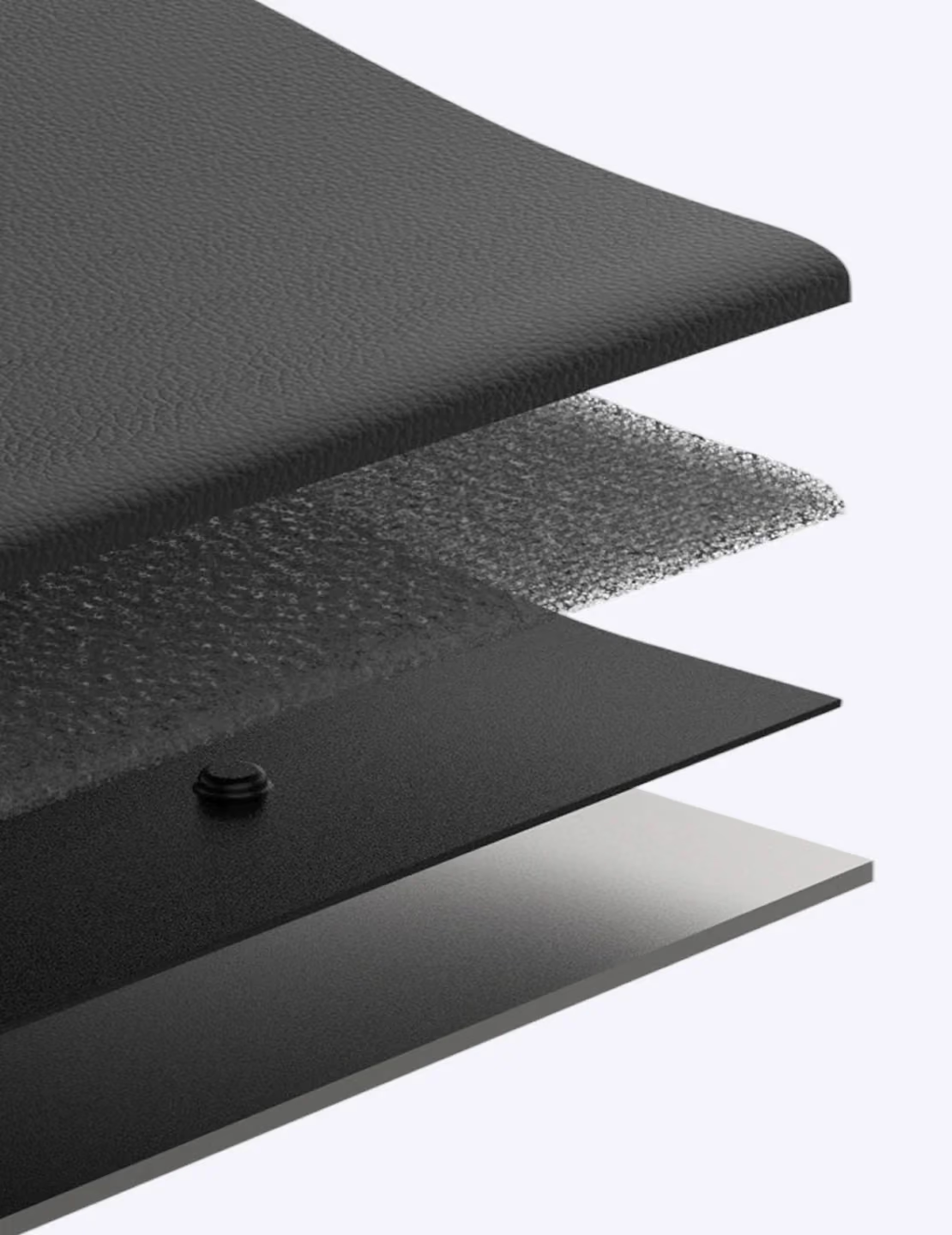
Your mouse is why your shoulders hurt. RollerMouse Red fixes that by centering control right in front of you. Memory foam wrist rest, recycled aluminum build, wired or wireless. The one that started it all.

  • No more reaching — hands stay centred, shoulders relax
  • Smooth, pixel-accurate rollerbar control
  • Fits your hand: three rest sizes + adjustable speed
  • 30-day risk-free trial — love it or send it back, free
€445,00
€999
%
OFF
—
You save
X
Fast, secure express checkout.
In Stock
— delivered by [day], [date]*
If ordered in the next
[countdown]
Out of Stock
Bundle & save

Complete your setup

Express Checkout
Thank you! Your submission has been received!
Oops! Something went wrong while submitting the form.
30-day risk-free
No pain relief? Full refund.
Free shipping
On orders over €100.
3-year warranty
Plus replaceable parts.
Secure checkout
All major cards.
As seen in

“Reduces physical strain by keeping your arms close to your body and eliminating the need to grip or lift a mouse. That benefit is real.” – PC Magazin, 2022.

Remove the reach

Your mouse is why your shoulder aches by lunch

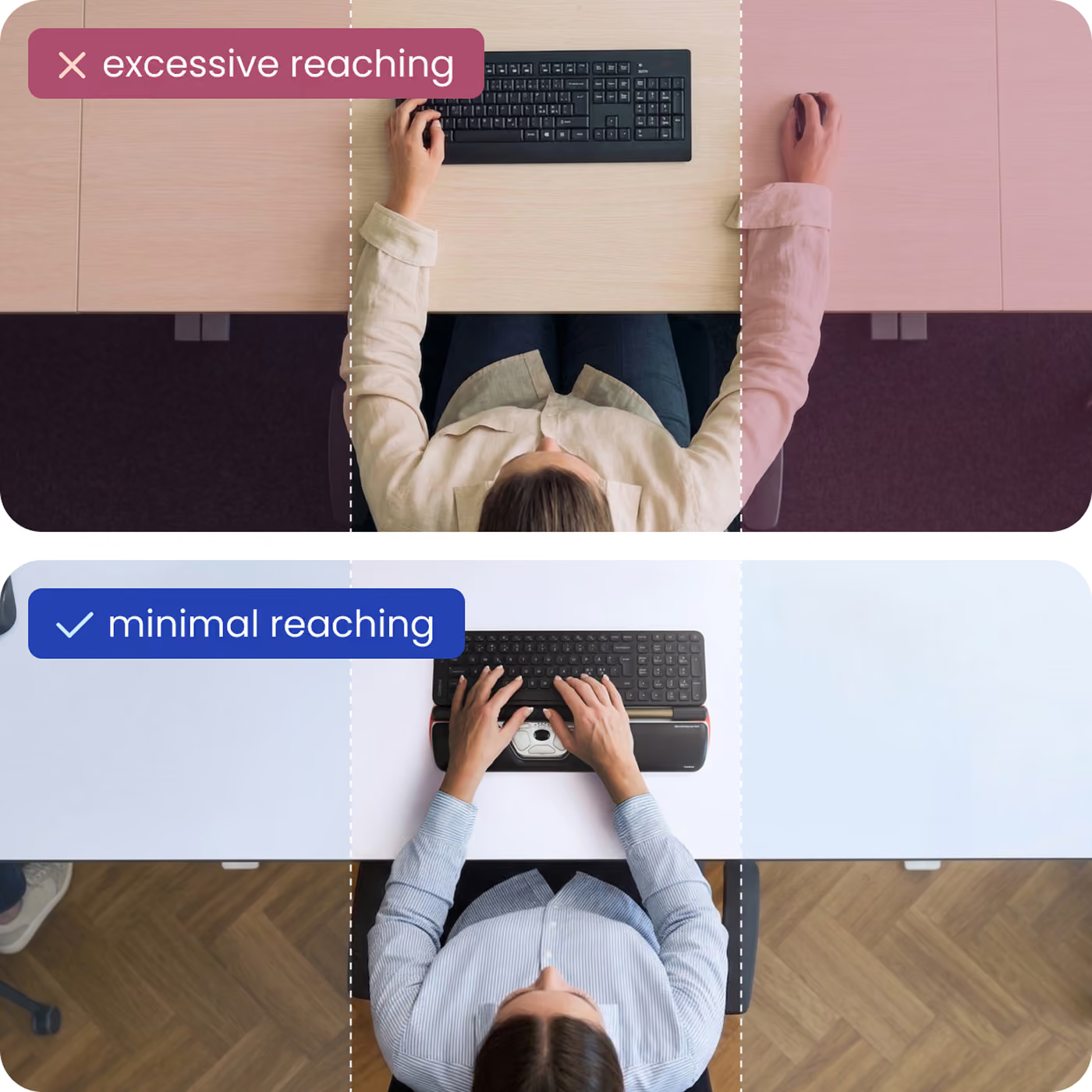
Every time you reach to the side for a normal mouse, your shoulder, forearm and wrist take the load — hundreds of times an hour, all day. RollerMouse removes the reach entirely.

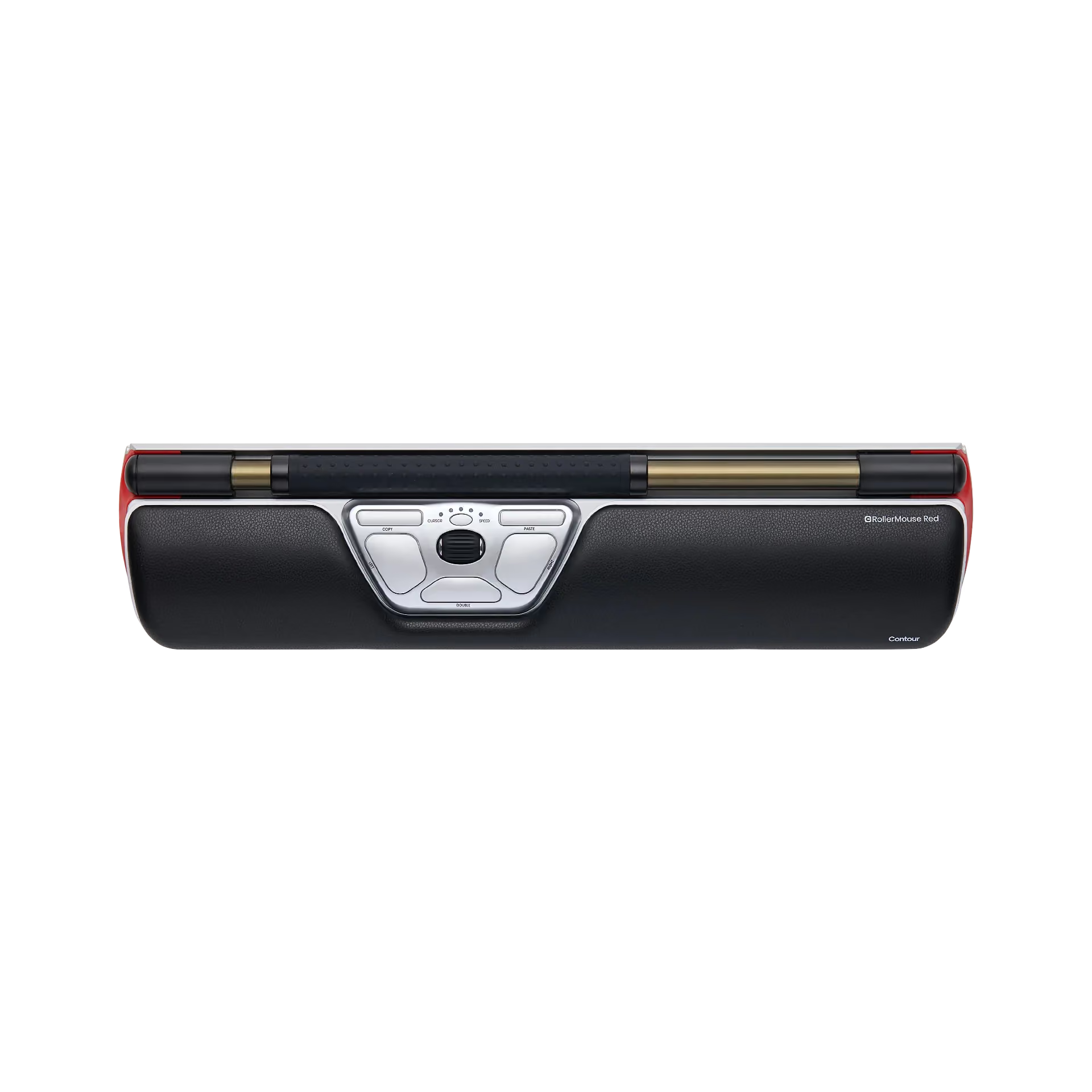
The RollerMouse Red is an ergonomic centered mouse

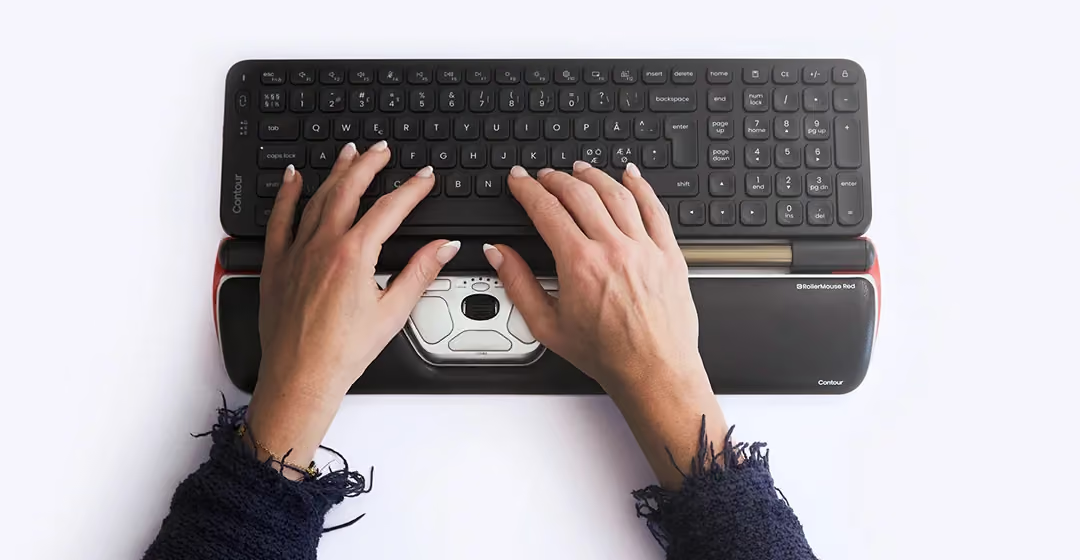
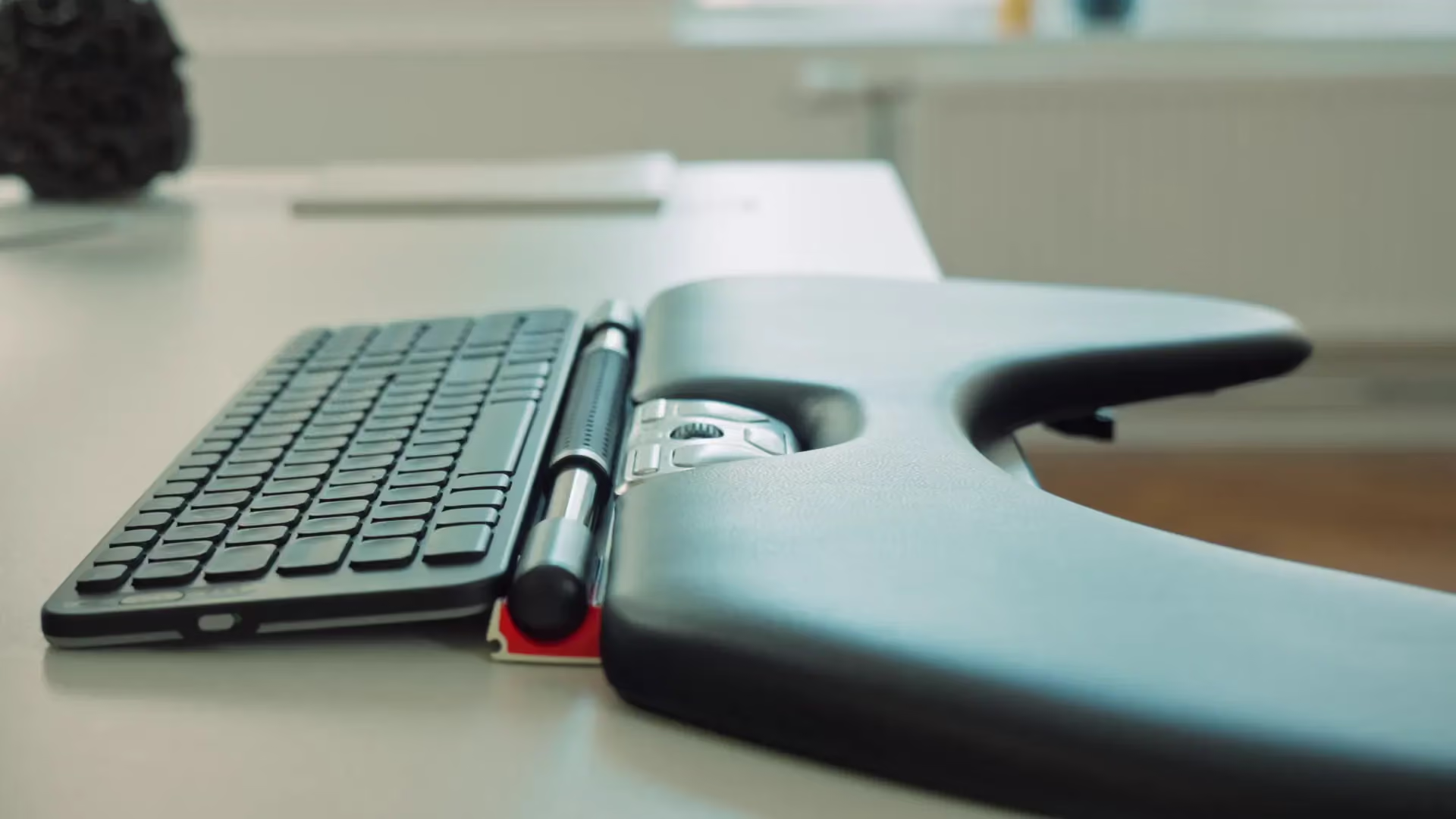
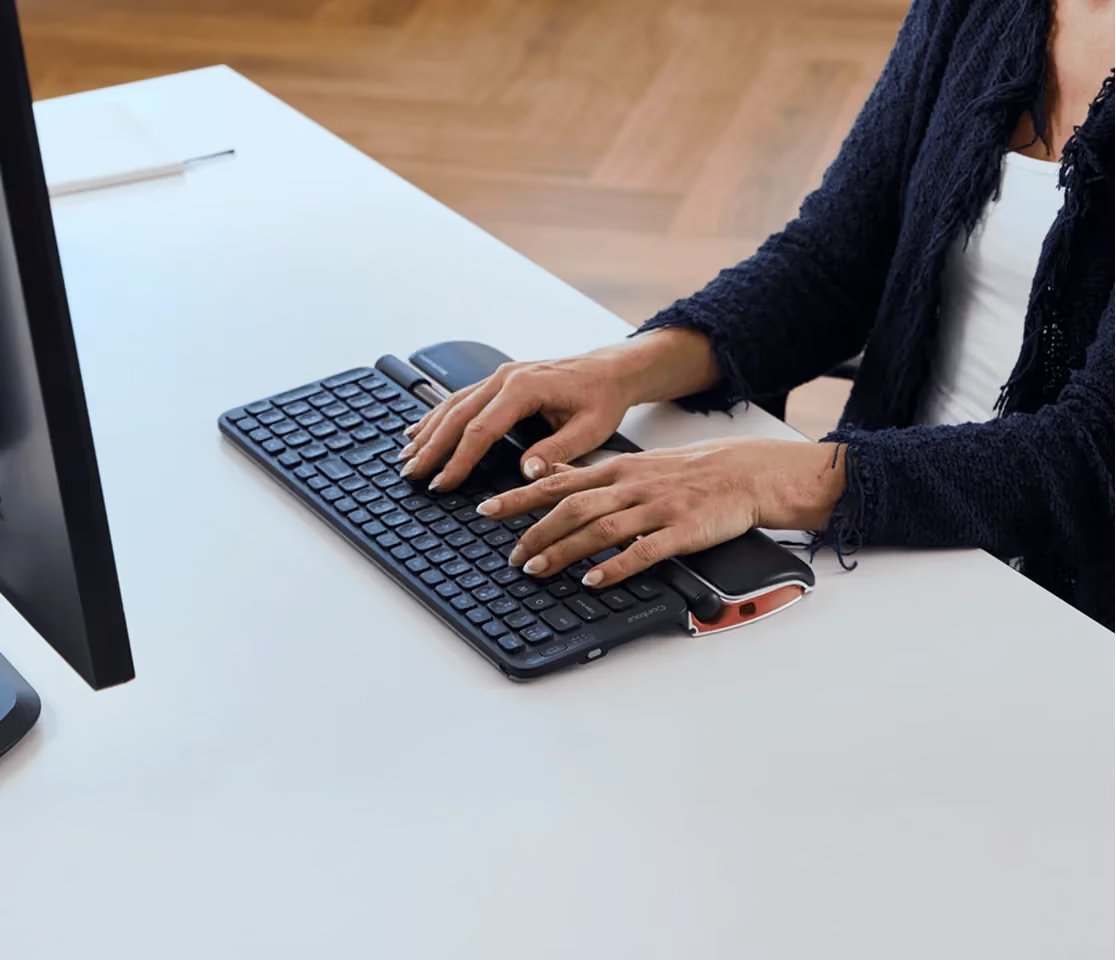
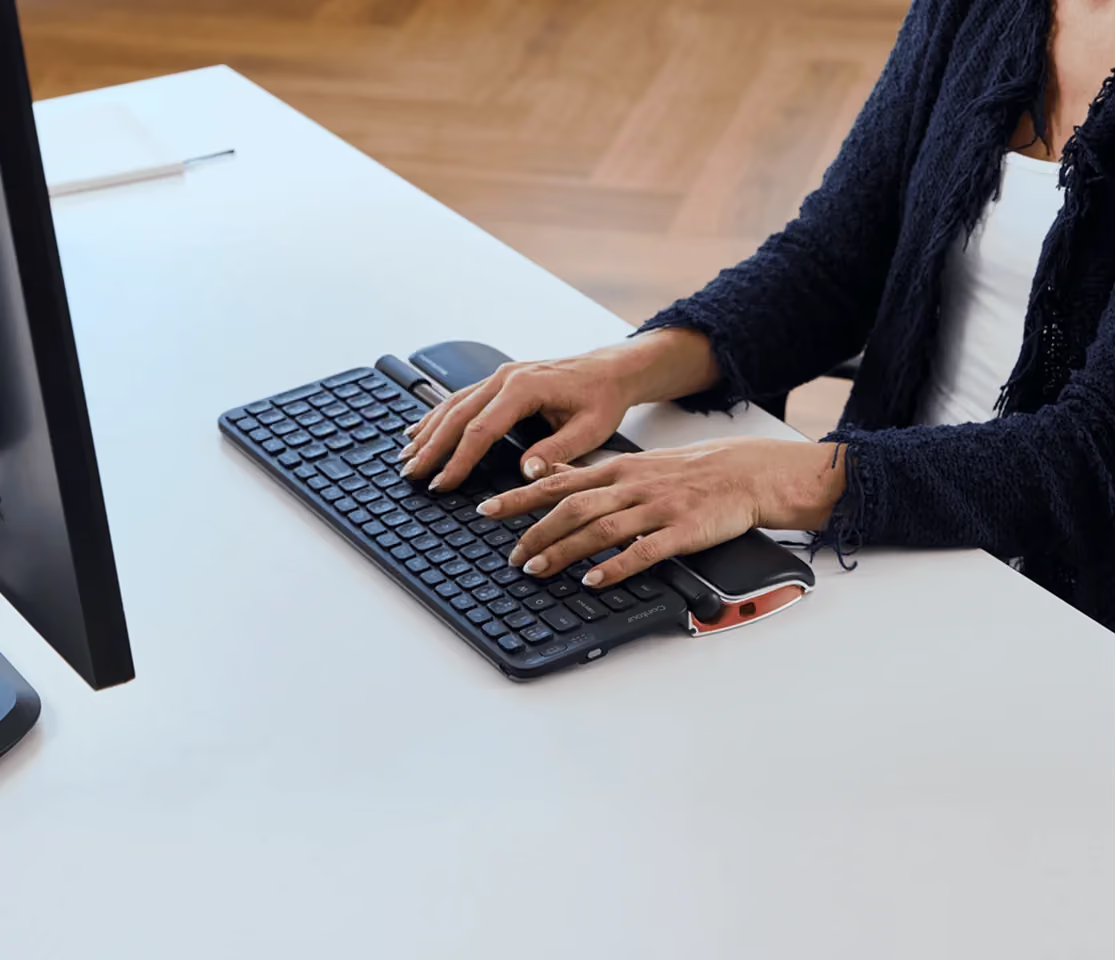
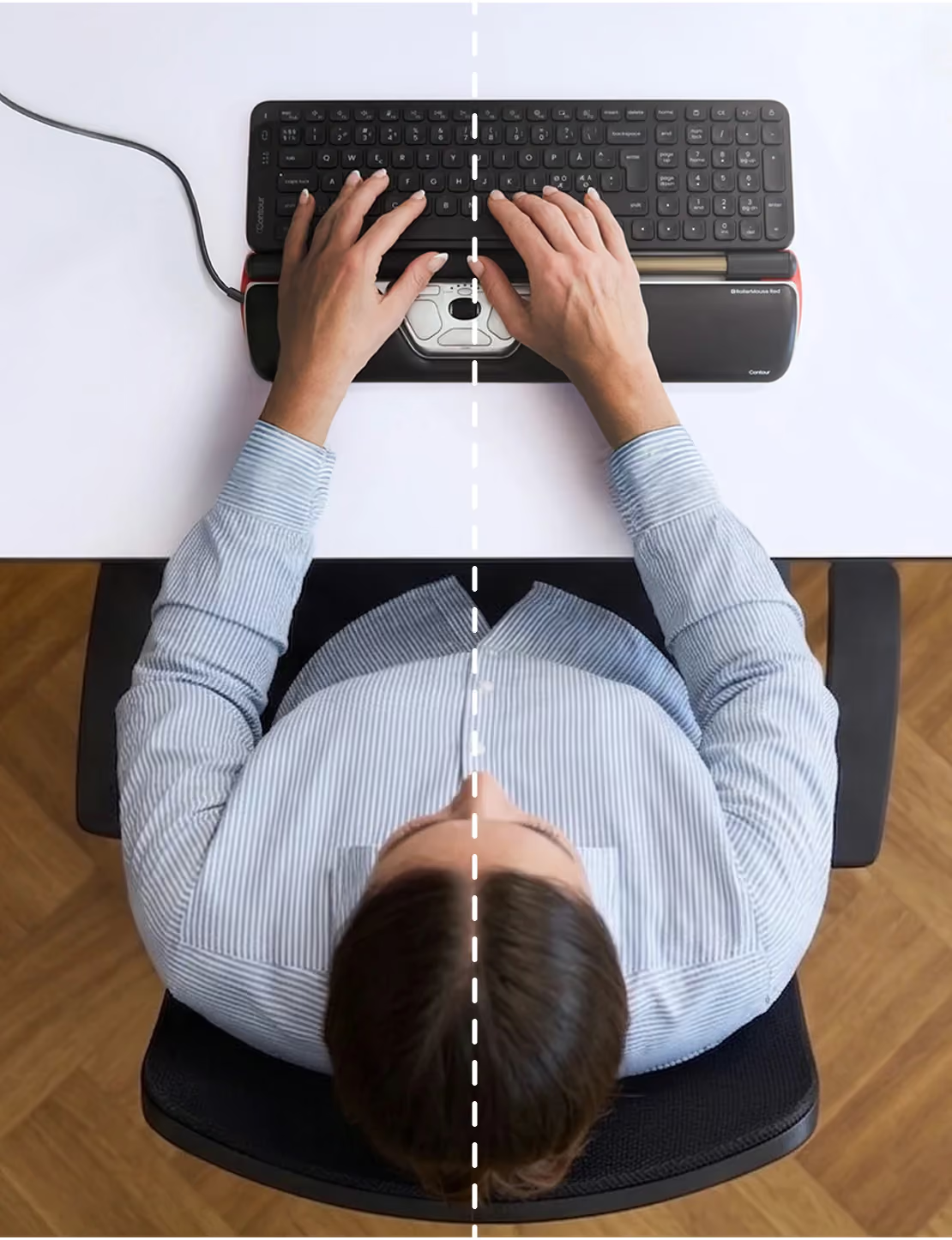
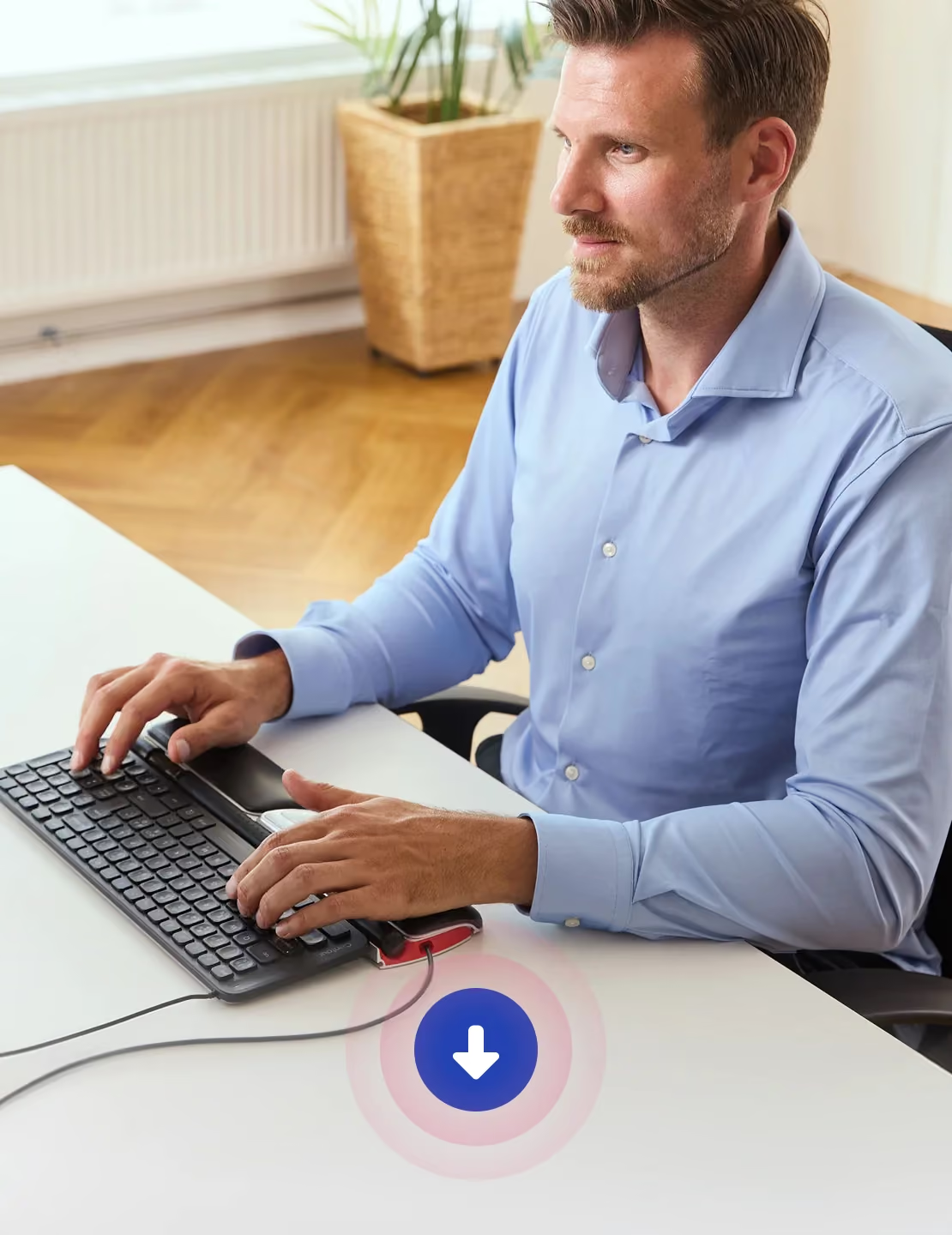
A rollerbar that sits in front of your keyboard, so the cursor comes to your hands instead of your hand reaching to the side. Both hands stay home, your wrist rests on memory foam, and the repetitive motion behind most desk strain simply goes away.

reach
centered working
How it works

The comfort isn't a feeling. It's measurable.

Roll & slide to move

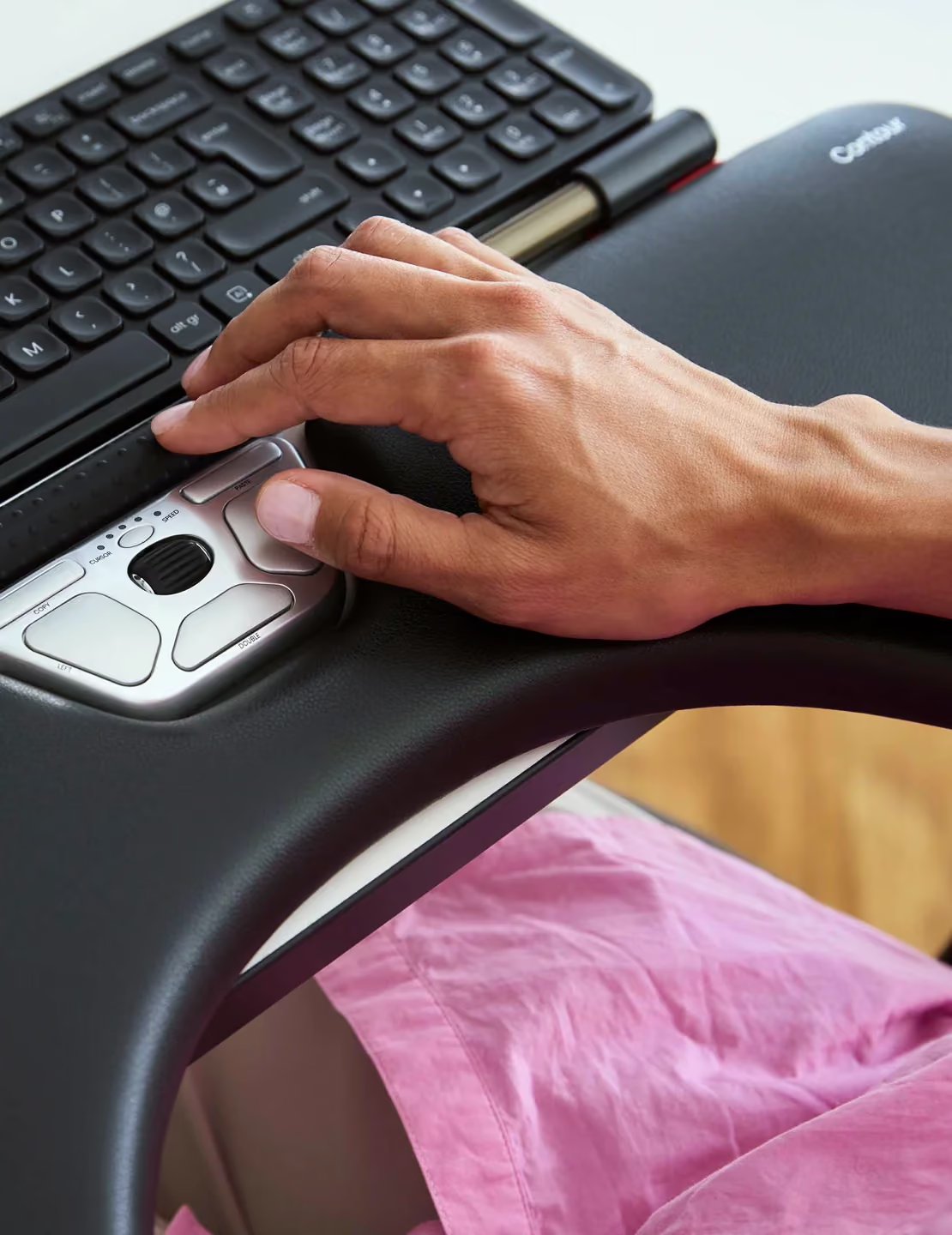
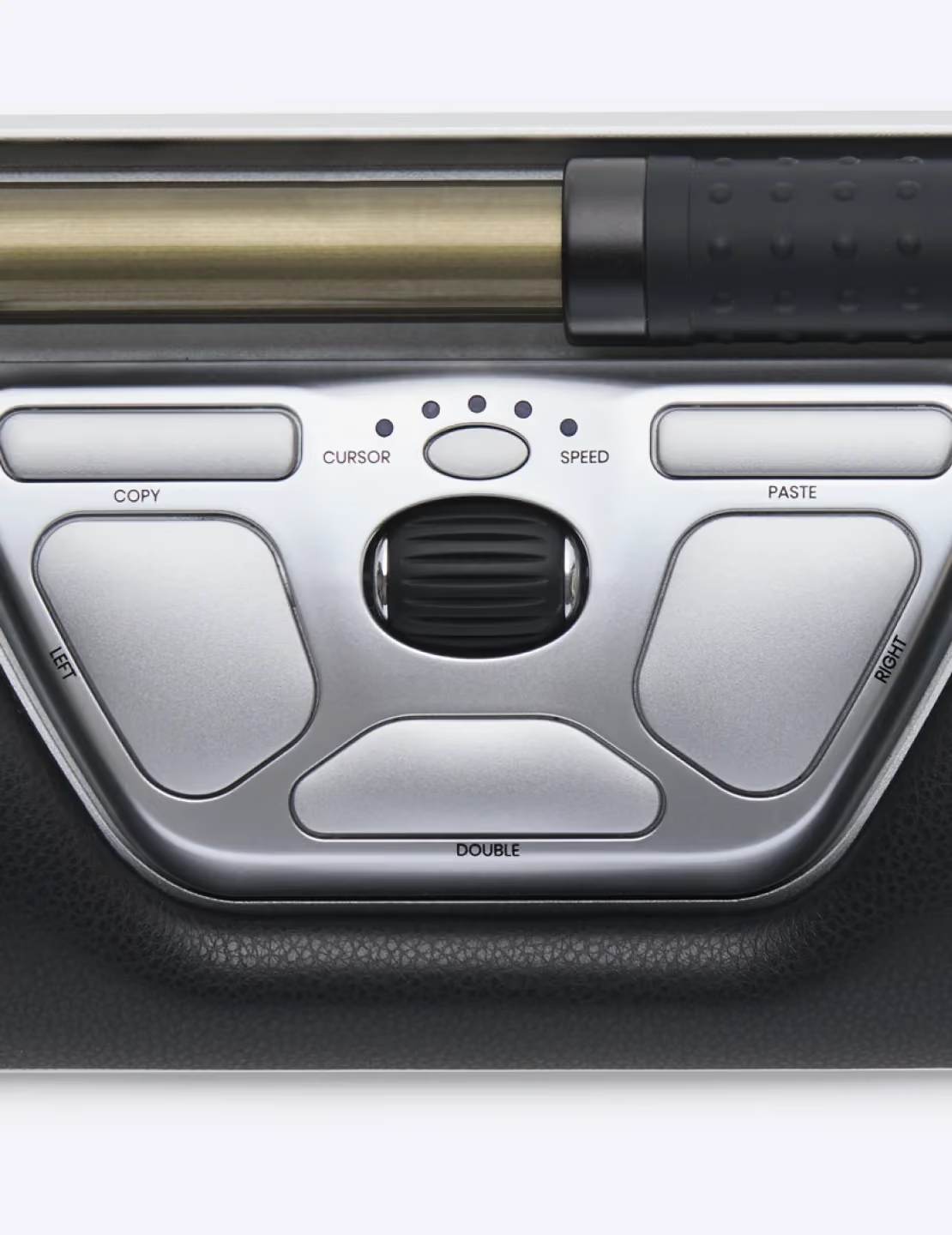
Glide the rollerbar side to side and roll it forward or back. The cursor follows — hands centred, arms still.

Press lightly to click

A soft press on the bar clicks. No gripping, no separate mouse, no thumb gymnastics.

Shortcuts within reach

Copy, paste, scroll and double-click live on ten buttons your thumbs already rest on.

Relief from head to fingertips

Where the ache goes when the reach does

Neck and shoulder relief

Every time you reach for a traditional mouse, your shoulder lifts and your neck twists to follow. Thousands of times a day.

‍With RollerMouse, the reach is gone.

‍Your hands stay centred in front of you, your elbows rest close to your body, and your shoulders finally get to do what they were designed for — nothing at all.

Forearms & elbow

A traditional mouse forces one forearm to twist palm-down and hold that rotation for hours — a position your muscles were never built to sustain.

‍RollerMouse shares the load.

‍Because the rollerbar sits centred below your keyboard, you can switch hands anytime. Both arms stay relaxed, both elbows stay close, and no single side carries the strain of your whole workday.

Wrist

A flat mouse bends your wrist upward and sideways with every movement — small angles that add up to real discomfort over a full day.

‍RollerMouse keeps your wrist straight.

‍The cushioned palm rest supports a neutral angle from your first click to your last, so your wrist ends the day the way it started: comfortable.

Fingers & grip

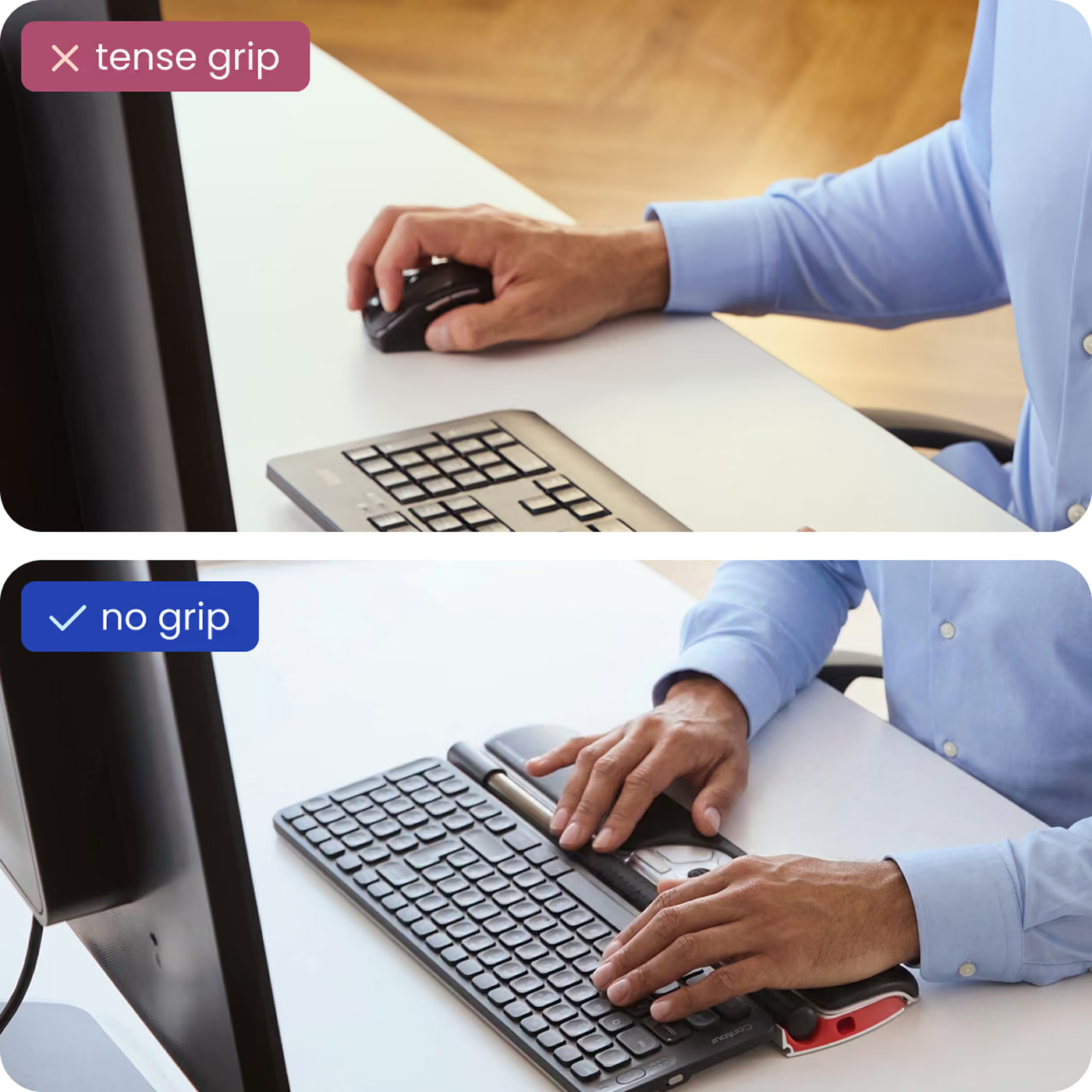
Nothing to grip, nothing to sqHolding a mouse means holding tension — a constant, low-level squeeze your hand maintains for hours without you noticing.

‍With RollerMouse, you simply let go.

‍The rollerbar responds to the lightest fingertip touch, and adjustable click force means every click takes exactly as much effort as you want it to. Your hand stays open, relaxed, and ready.ueeze. Light fingertip control on the rollerbar replaces the constant clutch of a traditional mouse.

Backed by sience

The comfort isn’t a feeling. It’s measurable.

~21%

less forearm muscle activity vs a conventional mouse¹

50%

less shoulder abduction in motion-capture testing²

86%

of users reported less pain³

27%

lower overall upper-body muscle activity⁴

Built for your workflow

However you spend your day

One device, sized and tuned for the way you work — tap through the people RollerMouse was built for.

Pixel-precise control, all day
Designers & CAD

Pixel-precise control, all day

Rollerbar accuracy for exacting cursor work — no grip, no side mouse, no fatigue creeping in by hour six.

Pixel-precise control, all day
Video & photo

Scrub and select, no fatigue

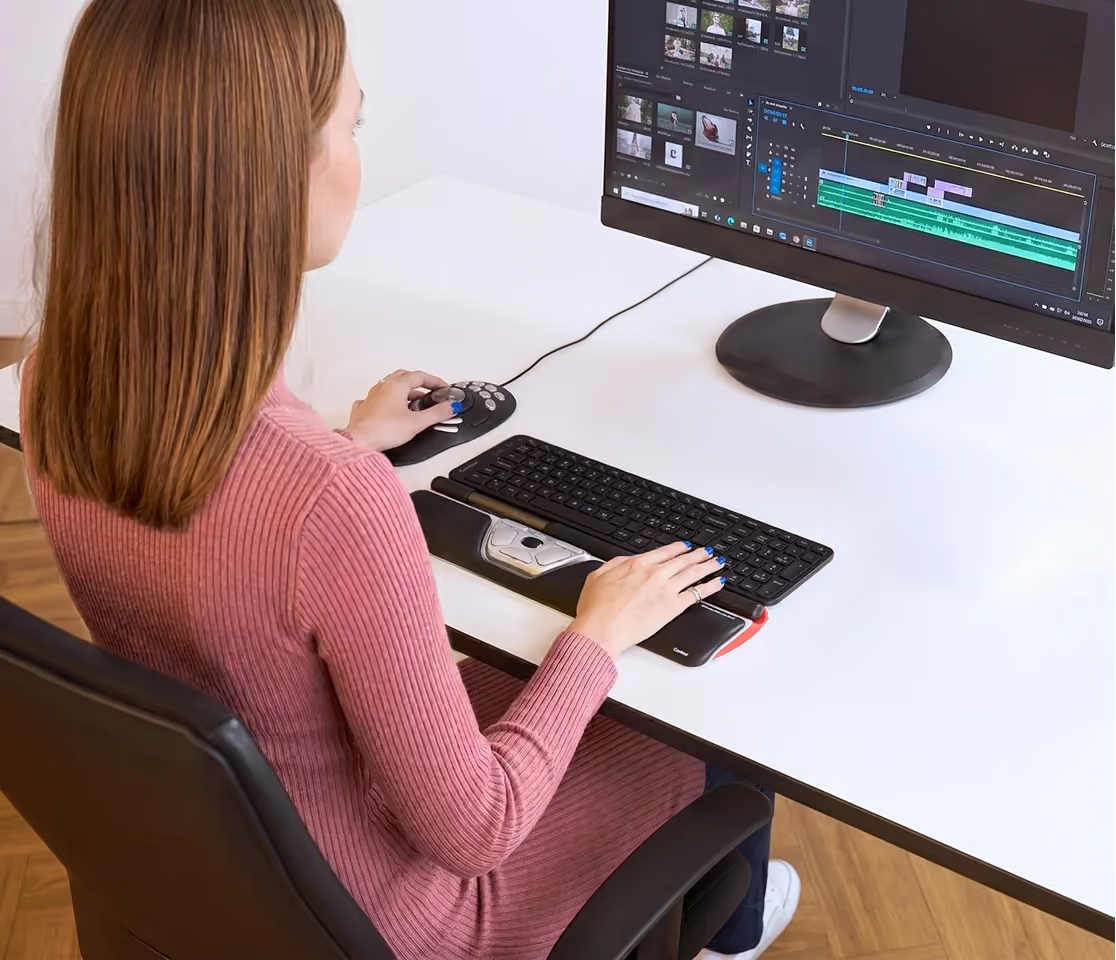
Jog the timeline and trim edits with your fingertips, while your hands stay centred on the work.

Pixel-precise control, all day
Finance & data

Fly through every spreadsheet

Copy, paste and cell-to-cell moves live on thumb buttons — long model sessions without the wrist toll.

Pixel-precise control, all day
Any hand size

A fit made for your hands

Ambidextrous by design, with adjustable click force. Switch hands whenever you like and share the load.

Pixel-precise control, all day
Lorem

A fit made for your hands

Ambidextrous by design, with adjustable click force. Switch hands whenever you like and share the load.

Pixel-precise control, all day
Lorem 2

A fit made for your hands

Ambidextrous by design, with adjustable click force. Switch hands whenever you like and share the load.

Since 1995

We invented the rollerbar mouse. Then spent 30 years making it better.

Contour Design introduced the world’s first RollerMouse in 2003, creating the centred-pointing category the rest of the industry now follows. Every version since has refined that original idea — and the Red is its most-loved form.

It’s why ergonomists, IT teams and professionals across 30+ countries reach for a Contour when a standard mouse starts to hurt.

1995
Founded
2003
First RollerMouse
30+ yrs
Ergonomic focus
Red Dot
Design award
Contour RollerMouse detail
Why RollerMouse Red

Designed for your comfort

Discover what makes RollerMouse Red a game-changer.

Customizable Comfort

Customizable Comfort

Choose from three wrist-rest sizes — Red, Red Plus, or Red Max — for the perfect fit.

Customizable Comfort

Seamless connectivity

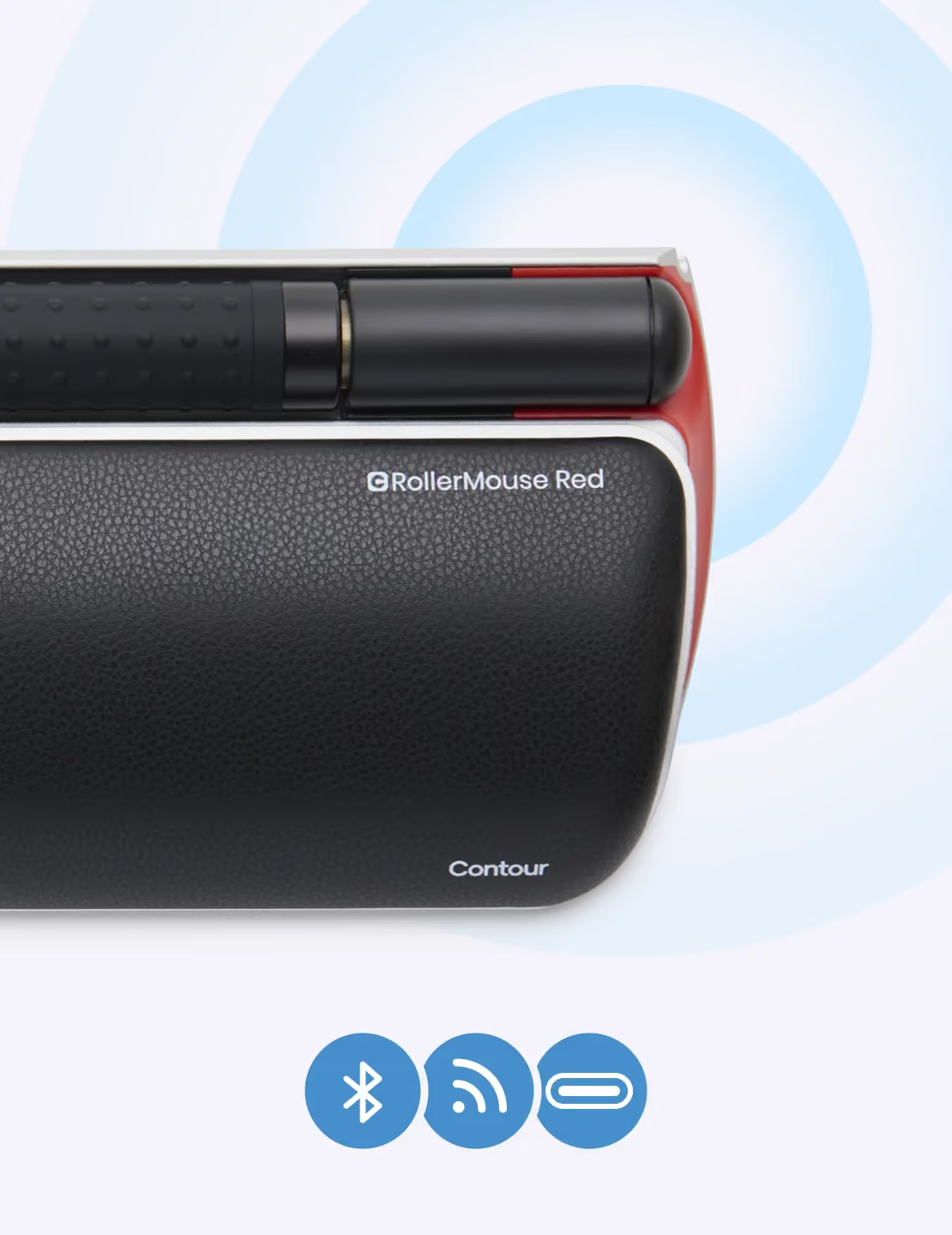
Works right out of the box with wired or wireless (dongle or Bluetooth) option.

Customizable Comfort

Neck and shoulder relief

Keeps your arms centered and supported, easing neck- and shoulder tension.

Customizable Comfort

Streamline productivity

Customizable shortcuts and adjustable DPI improves your real world efficiency.

Customizable Comfort

Made of recycled aluminium

Made from 54% recycled aluminium and 100% plastic-free packaging.

Customizable Comfort

9/10 users: Less pain in 2 weeks

9 out of 10 users report less wrist- and hand pain within 2 weeks.

Customizable Comfort

Built to last

Durable design with replaceable parts. Enjoy a device that outlives standard peripherals.

Customizable Comfort

Award winning innovation

Winner of the Red Dot award for it’s ergonomic design.

specifications

The full spec sheet

Connection
—
Connectivity
—
Wireless security
—
Sensor
—
DPI range
—
Buttons
—
Programmable shortcuts
—
Multi-touch
—
Form factor
—
Ergonomic design
—
OS support
—
Software
—
Battery life
—
Keyboard keys
—
Key technology
—
Warranty
—
Length (mm)
—
Width (mm)
—
Height (mm)
—
Weight (g)
—
SKU
—
Drivers
Manuals
Getting started
How it compares

RollerMouse Red vs mice, trackballs & vertical mice

Looking for a trackball alternative or a full ergonomic mouse replacement? Here’s how the centred rollerbar stacks up.

RollerMouse Red
Standard mouse
Trackball
Vertical mouse
Hand position
Centred — no reaching
Off to the side
Off to the side
Side, angled
Reduces shoulder strain
Yes
No
No
Partial
Two-handed / ambidextrous
Yes
No
Some models
No
Built-in wrist rest
Memory foam
No
No
Sometimes
Finger / thumb effort
Light, whole-hand
Grip + move arm
Repetitive thumb
Grip, less twist
Learning curve
1-2 days
None
2-4 days
3-5 days
need help choosing?

Not sure which Contour
device is right for you?

Answer a few quick questions about your desk, your hands and where it hurts — and we’ll point you to the device that fits, in about 3 minutes.

Why a cheap mouse gets expensive

A $30 ergonomic mouse is priced to be replaced — thin plastic, one-handed, no real wrist support, no warranty. RollerMouse Red is recycled aluminium, memory foam, ten buttons, replaceable parts and a 3-year warranty. You buy it once and it keeps working the way your body needs — for years, not months.

The €30 mouse

Built to be replaced — often within a year
One-handed, so one wrist carries the whole day
No wrist rest, no rollerbar, no real support
No meaningful warranty or spare parts

Bought again and again — the cost quietly keeps coming.

RollerMouse Red · €455

Recycled aluminium body, built to last
Centred & two-handed — no reaching, no single-wrist load
Memory-foam wrist rest and a full rollerbar
Replaceable parts and a 3-year warranty

Bought once. Years of use, not months.

Don’t take our word for it

Media reviewers, ergonomists and everyday users — unboxing, testing and setting up RollerMouse Red.

RollerMouse Review: The Ergonomic Mouse That Ends Wrist Pain
5m24s

Lorem ipsum dolor sit amet

Example

I have bad arthritis in both thumbs. This allows me to use my other fingers- on both hands.

4.7
4.7
(260)
reviews
5
79
%
4
11
%
3
5
%
2
3
%
1
2
%
Showing
September 20, 2018

Great product, high quality, eliminated shoulder pain from desk work

Damien
Verified
August 5, 2018

The Rollermouse Red and its predecessor the Pro2 eliminated 99% of my issues related to mousing. I was having extensive shoulder, elbow, wrist, and thumb problems due to years and years of mousing. Trackballs made the problem worse.Even with physical therapy, I was having a lot of pain. Then, I discovered the Rollermouse and it solved the problem. Your hands stay centered. You avoid the stretching and reaching for a mouse (or trackball). Ergonomically, it's much more sound.I have a Red at work and a Pro 2 at home. I know they're expensive, but truly worth being pain free and productive again.

Cyn Wells
Verified
July 27, 2018

I bought it 3 years ago. The idea is great. It really helps to solve wirst problems. For two years it worked very well. Then buttons started to mess. Double click button makes 3, or 4, or 5 clicks. Middle click opens 2 or 3 copies of page in new tabs in Firefox. And so on.I wrote to Contour's support and asked if they can send me a circuit board to replace. They send it to me for free.Now my RollerMouse works like new. After 3 years. And it costs me 3 minutes to replace the circuit board.Nice product. Nice company

Fedor
Verified
July 4, 2018

I'm a freelance writer and had chronic pain in my right wrist and elbow. One step I took was to reduce the time I spend holding my hands in an unnatural angle on my keyboard and mouse. This is my 2nd rollermouse (the 1st one lasted 4 years, I've had this one for 3). In combination with Kinesis Freestyle2 Ergonomic Keyboard for PC (9" Standard Separation) and wrist exercises recommended by my doctor, it has solved my wrist and elbow problems.

U. Shorr
Verified
June 29, 2018

works great !!! Easy to use !!! The shoulder pain that, I had from using a traditional mouse, is all gone. : )

Marie
Verified
June 20, 2018

Der Preis ist hoch - aber schnell vergessen. Der Mausarm wird gut entlastet. Die Verwendung ist zunächst ungewohnt, aber nach einigen Tagen merkt man kaum noch, dass man vieles anders machen muss. Der Kopf lernt die neuen Bewegungsmuster offensichtlich schnell. Manchmal ist es schwierig die gleiche Präzision wie mit mit einer normalen Maus hinzubekommen. Hierfür liegt die normale Maus an der Seite und kommt - ganz gelegentlich - nochmal zum Einsatz. Das ist aber kein Grund, wegen dem ich einen Stern abziehen würde. Denn die Vorteile überwiegen die Nachteile deutlich.

Quecke
Verified
June 3, 2018

love love love this mouse. will never go back to the old school type again

shelley hughes
Verified
May 30, 2018

Nach 7 Jahren täglich mehrstündiger Nutzung des Vorgängers (Rollermouse Pro2) war es nun an der Zeit für einen Ersatz. Für mich kam aufgrund der hohen Qualität wieder nur Rollermouse in Frage, allein der Preis hat mich den Kauf immer wieder aufschieben lassen. Gleich mitbestellt habe ich die Armauflage Rollermouse Contour Armablage die den Komfort für Dauernutzer noch einmal deutlich anhebt. Ich gehe davon aus, dass auch die Rollermouse Red wieder jahrelang funktionieren wird. Beim Vorgänger wurde nach ca. 4 Jahren die Gummierung am Scrollrad porös und musste entfernt werden. Da das Scrollrädchen nun breiter und leichtgängiger ist hoffe ich dass dieses Problem nicht mehr auftritt. Eine weitere Verbesserung im Vergleich zum Vorgänger ist meiner Meinung nach der Rollstab, der nun eine Gummierung mit Noppenstruktur hat und die kompakteren Maße.

Tino Zimmermann
Verified
May 27, 2018

this product saved my neck/shoulder & wrist strain

Swimmer
Verified
May 19, 2018

This mouse changed my life. I had shoulder / elbow / wrist and hand pain! This absolutely gave me relief within 1-2 days. We dropped it and a pin broke and got lost so we had to order another one but it is well worth it. An ergonomic specialist from our insurance company saw it and said he didn't know why all corporations didn't invest in these. You pay about $235 for this mouse but you save over $35k in work comp claims!

katiebythesea
Verified
April 27, 2018

I'm a programmer and had pain in the shoulder.this helped me but clicking buttons makes shoulder pain again.because had to set hands close your belly for clicking left-right buttons.so I broke my old mouse and place left right click buttons to the space bar.now I can control mouse position with the right thumb, click buttons with the left thumb.in my situation, trackball was better to me.but the quality is great. thank you,

Amazon Customer
Verified
Photo
April 11, 2018

All is working well. Everyone should be have a rollermouse. You will be very faster than with a normal mouse. And its perfect ergonomic for people like me with wrist pain.

Priscilla Fuchs
Verified
March 26, 2018

RollerMouse are much more ergonomically comfortable for me than traditional mice. I've been using a RollerMouse Free2 for years, and bought the Red because it would be easier to clean the lint, etc that accumulates under the bar. The RollerMouse Red is still a great product but the button clicks take a bit more effort and periodically (sometimes when I'm not even touching the bar or buttons) it will click when I'm not trying to click. My only other complaint so far is that I find that the bar ends up away from my left hand more often than with the Free2 when I need the cursor on the right half of my screen. On the plus side, it was easy to set it up and customize the cursor speed, upper button actions, etc, and it should be easy to pop out the bar to clean underneath it when needed. Also, the pad to the side of the buttons is very slightly curved up, which encourages more ergonomic wrist position while typing while not being tall enough to get in the way.

School Redesign Network
Verified
March 23, 2018

I've been experiencing shoulder pain for months and believe it is likely related to the 8 hours a day I spend sitting in front of a computer with my hand on a mouse all day at work. When I was researching solutions (leaving my job isn't an option), this came up as a possibility. The first day it was a little awkward to use, but I adapted pretty quickly after that and don't miss the mouse at all now. My shoulder pain is somewhat better, though not completely gone. I can't confirm that using this device is solely responsible for that because I made other changes at the same time, so who knows if it was one thing or a combination of things. I'd be more likely to endorse this product if the price wasn't so terribly ridiculous. I'm lucky to be in a position to afford it, but I'm guessing it would be a stretch for most people to shell out so much money for something that might not ultimately be what they need to fix their problem.

LC
Verified
March 17, 2018

I used my old (original) roller mouse for nearly a decade before it got glitchy and I replaced it with this one. I absolutely love it. It seems more solidly-built than the original which, again, lasted nearly a decade. If it seems awkward, just give yourself a week or so to get used to it. When I sit down at someone else's computer now, their standard mouse feels really awkward to me too.

minderbinder
Verified
February 6, 2018

Produit novateur qui apporte un confort de travail exceptionnel. Le service après-vente d'Amazon n'a donné aucune satisfaction pour le moment et c'est très gênant pour un produit qui est utilisé à 100% à des fins professiionnelles...Attention Attention donc....

Client d'Amazon
Verified
January 24, 2018

I like this mouse, it has all kinds of short cuts. The only issue I have it that you reach over it to type on the keyboard and sometime you can touch the bar making the pointer jump where you did not want it to go.

Debra Ross
Verified
January 17, 2018

The RollerMouse Red is an excellent product in a lot of ways....I was amazed after a few days of use the quality of the RollerMouse brings to the table. The roller itself does seem a bit odd when you first start using it, but after a few days, I found myself liking the Roller Mouse more and more. Pretty much plug and play, You have all the buttons you need with the scroll wheel to use with natural comfort on the wrist.A bit high on the price, but well worth the price if you are looking for that Ergonomic Mouse with top notch quality this is probably your best bet.

Lin
Verified
January 12, 2018

Recommended to me by a seasoned programmer who's still coding a lot in his 60s. He told me he had tried everything out there and this is the only mouse that kept him going. Personally, I like it too. It takes quite a bit of getting used to and some customization. However, the initial investment is well worth it. It causes less strain on my wrist than trackpads and mice.

Zhuang Liang
Verified
January 4, 2018

Brilliant, so much easier than a mouse. Still need mouse or Graphics tablet for photo editing. Love the copy paste buttons.

Len
Verified
December 22, 2017

Very helpful ergonomics. Now I can use both hands and be more efficient

Lillerz
Verified
December 16, 2017

Luv luv luv! so much smaller than the model before. Doesn't take up as much space and has a lighter touch for sure!

jnyneal
Verified
November 25, 2017

Just over two years of ownership and the left mouse button is not working properly. For the price, I expected a more durable tool. VERY disappointed. And of course just a couple of months past warranty, so I guess I am SOL. I have a previous model rollermouse that continues to work at my spare workstation after more than 10 years (and which was my only and primary mouse for at least eight). Apparently the newer model lacks the quality of the older.EDIT: Raising review from 1 to 4 stars. I contacted support at the company (through their website), and they shipped me a new button assembly for free very quickly, along with instructions to replace the part. It was fairly easy and painless and now my mouse is good as new! Still disappointed it broke but glad they stood behind the product.

Joe C
Verified
November 23, 2017

After a little tweaking with the custom driver settings, it became a great alternative to a traditional mouse. I have no plans to ever go back, although the RollerMouse may not be for everyone. Make sure you download the "beta" driver. I am using it with a Kinesis Advantage keyboard. The keyboard is a bit far from the RollerMouse (because of how the keys are positioned on the Kinesis) -- but it's still the best combination I've tried. I secured both onto a wooden kitchen cutting board using double-sided tape, raising the back of the RollerMouse to meet the end of the Kinesis. I applied felt pads to the bottom of the cutting board, allowing the position of the keyboard and mouse to be moved as one unit.
Michael
Verified
Show all 1,240 reviews

Your journey to a pain-free life.

See how RollerMouse transforms your comfort from the first day to long-term health.

Hello comfortHello comfort
Day 1

Instant comfort

EMG studies show RollerMouse users load their forearm muscles less even on day one.

Hello comfortHello comfort
Day 14

The difference shows

With key controls within fingertip reach, thousands of repetitive micro-movements are reduced.

Hello comfortHello comfort
Day 30

A Pain-Free future

Your shoulders and hands remain in a natural position — reducing tension for a more sustainable workday.

Not feeling it? You’ve got 30 days to send it back.

Explore more

You might also like

Bundle & save

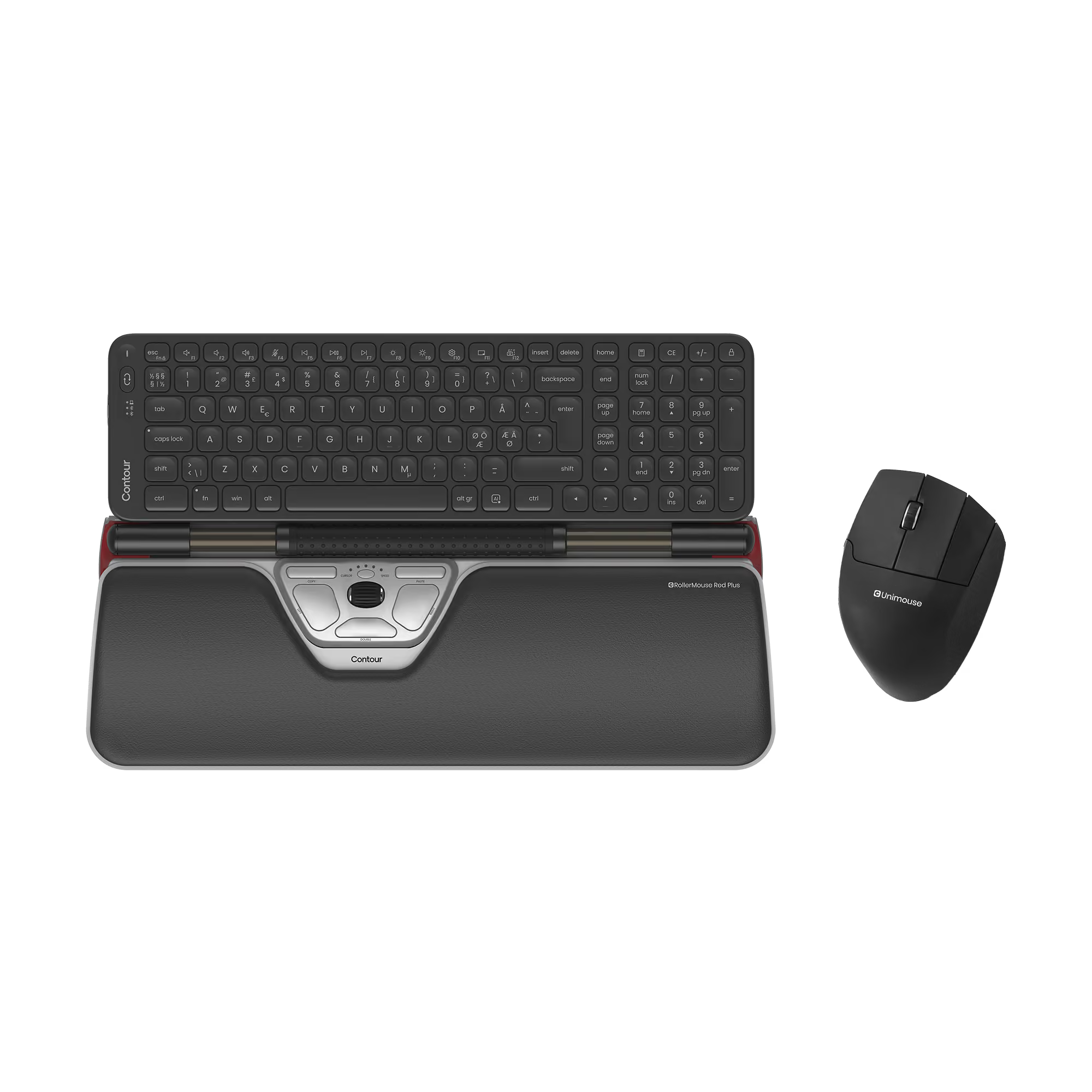
RollerMouse Red Plus + Balance Mid-Size Keyboard + UniMouse, Wireless

€649,10
€721,25
%
OFF
—
You save
X
Thank you! Your submission has been received!
Oops! Something went wrong while submitting the form.
Select this bundle
Bundle & save

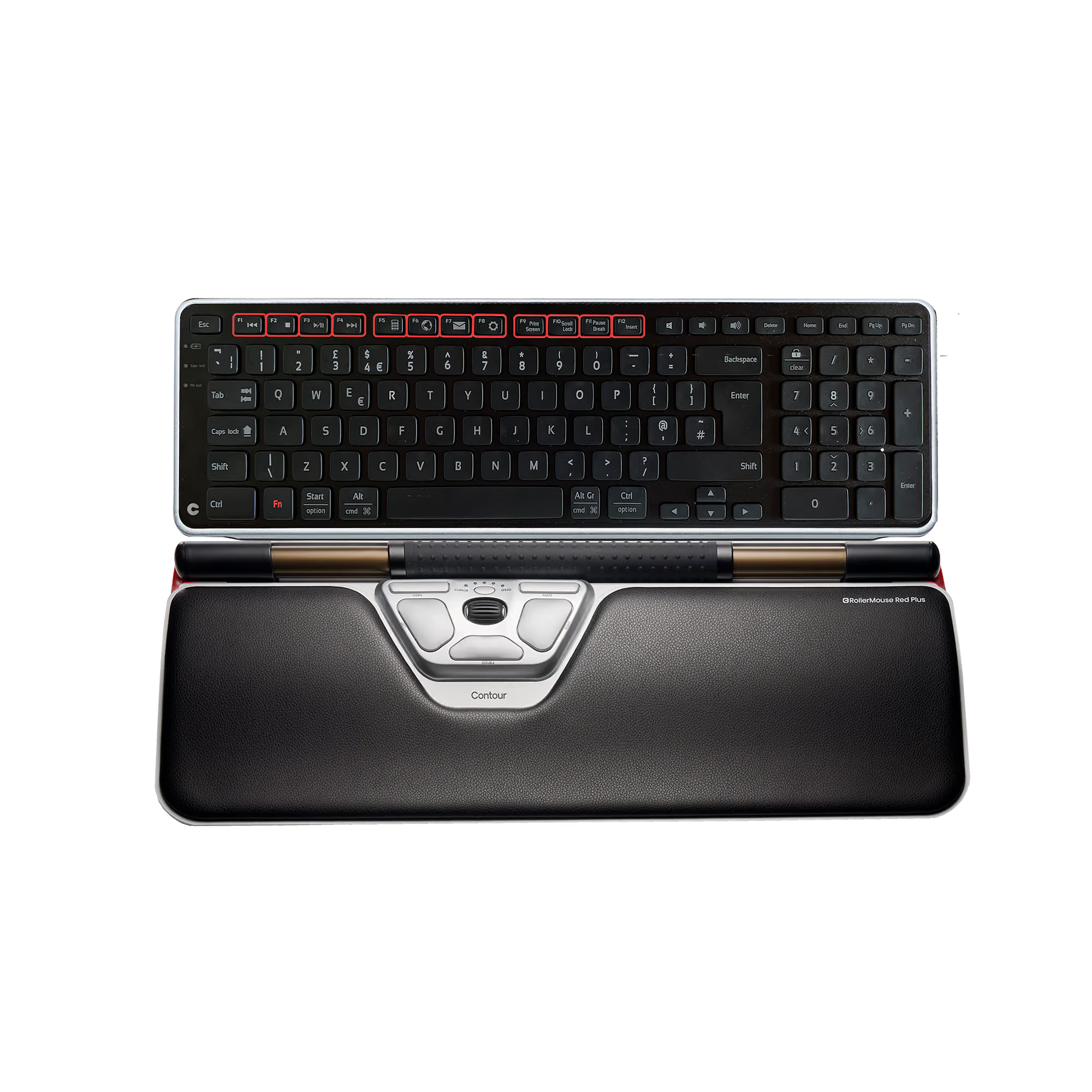
RollerMouse Red + Balance Keyboard, British

€532,12
€591,25
%
OFF
—
You save
X
Thank you! Your submission has been received!
Oops! Something went wrong while submitting the form.
Select this bundle
RollerMouse Red
4.7 · 260
€
€
-
Add to Cart

Remove this product from your bundle?

You keep your other choices. The bundle becomes a 2-product bundle with a smaller discount.

Bundle added to your basket.
View basket