



















30-day risk-free

3-year warranty

Free shipping over €100

Secure checkout

RollerMouse Red

Ergonomic Centered Mouse

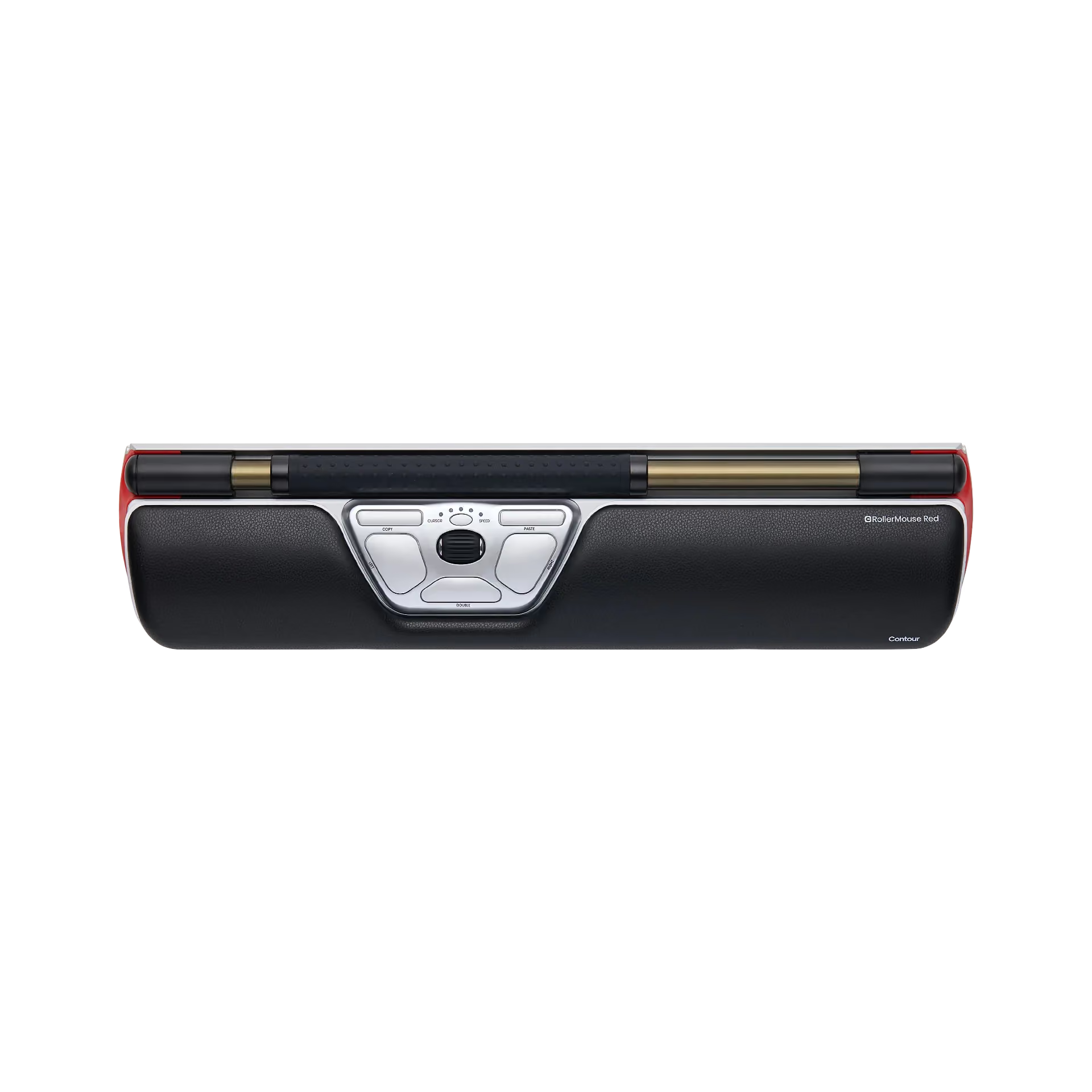
Your mouse is why your shoulders hurt. RollerMouse Red fixes that by centering control right in front of you. Memory foam wrist rest, recycled aluminum build, wired or wireless. The one that started it all.

  • No more reaching — hands stay centred, shoulders relax
  • Smooth, pixel-accurate rollerbar control
  • Fits your hand: three rest sizes + adjustable speed
  • 30-day risk-free trial — love it or send it back, free
€445,00
€999
%
OFF
—
You save
X
Fast, secure express checkout.
In Stock
— delivered by [day], [date]*
If ordered in the next
[countdown]
Out of Stock
Bundle & save

Complete your setup

Express Checkout
Thank you! Your submission has been received!
Oops! Something went wrong while submitting the form.
30-day risk-free
No pain relief? Full refund.
Free shipping
On orders over €100.
3-year warranty
Plus replaceable parts.
Secure checkout
All major cards.
As seen in

“Reduces physical strain by keeping your arms close to your body and eliminating the need to grip or lift a mouse. That benefit is real.” – PC Magazin, 2022.

Remove the reach

Your mouse is why your shoulder aches by lunch

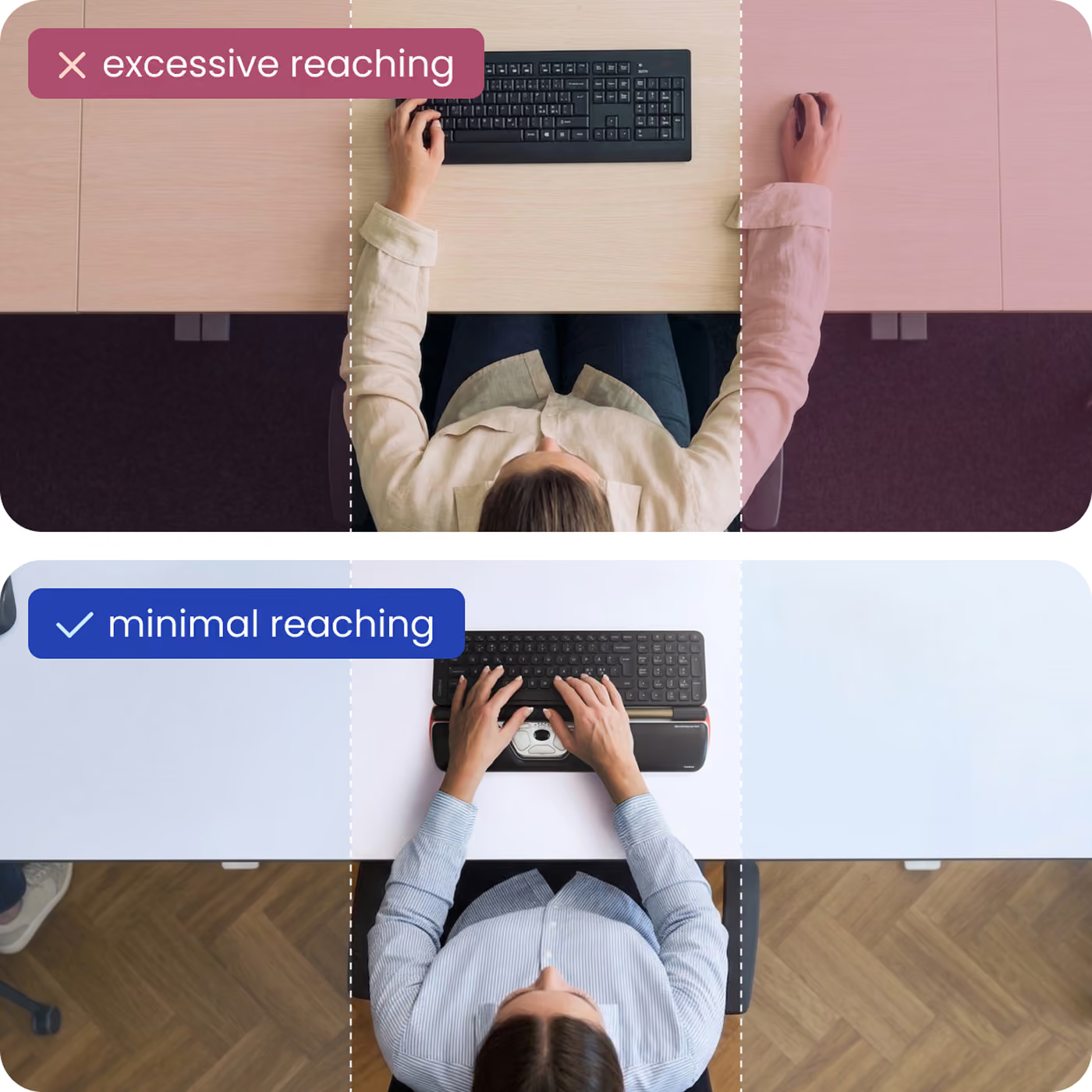
Every time you reach to the side for a normal mouse, your shoulder, forearm and wrist take the load — hundreds of times an hour, all day. RollerMouse removes the reach entirely.

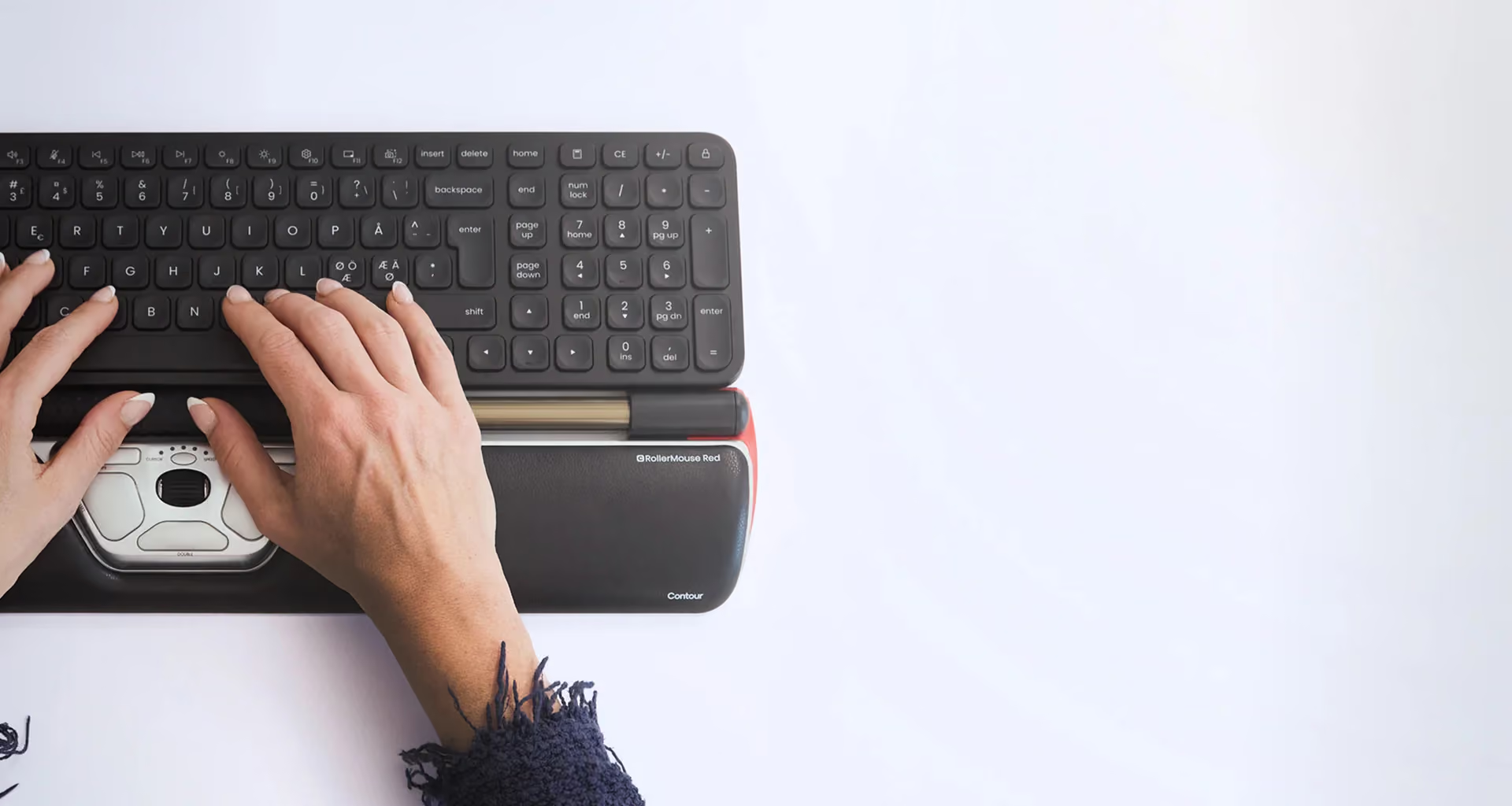
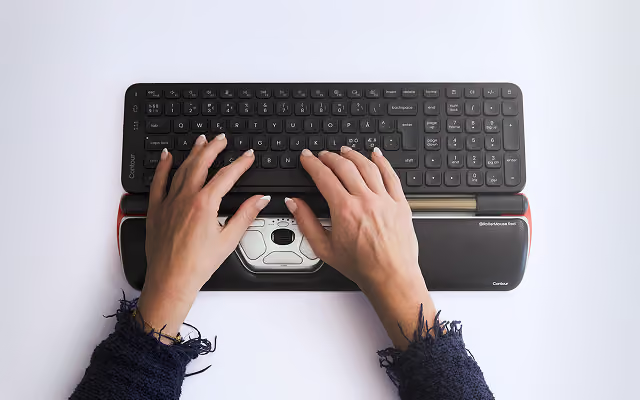
The RollerMouse Red is an ergonomic centered mouse

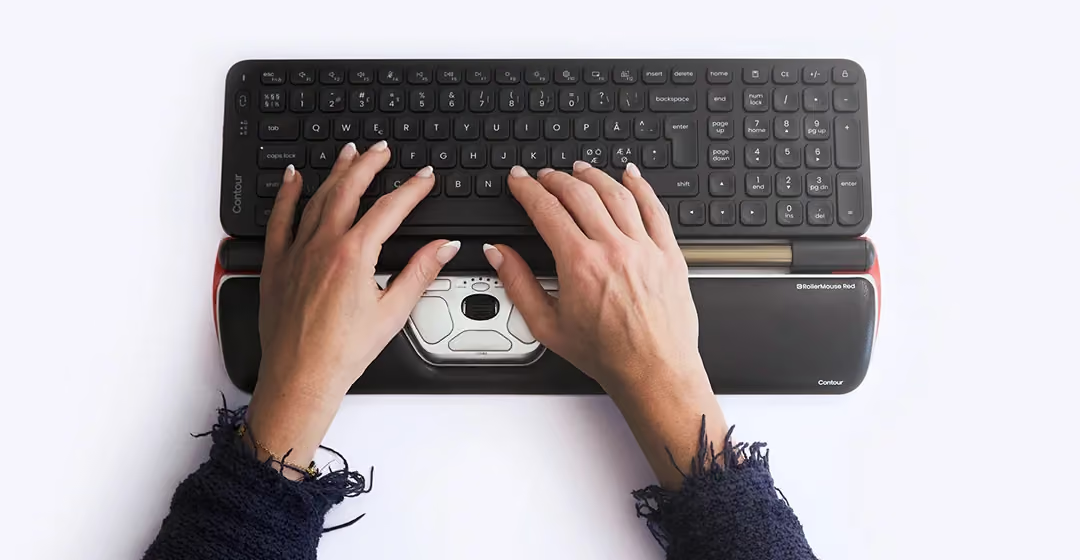
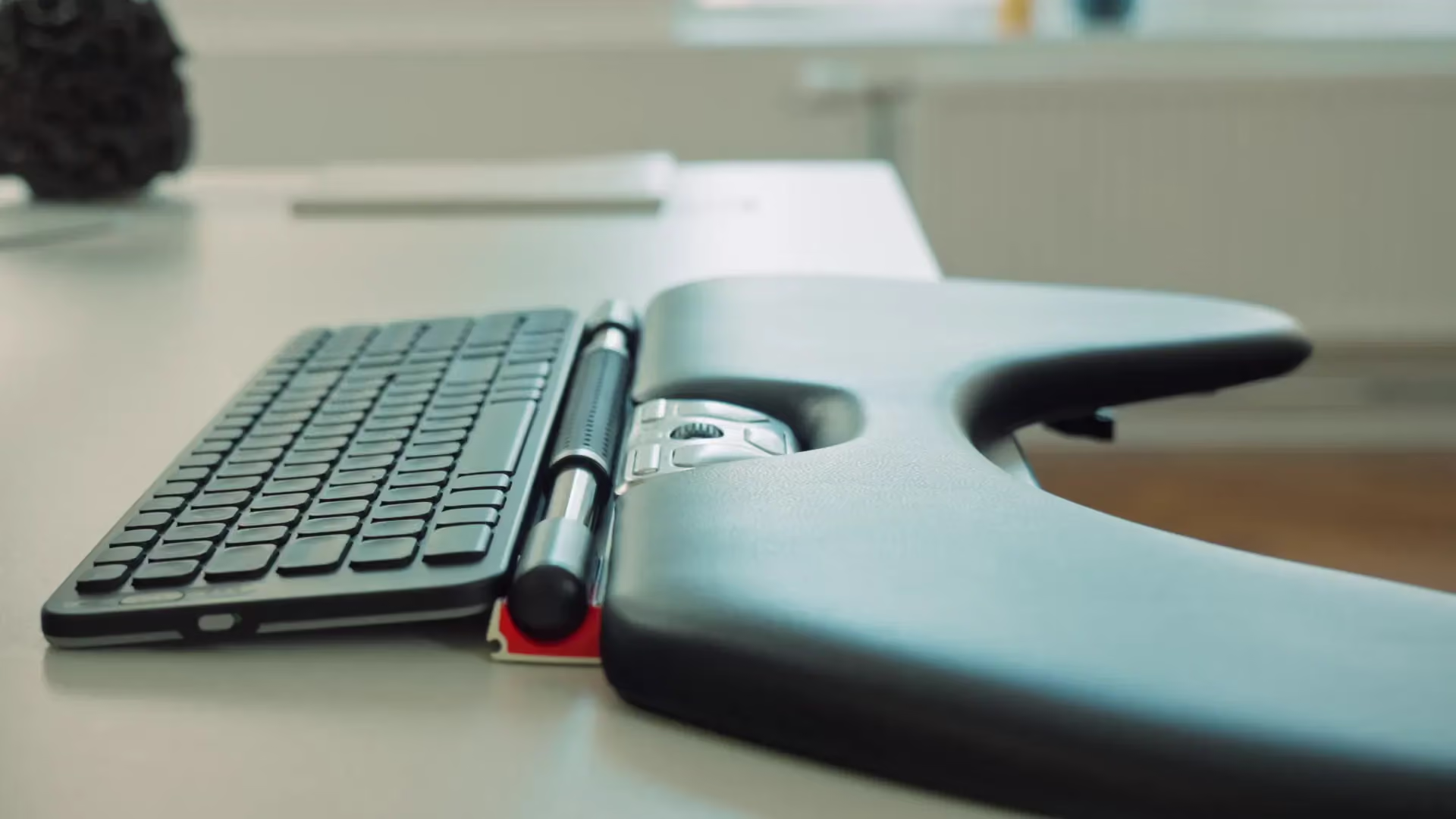
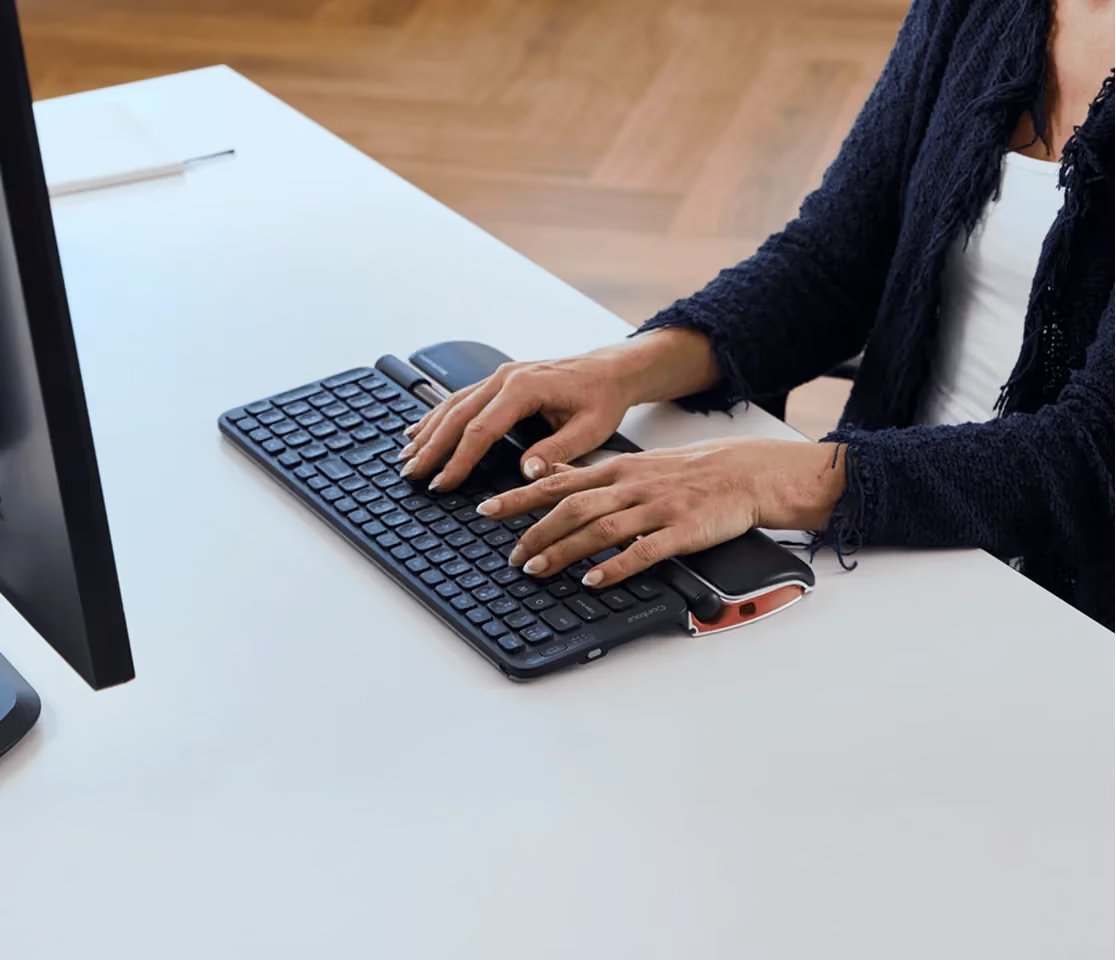
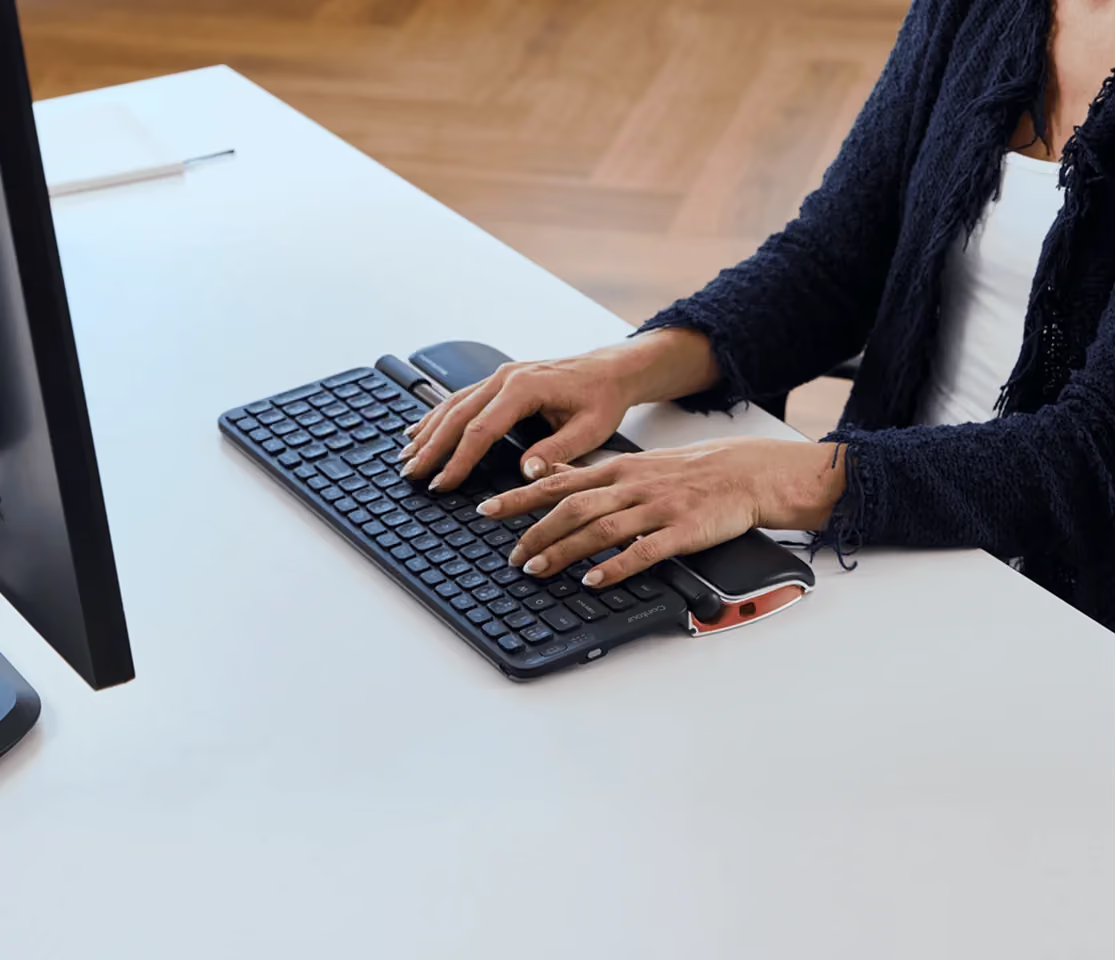
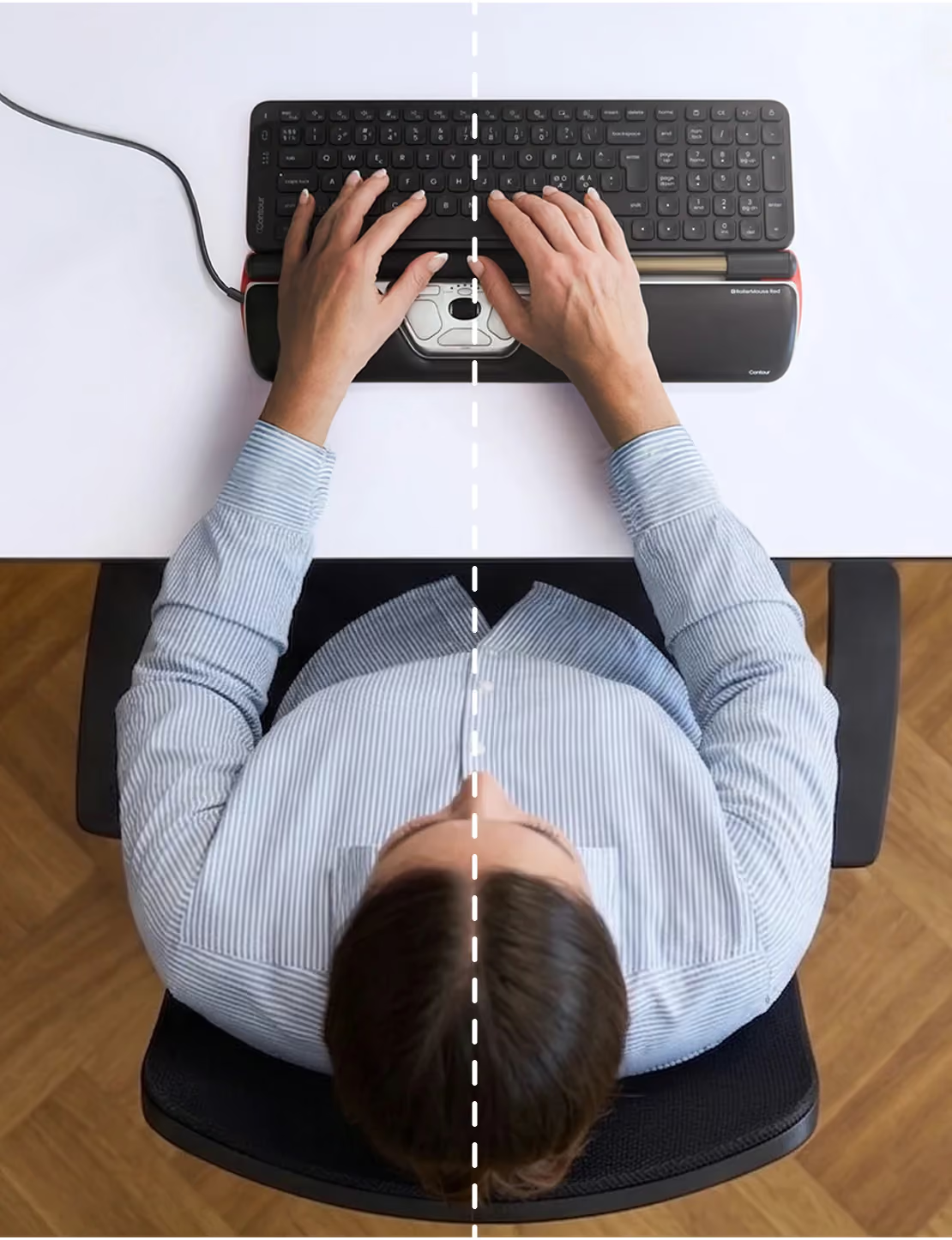
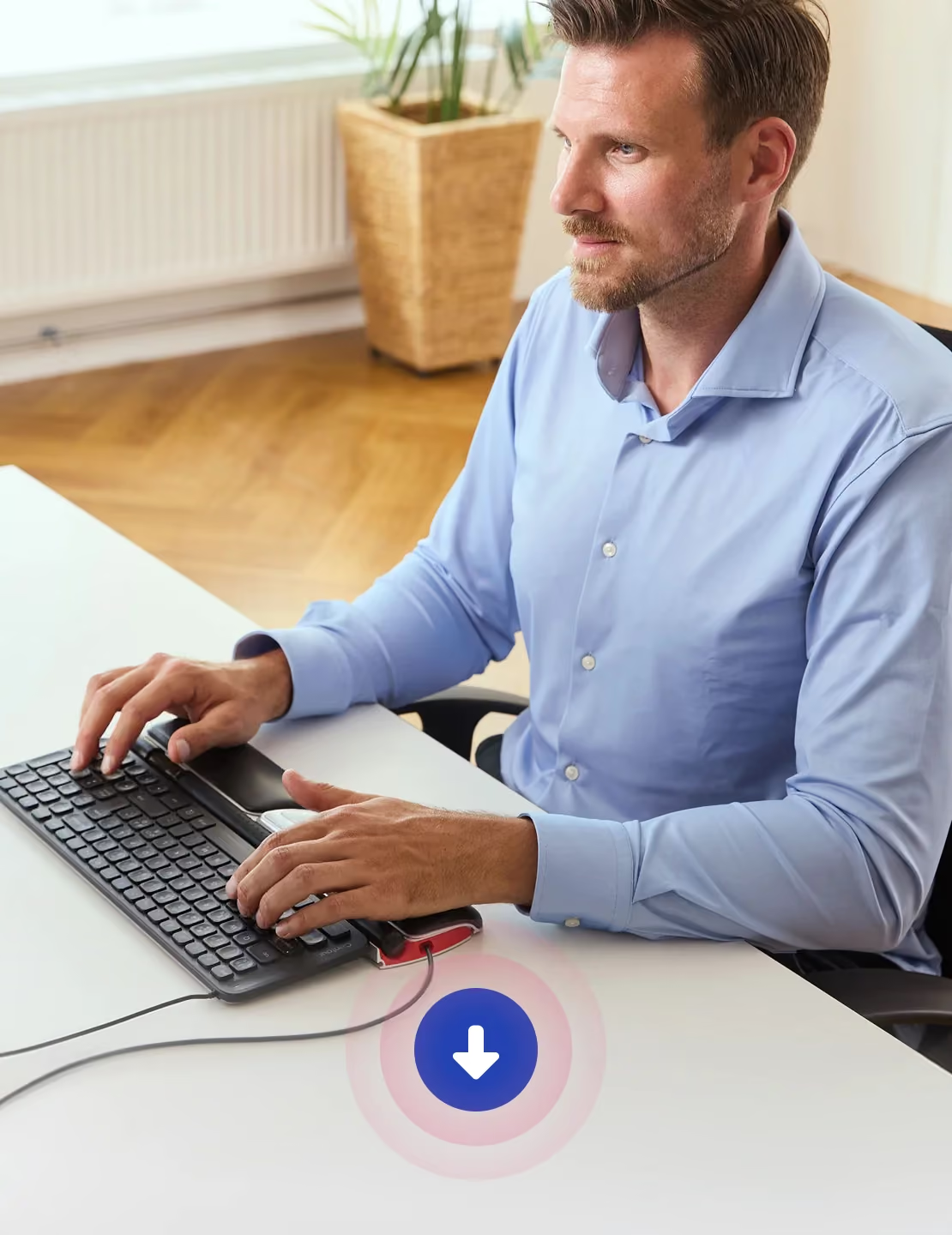
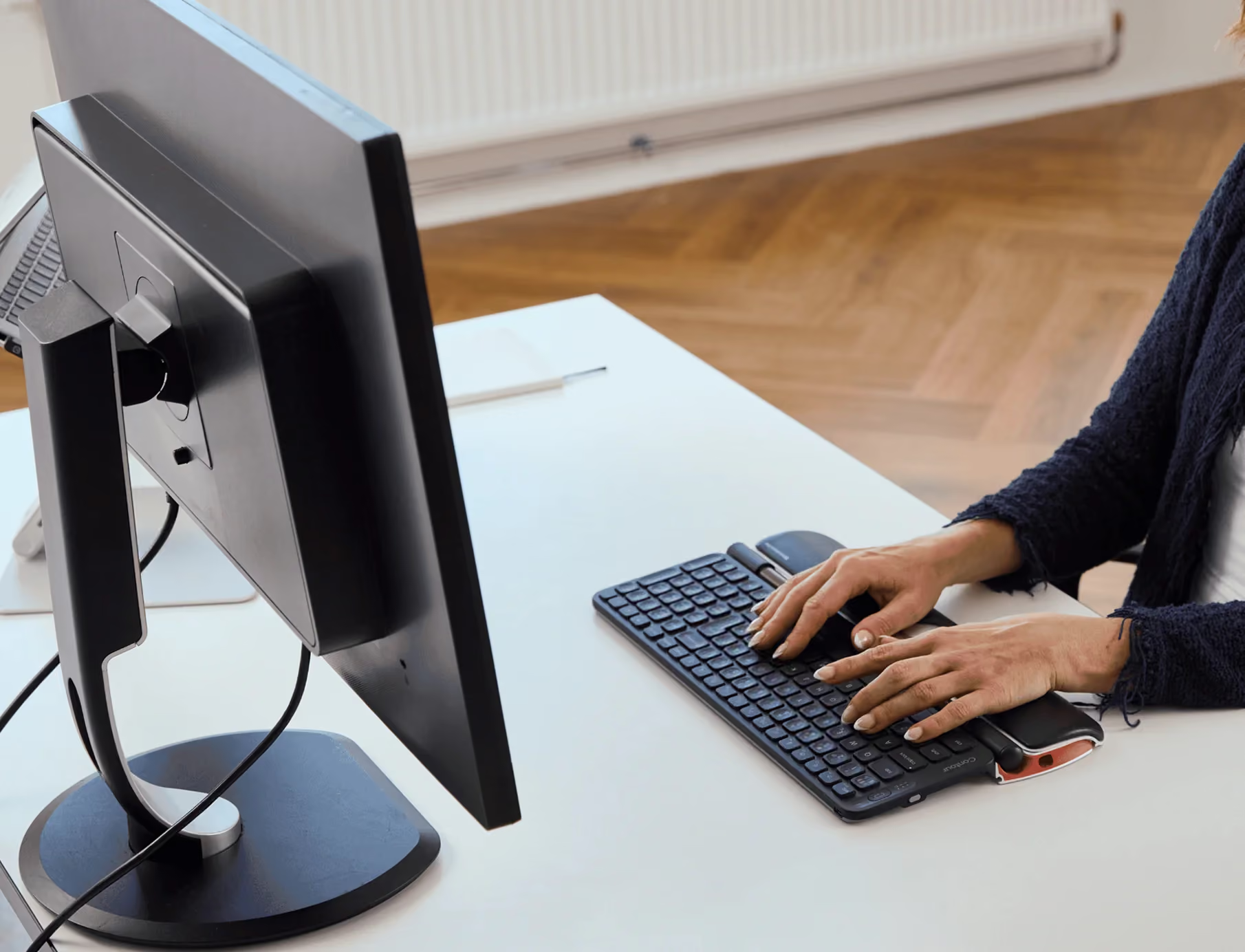
A rollerbar that sits in front of your keyboard, so the cursor comes to your hands instead of your hand reaching to the side. Both hands stay home, your wrist rests on memory foam, and the repetitive motion behind most desk strain simply goes away.

reach
centered working
How it works

The comfort isn't a feeling. It's measurable.

Roll & slide to move

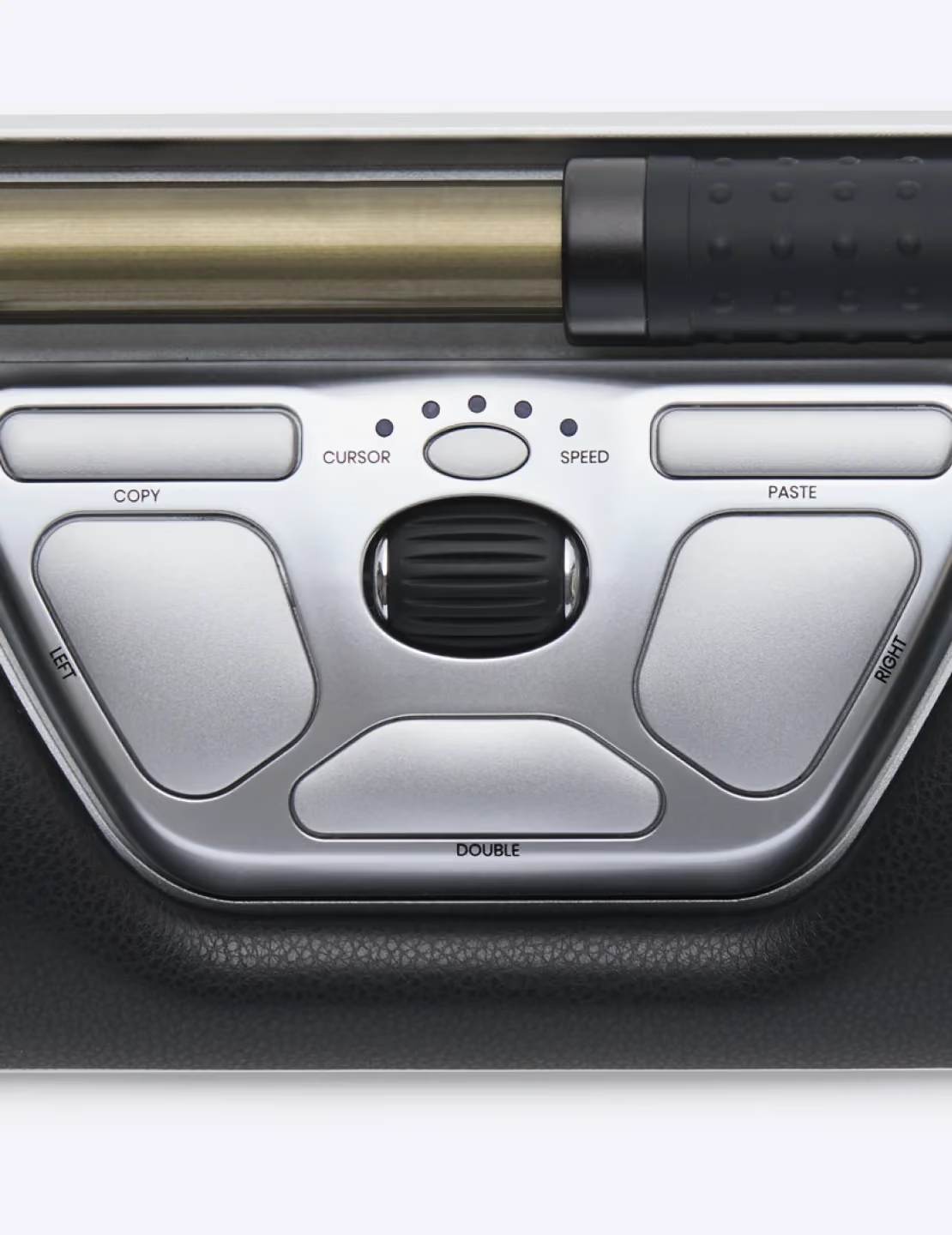
Glide the rollerbar side to side and roll it forward or back. The cursor follows — hands centred, arms still.

Press lightly to click

A soft press on the bar clicks. No gripping, no separate mouse, no thumb gymnastics.

Shortcuts within reach

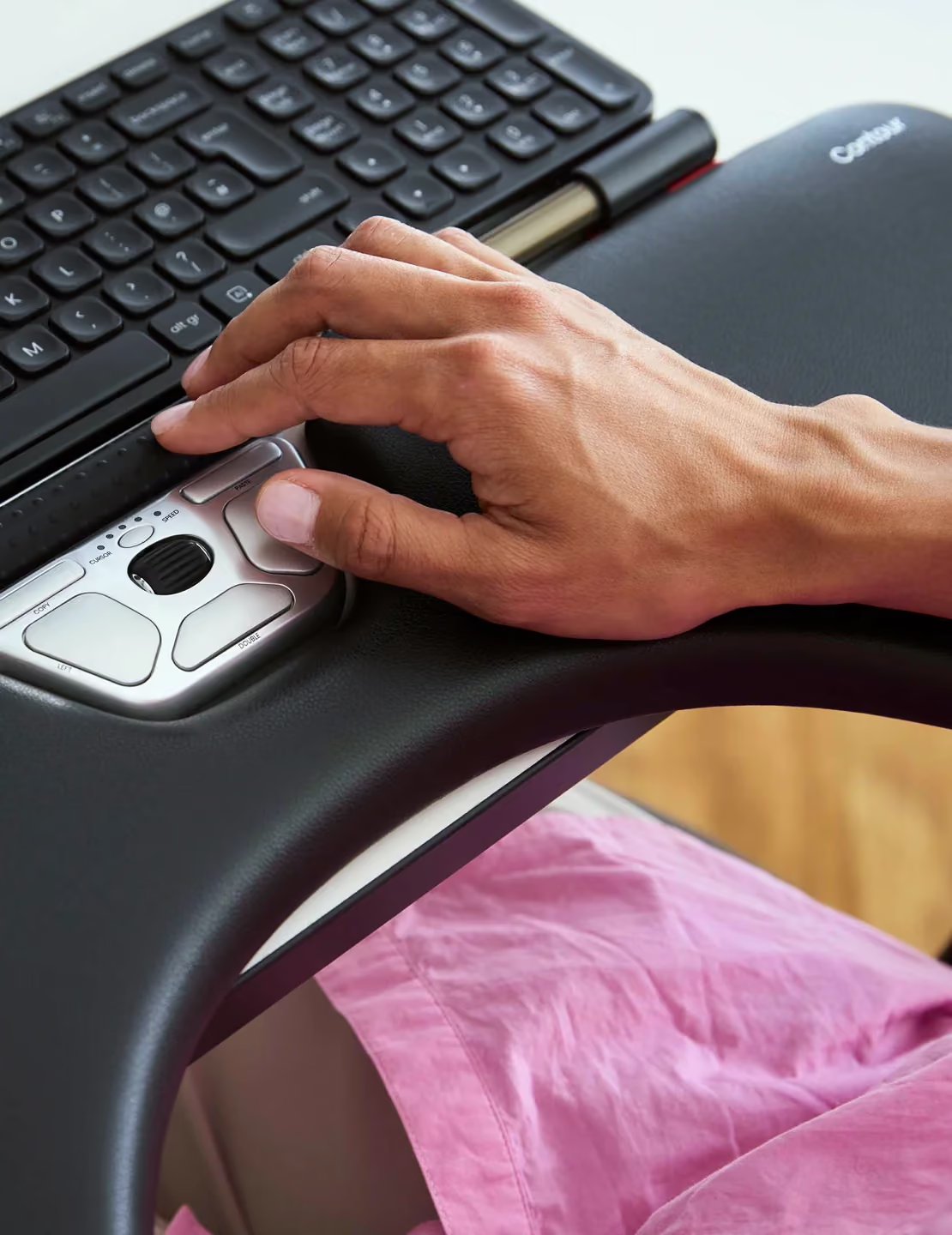
Copy, paste, scroll and double-click live on ten buttons your thumbs already rest on.

Relief from head to fingertips

Where the ache goes when the reach does

Neck and shoulder relief

Every time you reach for a traditional mouse, your shoulder lifts and your neck twists to follow. Thousands of times a day.

‍With RollerMouse, the reach is gone.

‍Your hands stay centred in front of you, your elbows rest close to your body, and your shoulders finally get to do what they were designed for — nothing at all.

Forearms & elbow

A traditional mouse forces one forearm to twist palm-down and hold that rotation for hours — a position your muscles were never built to sustain.

‍RollerMouse shares the load.

‍Because the rollerbar sits centred below your keyboard, you can switch hands anytime. Both arms stay relaxed, both elbows stay close, and no single side carries the strain of your whole workday.

Wrist

A flat mouse bends your wrist upward and sideways with every movement — small angles that add up to real discomfort over a full day.

‍RollerMouse keeps your wrist straight.

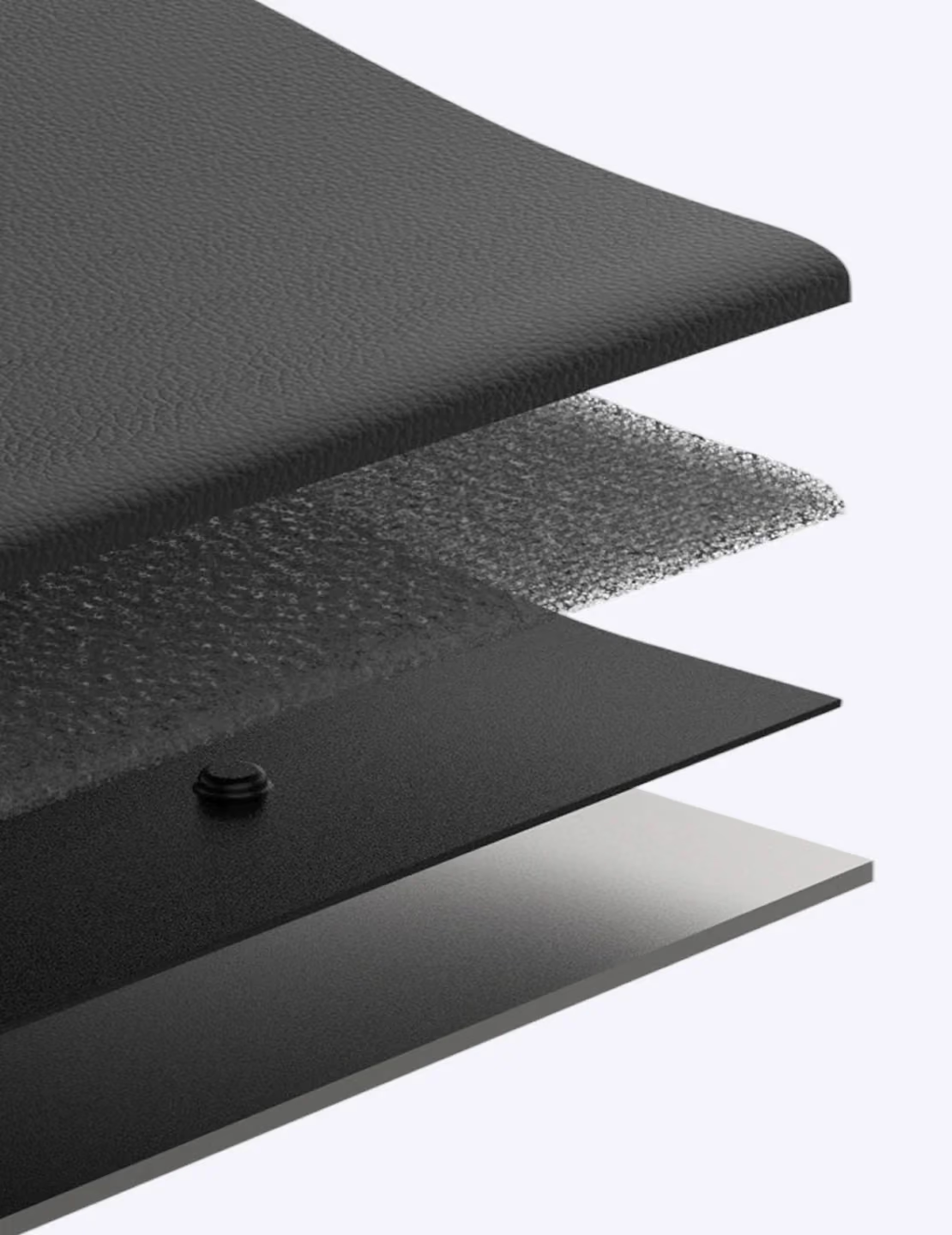
‍The cushioned palm rest supports a neutral angle from your first click to your last, so your wrist ends the day the way it started: comfortable.

Fingers & grip

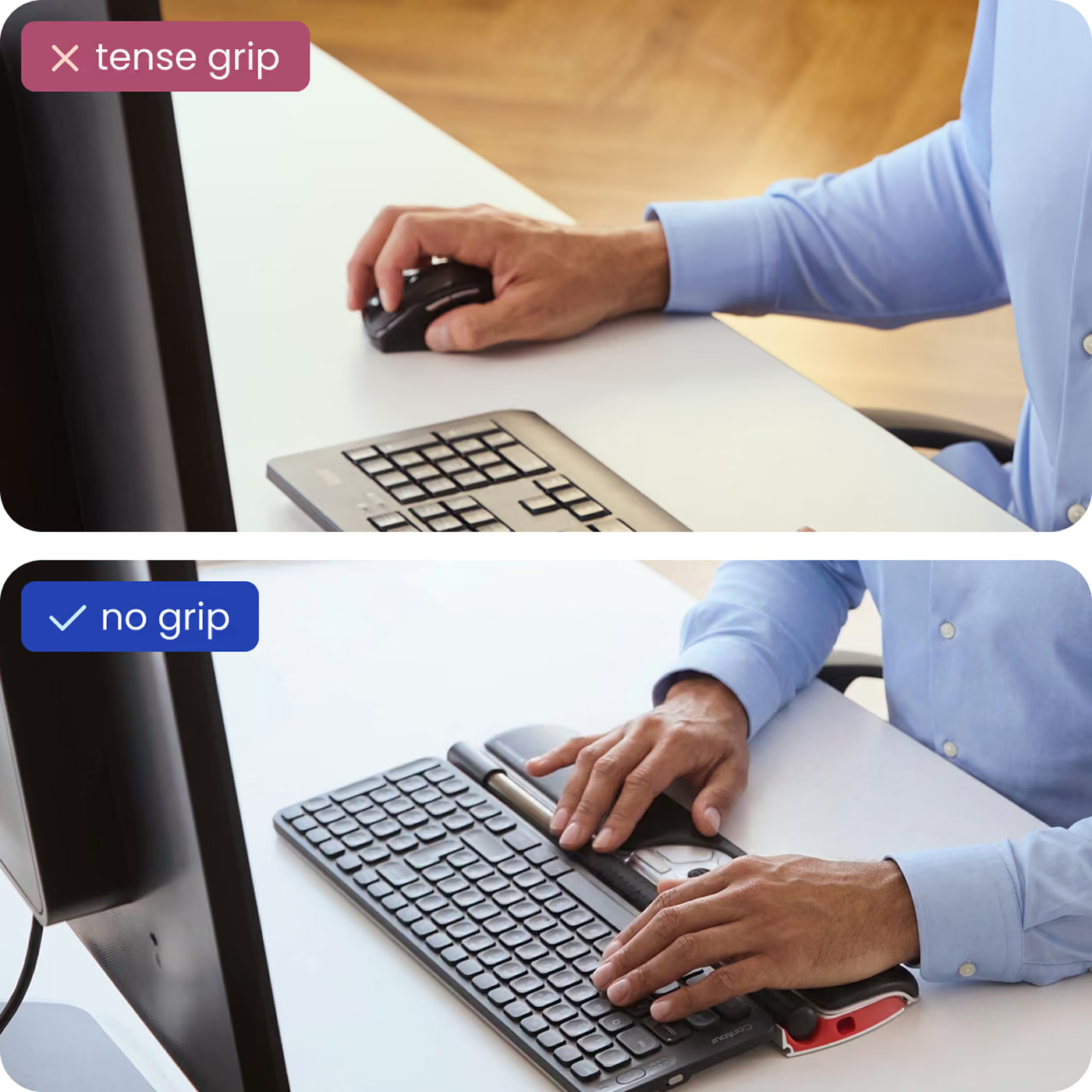
Nothing to grip, nothing to sqHolding a mouse means holding tension — a constant, low-level squeeze your hand maintains for hours without you noticing.

‍With RollerMouse, you simply let go.

‍The rollerbar responds to the lightest fingertip touch, and adjustable click force means every click takes exactly as much effort as you want it to. Your hand stays open, relaxed, and ready.ueeze. Light fingertip control on the rollerbar replaces the constant clutch of a traditional mouse.

Backed by sience

The comfort isn’t a feeling. It’s measurable.

~21%

less forearm muscle activity vs a conventional mouse¹

50%

less shoulder abduction in motion-capture testing²

86%

of users reported less pain³

27%

lower overall upper-body muscle activity⁴

Built for your workflow

However you spend your day

One device, sized and tuned for the way you work — tap through the people RollerMouse was built for.

Pixel-precise control, all day
Designers & CAD

Pixel-precise control, all day

Rollerbar accuracy for exacting cursor work — no grip, no side mouse, no fatigue creeping in by hour six.

Pixel-precise control, all day
Video & photo

Scrub and select, no fatigue

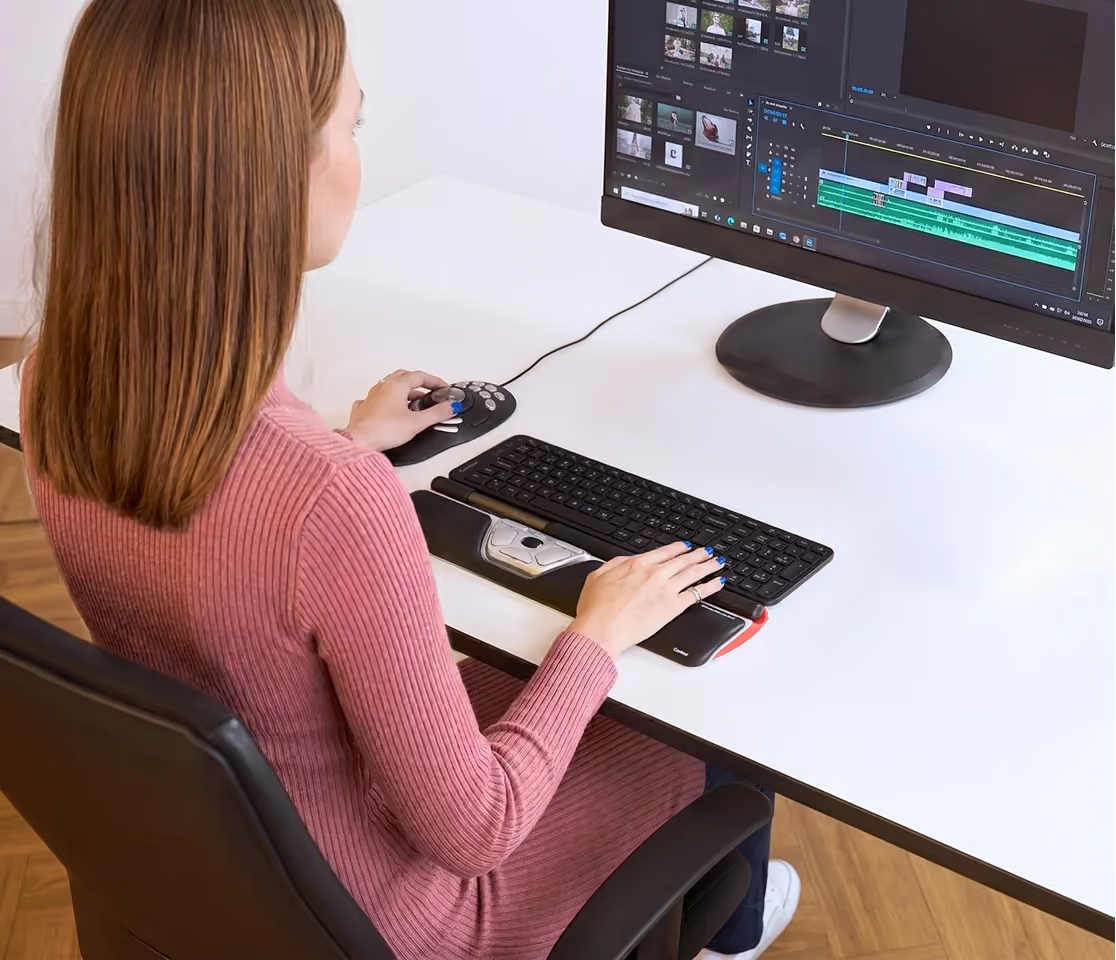
Jog the timeline and trim edits with your fingertips, while your hands stay centred on the work.

Pixel-precise control, all day
Finance & data

Fly through every spreadsheet

Copy, paste and cell-to-cell moves live on thumb buttons — long model sessions without the wrist toll.

Pixel-precise control, all day
Any hand size

A fit made for your hands

Ambidextrous by design, with adjustable click force. Switch hands whenever you like and share the load.

Pixel-precise control, all day
Lorem

A fit made for your hands

Ambidextrous by design, with adjustable click force. Switch hands whenever you like and share the load.

Pixel-precise control, all day
Lorem 2

A fit made for your hands

Ambidextrous by design, with adjustable click force. Switch hands whenever you like and share the load.

Since 1995

We invented the rollerbar mouse. Then spent 30 years making it better.

Contour Design introduced the world’s first RollerMouse in 2003, creating the centred-pointing category the rest of the industry now follows. Every version since has refined that original idea — and the Red is its most-loved form.

It’s why ergonomists, IT teams and professionals across 30+ countries reach for a Contour when a standard mouse starts to hurt.

1995
Founded
2003
First RollerMouse
30+ yrs
Ergonomic focus
Red Dot
Design award
Contour RollerMouse detail
Why RollerMouse Red

Designed for your comfort

Discover what makes RollerMouse Red a game-changer.

Customizable Comfort

Customizable Comfort

Choose from three wrist-rest sizes — Red, Red Plus, or Red Max — for the perfect fit.

Customizable Comfort

Seamless connectivity

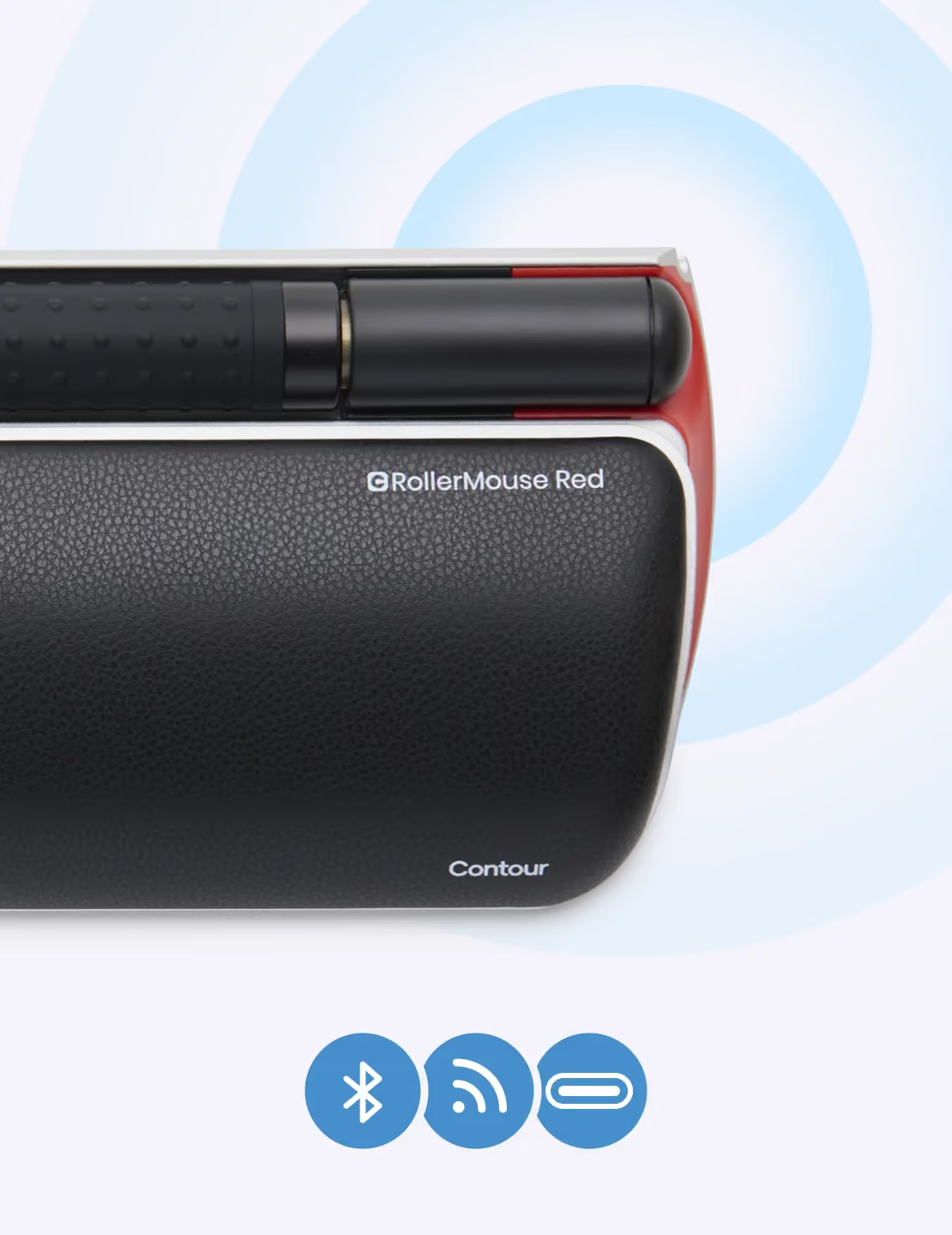
Works right out of the box with wired or wireless (dongle or Bluetooth) option.

Customizable Comfort

Neck and shoulder relief

Keeps your arms centered and supported, easing neck- and shoulder tension.

Customizable Comfort

Streamline productivity

Customizable shortcuts and adjustable DPI improves your real world efficiency.

Customizable Comfort

Made of recycled aluminium

Made from 54% recycled aluminium and 100% plastic-free packaging.

Customizable Comfort

9/10 users: Less pain in 2 weeks

9 out of 10 users report less wrist- and hand pain within 2 weeks.

Customizable Comfort

Built to last

Durable design with replaceable parts. Enjoy a device that outlives standard peripherals.

Customizable Comfort

Award winning innovation

Winner of the Red Dot award for it’s ergonomic design.

specifications

The full spec sheet

Connection
—
Connectivity
—
Wireless security
—
Sensor
—
DPI range
—
Buttons
—
Programmable shortcuts
—
Multi-touch
—
Form factor
—
Ergonomic design
—
OS support
—
Software
—
Battery life
—
Keyboard keys
—
Key technology
—
Warranty
—
Length (mm)
—
Width (mm)
—
Height (mm)
—
Weight (g)
—
SKU
—
Drivers
Manuals
Getting started
How it compares

RollerMouse Red vs mice, trackballs & vertical mice

Looking for a trackball alternative or a full ergonomic mouse replacement? Here’s how the centred rollerbar stacks up.

RollerMouse Red
Standard mouse
Trackball
Vertical mouse
Hand position
Centred — no reaching
Off to the side
Off to the side
Side, angled
Reduces shoulder strain
Yes
No
No
Partial
Two-handed / ambidextrous
Yes
No
Some models
No
Built-in wrist rest
Memory foam
No
No
Sometimes
Finger / thumb effort
Light, whole-hand
Grip + move arm
Repetitive thumb
Grip, less twist
Learning curve
1-2 days
None
2-4 days
3-5 days
need help choosing?

Not sure which Contour
device is right for you?

Answer a few quick questions about your desk, your hands and where it hurts — and we’ll point you to the device that fits, in about 3 minutes.

Why a cheap mouse gets expensive

A $30 ergonomic mouse is priced to be replaced — thin plastic, one-handed, no real wrist support, no warranty. RollerMouse Red is recycled aluminium, memory foam, ten buttons, replaceable parts and a 3-year warranty. You buy it once and it keeps working the way your body needs — for years, not months.

The €30 mouse

Built to be replaced — often within a year
One-handed, so one wrist carries the whole day
No wrist rest, no rollerbar, no real support
No meaningful warranty or spare parts

Bought again and again — the cost quietly keeps coming.

RollerMouse Red · €455

Recycled aluminium body, built to last
Centred & two-handed — no reaching, no single-wrist load
Memory-foam wrist rest and a full rollerbar
Replaceable parts and a 3-year warranty

Bought once. Years of use, not months.

Don’t take our word for it

Media reviewers, ergonomists and everyday users — unboxing, testing and setting up RollerMouse Red.

RollerMouse Review: The Ergonomic Mouse That Ends Wrist Pain
5m24s

Lorem ipsum dolor sit amet

Example

I have bad arthritis in both thumbs. This allows me to use my other fingers- on both hands.

4.7
4.7
(260)
reviews
5
79
%
4
11
%
3
5
%
2
3
%
1
2
%
Showing
May 16, 2022

I tried so many different style mice to try to solve my RSI (which I had a feeling was originating from a picnhed nerve from reaching forward for the mouse). This was the only one that worked. It's a bummer it's so expensive but it prevented me from needing surgery/reduced the extent of physical therapy needed so definitely saved money in the long run.

christina brown
Verified
May 6, 2022

Took about 2 or 3 weeks (from the time I removed and hid my normal mouse) to get used to, but now, it all feels normal. It just works, and makes life easier from their easy quick buttons, to moving between 3 screens. It is also very well made with high quality materials.

NeverNo Alan
Verified
April 25, 2022

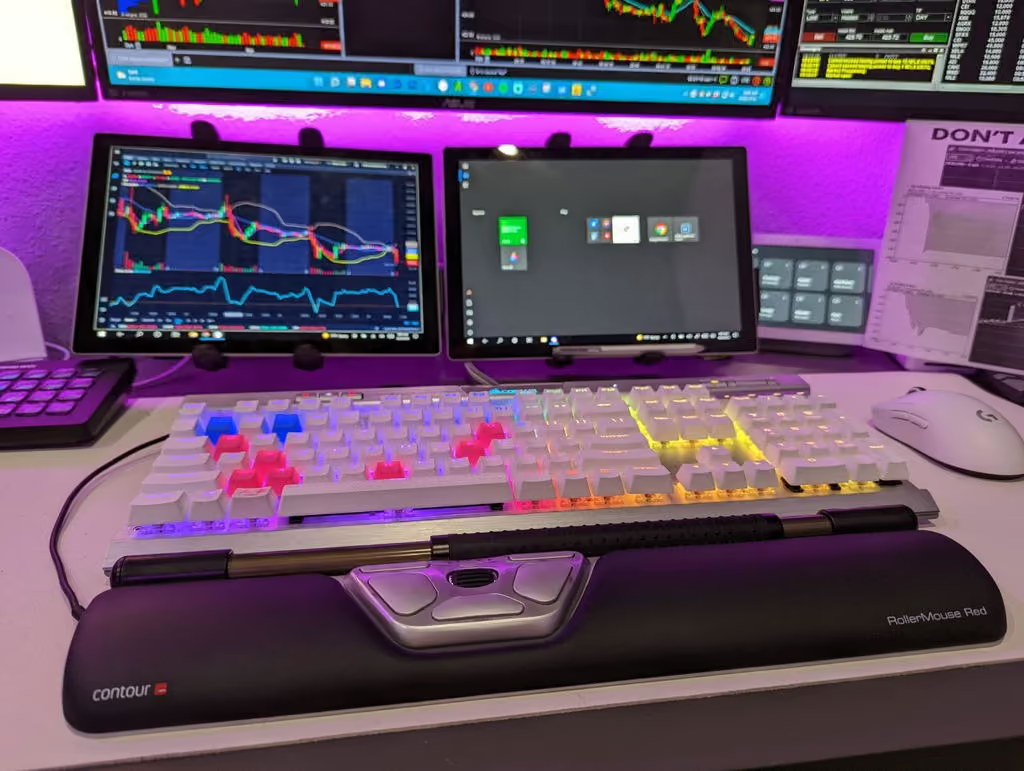
I day trade and with it come a lot of hot keys on the keyboard. There is a lot of moving the mouse around be it order entry or charting, it's a bounce between mouse and keyboard all day long. I've noticed that with a regular mouse I was having issues jumping back and forth while in a trade. I planned on buying a small laptop external mouse to place under my keyboard but I found this instead and am so happy with it a week in. It took me about a 2-3 days to get really comfortable with it and accurate with the movement and clicking but there are sensitivity levels you can select and you can disable some buttons like the scroll wheel pressing acting a click, I disabled that so I didn't false click into or out of a trade. I don't have any wrist or joint problems, I was just looking for a solution to the back and forth movements that slowed down my trading. Highly recommend.
Photogromer
Verified
Photo
April 23, 2022

I've used an old model RollerMouse for over 12 years (the same one, if you can believe it), and it has saved my wrists, back, and neck. Just graduated to the wireless RollerMouse Red and love it so far. It's even smaller than my old one, and the wireless version gives more flexibility. While it seems pricey, it's worth it for your body's comfort when working at a computer. My only recommendation would be to give more word-like instructions, rather than just pictures, to help those who are new to this product or not familiar with how wireless devices work. That said, this product is a winner.

MH
Verified
April 15, 2022

I stand by this ergonomic keyboard as someone who experienced carpal and cubital tunnel syndrome. I work from home and the use of regular, vertical, and trackball mice only exacerbated my pain. Really recommend this product for those who experience shoulder and arm issues.
Nicole C.
Verified
Photo
March 30, 2022

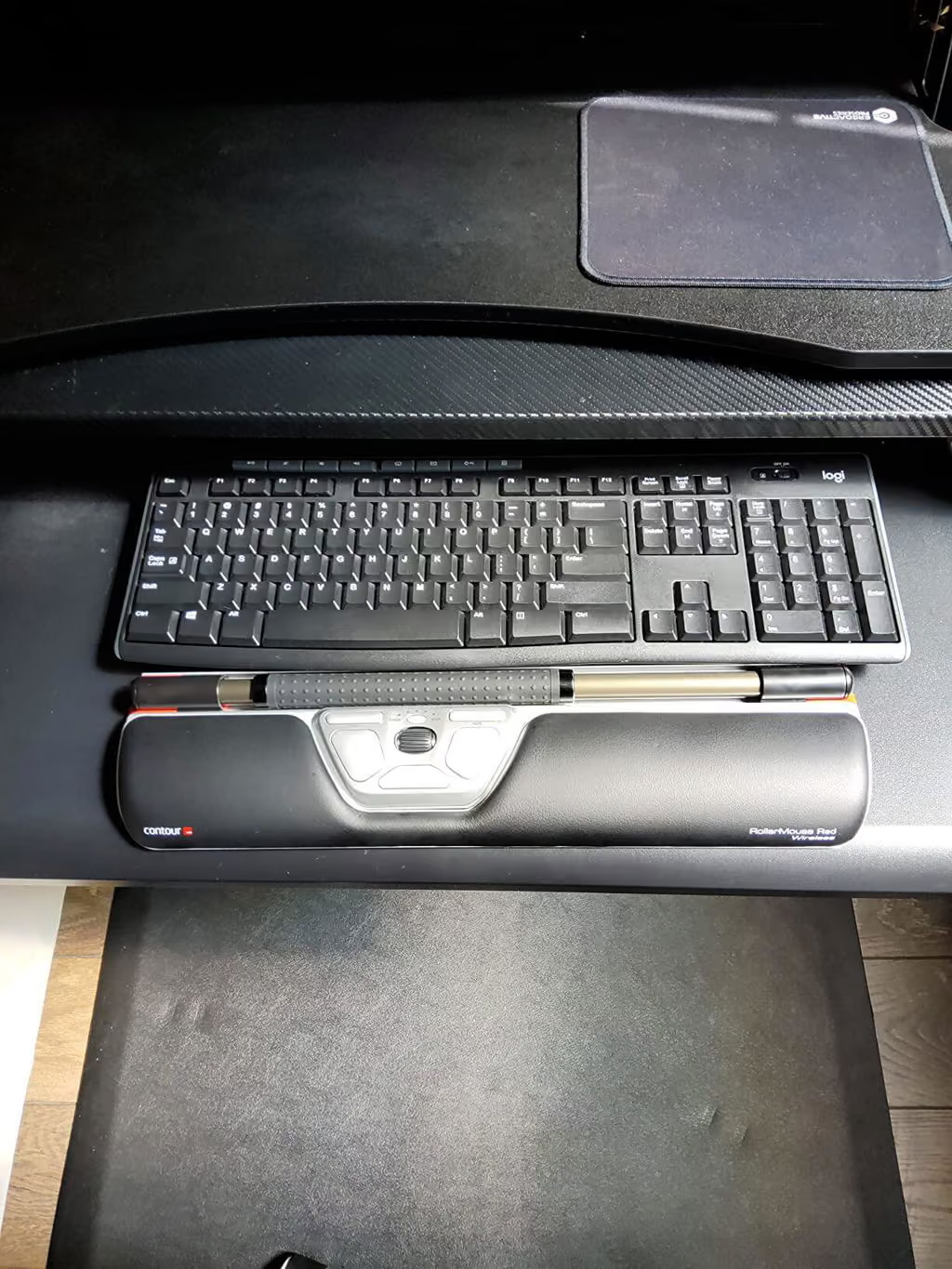
My first roller mouse died and it showed me how I have come to really rely on it for maintaining ergonomics for typing and scrolling.It takes a little time to get used to it - but once you do, your wrists and hands will thank you :)

Coordinating Success
Verified
March 23, 2022

I waited to add a review until I used this new mouse a bit more. I work 12-14 hours a day 5 days a week. I began to experience RA in my thumb joint.It was odd to get used to but after a number of hours working on it, I feel odd when I use my laptop without it. I now have it connected to my iMac 12.2 and works just as great as my windows 10 laptop.I do feel the roll bar feeling like it might need to be cleaned (similar to the bottom of the mouse). I will research how to do this, but I have no complaints and my thumb pain is so much better I am not having to wear my thumb bandage from the doctor. :) Happy with my purchase

Amazon Customer
Verified
March 15, 2022

Ça m'a pris quelques jours pour m'y habituer, mais 48h après avoir commencé à l'utiliser la douleur dans mon épaule avait déjà diminuée grandement. Son seul défaut est que la barre pour la souris est trop longue et des fois j'atteins une extrémité ou l'autre alors que ma souris est au milieu de mon écran. Ça coûte un bras et une jambe, mais ça vaut chaque dollar investi.

Sodega
Verified
March 9, 2022

If you're experiencing pain from tendonitis or carpal tunnel, this mouse is worth every penny. It's easy to use and set up. The pain ive had since purchasing it has gone down and ive been able to work while wearing a spica for my hand.

A G
Verified
February 12, 2022

Excellent product, has eliminated by back and right arm pain from constant mouse movements during working day. I got used to roller quickly. But practice for the Paste and Right click buttons. Can paste when meant to right click - but never the end of the world with the undo button. Well worth the time it takes to get used to it.

h lait
Verified
February 7, 2022

I need to replace my almost 13 year old Rollermouse Pro - so I recently ordered the Rollermouse red with the Balance keyboard. I tried them for several hours and immediately put them both back in the box and just ordered the Rollermouse Pro3. Still shopping for a suitable Logitech UltraX media keyboard replacement - but that's another story.Why did I give up on the Rollermouse red model so quickly? The rollerbar was a dealbreaker - it sits just a bit higher than the rollerbar on the Rollermouse pro, and it was super sensitive. Just breathing too hard was a possibility to click where I didn't want to click. So, I turned off rollerbar clicking - but, I use that feature all the time and wasn't ready to forego a feature that I consider essential. So, back to trying the rollerbar along with the keyboard "designed" to go with the Rollermouse red. Nope. After a few hours, tinkering with the settings and researching scissor key keyboards (to replace the Logitech), I concluded that I was not going to feel comfortable with the giant, nubbly rollerbar instead of my lower profile, not quite so sensitive, smoother rollerbar.I think if you've never used a rollermouse, that the red model might be great for you. All rollermouse products take time to get used to (give it a week), but once you are used to a certain rollerbar height and effort, switching to another model is not necessarily an improvement! In general, rollermouse rocks and has saved my wrists. I have used a rollermouse since 2007 and rarely ever use a conventional mouse - which now feels totally unnatural and weird.As for the balance keyboard - although it has a thin bezel, which is a must to successfully keyboard with a rollermouse - it's no replacement for the scissor keys on my Logitech. The keys felt like chiclets and there's a bit too much space around them, which I don't like. The keypress feels flat - the feedback is just a bit deadened. For comparison, I have a Microsoft surface keyboard, which is flat - but the feedback is crisper and immediate.

Firesheep67
Verified
January 20, 2022

Habe es seit 6 Monaten. Der Schmerz im Handgelenk ging zurück und es funktioniert wunderbar auch für Grafikdesigner. (Für manches braucht man trotzdem kurz eine Maus)

abc
Verified
January 4, 2022

I have dealt with shoulder and neck pain for YEARS!!! I sit at a desk and do computer work all day. This genius invention keeps you from reaching for the mouse AND overworking your fingers from scrolling. It does take a few days to get adjusted and used to the functionality but stick with it, it’s so worth it!!!

Jennifer
Verified
December 28, 2021

It was what I ordered.

sharon
Verified
December 19, 2021

I just love this keyboard tray it has saved my wrist the only down side I wear them out... but they last a long time.

GF2
Verified
November 14, 2021

This mouse provides great functionality and ease of use for someone with RSI/limited hand and finger movements. Other mouse devices have been tried previously but this one is by far the best. Though more expensive than other mice, it is worth the money.

NK
Verified
October 17, 2021

My hand, wrist, and arm pain was getting progressively worse for about a year. I tried stretches, using a vertical mouse, and cortisone shots. Nothing helped. After one week with this mouse my pain is almost gone.

Ashley King
Verified
October 12, 2021

UPDATEThe latest drivers have fixed the problem of the mouse cursor jumping to the edge of the screen, thanks guys.ORIGINAL POSTExcellent German-engineered hardware looks and feels great, and solves shoulder problems caused by mousing to the right of the keyboard. However, moving the "mouse" to align with the middle of the keyboard could potentially cause the opposite problem by requiring you to rotate your upper arm the left instead of the right. This is not the fault of the Roller Mouse per se, we have to have our arms that way to type...The most concerning issue is: The mouse pointer often jumps to the far left or right of the screen without warning. If you are in the middle of typing or clicking, this could cause you to execute unintended Windows operations, perhaps moving or deleting files.The above notwithstanding, Roller Mouse is better than my traditional mouse so I'm going to keep using it.

Todd Wysuph
Verified
October 10, 2021

Best ergonomic solution, worth every penny. You can’t put a price in your own health.

Santana Garza
Verified
October 10, 2021

I recommend using a contour design keyboard. Although many key boards work with the roller mouse It sits better with a compatible keyboard such as the Contour.

Amazon Customer
Verified
October 4, 2021

I was skeptical that this mouse would help with my shoulder pain, but it did. Quickly. Within 3 days, I had a noticeable improvement in my shoulder. I also expected it to take a few days to get used to, but the mouse is pretty intuitive to use and now, almost a month later, I have a hard time switching back to a regular mouse! I HIGHLY recommend this to anyone who spends most of their days in front of a computer. Remember, physical therapy is expensive too.

Reeda
Verified
September 16, 2021

I had surgery on my wrist in 2008 and my wrist has never been the same. I used so many ergonomic products (keyboard & mouse) and by far this is the best. I’ve been using this for over 6 years. The only reason I got another one is because I’m working from home now and I want to be able to take this with me if I switch jobs. It’s expensive, but absolutely worth it. I also bought the keyboard and the fit is perfect.

Amazon Customer
Verified
September 12, 2021

Saves my wrist! Takes a little time to get use to but once you get comfortable with it. You don't want to go back using the old mouse.

Amazon Customer
Verified
September 6, 2021

The quality is very good and easy to start with. It seems too expensive and need some efforts to get a keyboard to match it.
Win
Verified
Show all 1,240 reviews

Your journey to a pain-free life.

See how RollerMouse transforms your comfort from the first day to long-term health.

Hello comfortHello comfort
Day 1

Instant comfort

EMG studies show RollerMouse users load their forearm muscles less even on day one.

Hello comfortHello comfort
Day 14

The difference shows

With key controls within fingertip reach, thousands of repetitive micro-movements are reduced.

Hello comfortHello comfort
Day 30

A Pain-Free future

Your shoulders and hands remain in a natural position — reducing tension for a more sustainable workday.

Not feeling it? You’ve got 30 days to send it back.

Explore more

You might also like

Bundle & save

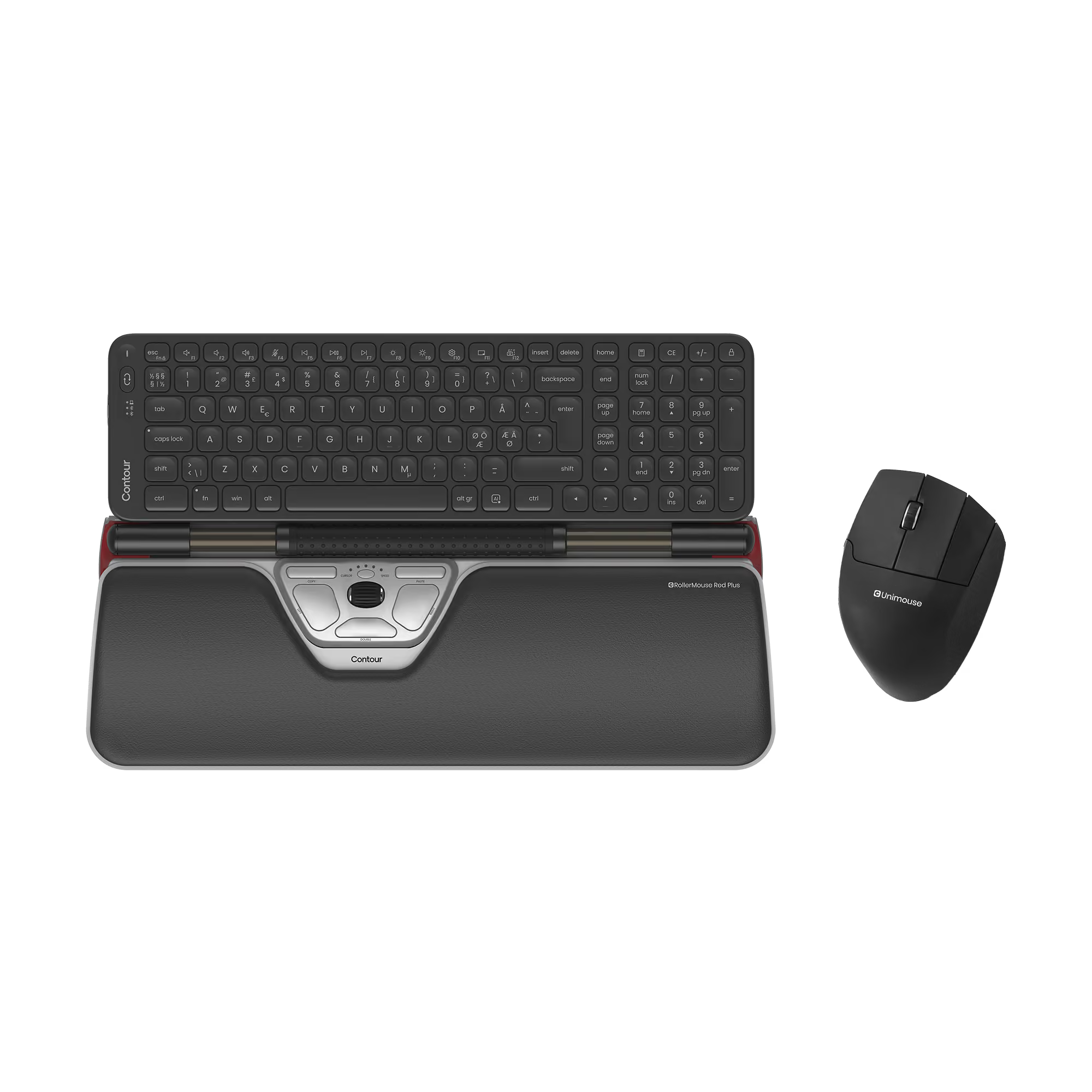
RollerMouse Red Plus + Balance Mid-Size Keyboard + UniMouse, Wireless

€649,10
€721,25
%
OFF
—
You save
X
Thank you! Your submission has been received!
Oops! Something went wrong while submitting the form.
Select this bundle
Bundle & save

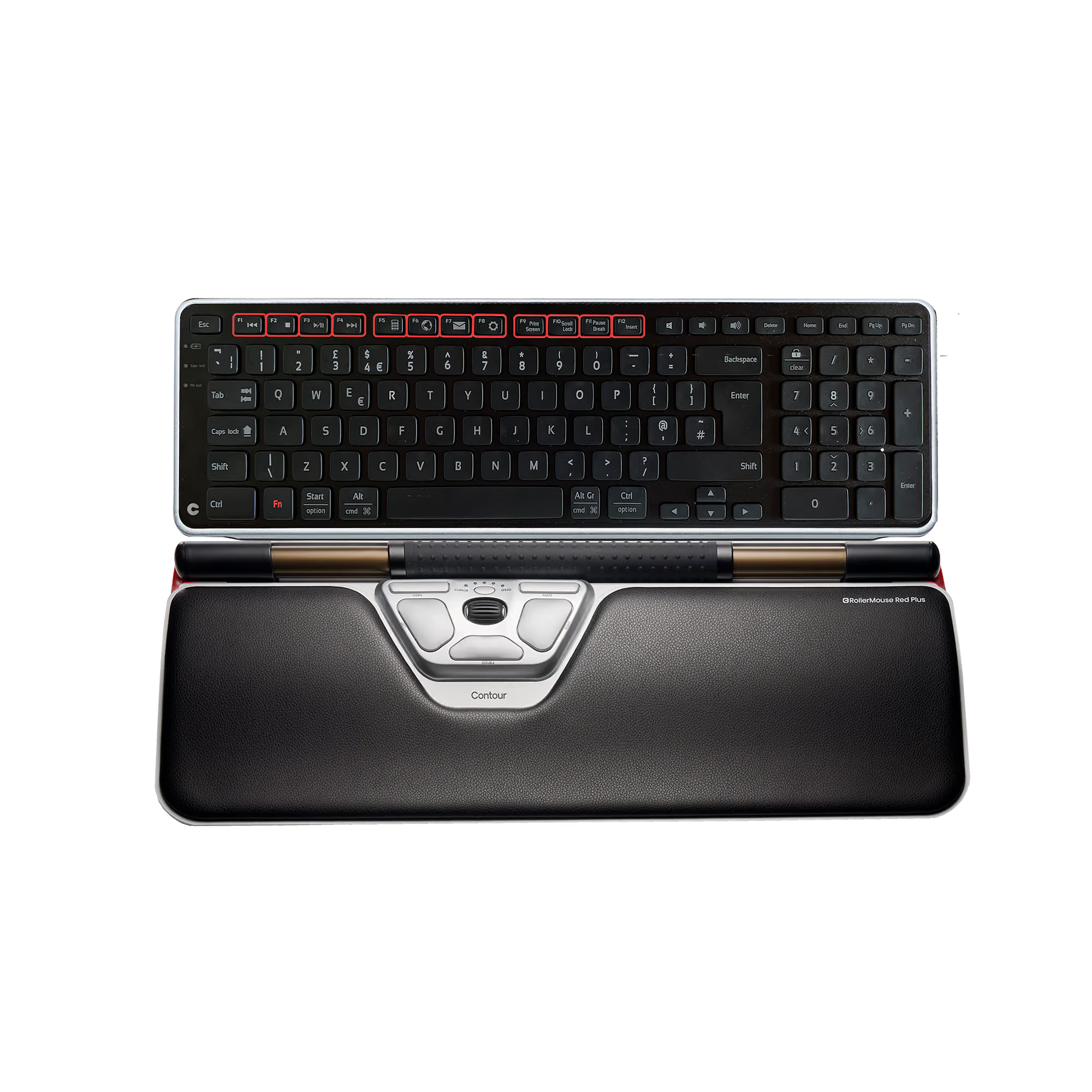
RollerMouse Red + Balance Keyboard, British

€532,12
€591,25
%
OFF
—
You save
X
Thank you! Your submission has been received!
Oops! Something went wrong while submitting the form.
Select this bundle
RollerMouse Red
4.7 · 260
€
€
-
Add to Cart

Remove this product from your bundle?

You keep your other choices. The bundle becomes a 2-product bundle with a smaller discount.

Bundle added to your basket.
View basket