Contour Science

A global problem. A daily habit.

We start where the research starts: with the size of the problem. Then we zoom in on your desk, your mouse and your arm, and show what changes when you switch to Contour, from the office desk to the point of care.

  1. The world 1.71 billion

    Approximately 1.71 billion people have musculoskeletal conditions worldwide.1

    WHO
  2. At work 485,000

    In 2023–2024, about 485,000 work-related musculoskeletal disorders kept US private-sector workers off the job for a day or more.2

    US Bureau of Labor Statistics
  3. At the computer 20–60%

    Studies show that 20–60% of office workers suffer from musculoskeletal disorders.3

    Cochrane review
  4. At your desk 600

    Around 600 times a day: that’s how often your hand grips the mouse.4

    Workplace study

01 · The problem

Neck and shoulders feel it first.

In a study of 560 office workers, more than half reported neck or shoulder symptoms over 12 months, and nearly 1 in 3 wrist or hand symptoms.5

Office workers reporting symptoms over 12 months, in one study of 560 office workers, as reported in an independent systematic review (de Alencar et al., 2025).

Hours at the computer

More than 4 hours a day on the computer or mouse is linked to a 25% higher risk of new arm, neck and shoulder complaints.6

IndependentA meta-analysis of 4 cohort studies of office workers, followed for 1–2 years (Rijal et al., 2026).

Mouse or keyboard

Hand, arm and shoulder problems are more closely linked to mouse time than to keyboard time.7

Earlier research (Gerr et al. 2004; IJmker et al. 2007), as cited in a peer-reviewed lab study (Lin et al., 2015).

Mouse arm, RSI, carpal tunnel: what do the names mean?

Mouse arm, RSI and carpal tunnel syndrome are different names for a family of overuse conditions of the hand, wrist, forearm and shoulder; the more hours a day someone spends on the mouse, the more likely they are to report hand and arm symptoms.8

Strain injury symptoms may develop when you repeat the same movement over time or when part of your body does not have enough time to recover between activities.9 For example:

  • Repeated mouse gripping
  • Prolonged keyboard or mouse use
  • Too few breaks between repeated tasks

If you have symptoms, talk to a doctor or physical therapist. They can tell you what’s going on and what will help.

02 · Your day

Once a minute. 600 times a day. 140,000 times a year.

That’s how often you grip your mouse.10 Our centered pointing devices have nothing to grip.

8 h

Your hand on the mouse, hour by hour

An illustration, not a measurement of you: it uses the averages from one workplace study (78 grips an hour, and mouse use for 14 minutes of every working hour) and 230 working days a year.

Around 600

grips a day4

More than 140,000

grips a year11

Nearly two hours

with your hand on the mouse each day12

Almost 11

working weeks a year on the mouse13

Seen from above: a man types, then his right hand leaves the keyboard and reaches out to a mouse at the side, again and again.
Every trip to the mouse: hand off the keyboard, arm out to the side, and back. Illustration, created with AI from our own photography.

With a mouse at the side, your arm is out, away from your body, every time.14

A mouse at the side typically holds your arm out and forward and bends your wrist back and outward. Prolonged use of a standard mouse is linked to musculoskeletal symptoms.15

An independent systematic review of 17 controlled trials of alternative mouse designs, citing earlier research (Radwan et al., 2018).

Lifting the arm out to the side has been identified as a risk factor for neck and shoulder problems.16

Earlier research (Cook, Burgess-Limerick and Papalia, 2004), as cited in a peer-reviewed lab study (Kumar and Kumar, 2008).

Researchers consider how much you use the mouse,17 and how hard you grip it,18 as possible risk factors for hand and arm disorders.

An independent systematic review (de Alencar et al., 2025) and an independent workplace study of mouse use (Johnson et al., 2000).

03 · What changes

RollerMouse gives your shoulder a break.19

Keep your upper arms close to your body, not reaching forward or to the sides: that’s standard workstation advice.20 Our centered pointing devices sit in front of your keyboard, so it’s built in.
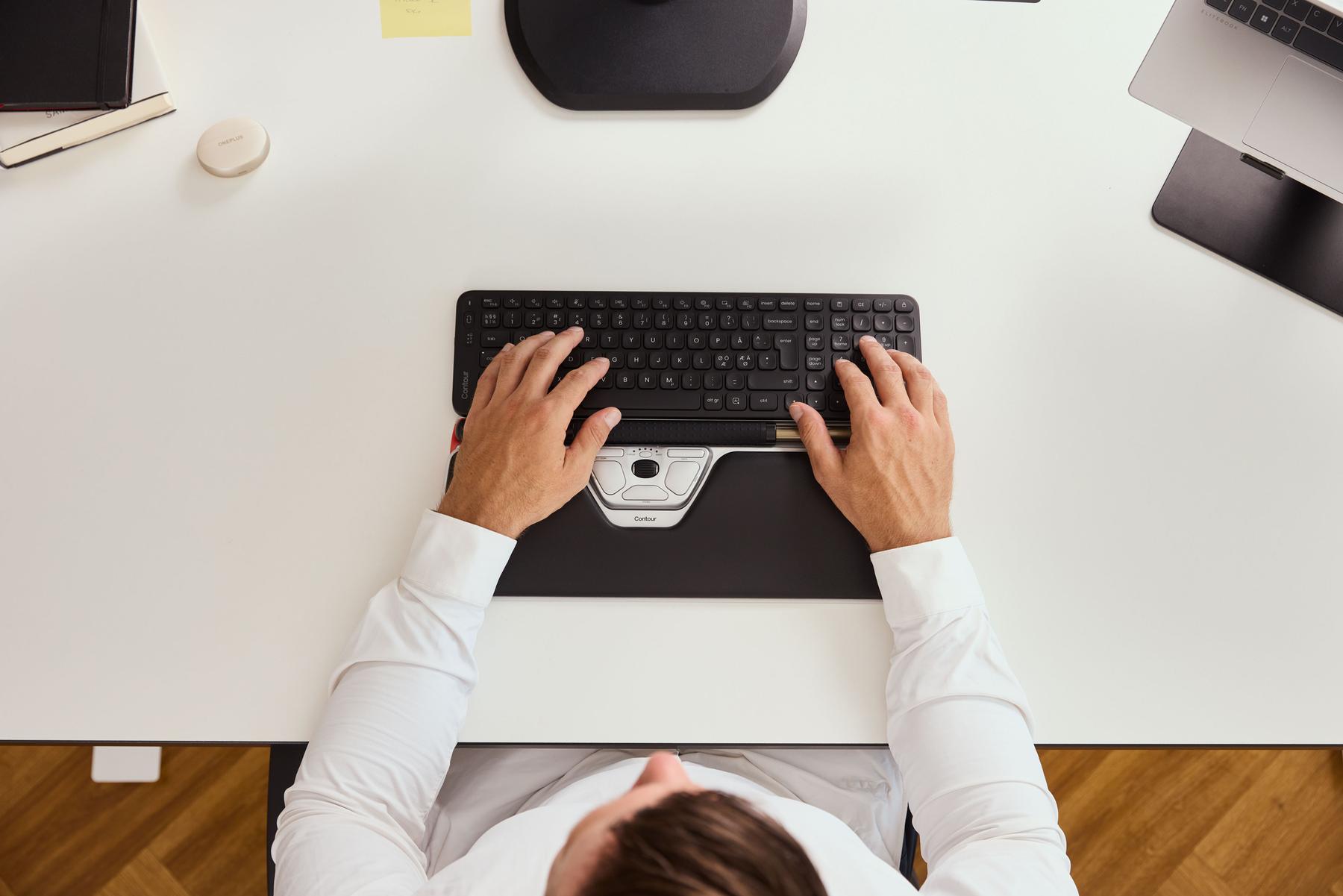
Seen from above: two hands on a keyboard, with RollerMouse in front of it, centered between them.

Less muscle work in the pointing arm.

Five lab studies

Consistent across five lab studies: RollerMouse needed less muscle activity in the pointing arm than a traditional mouse.21–25
  1. 2008Kumar and Kumar15 adults · roller bar of similar designMain shoulder muscle: 79% less activity26
  2. 2015Lin, Young and Dennerlein12 adults · RollerMouse Free2
  3. 2015Kluth and Keller24 adults · RollerMouse Free2
  4. 2022Alcaraz-Mateos et al.6 adults · RollerMouse Red PlusIndependent
  5. 2026Gaudez et al.31 adults · RollerMouse Red PlusIndependent

Two of the five are independent; one was partly funded by free product units from Contour.

RollerMouse Red Plus vs nine other devices

Ranked #1 of 10 pointing devices for lowest muscle activity.24

The other nine included a conventional mouse, a vertical mouse, trackballs and a touchpad.

IndependentA standardized lab study of 6 adults doing digital pathology tasks (Alcaraz-Mateos et al., 2022). Devices were ranked, not compared pair by pair.

Your arm stays close.

Shoulder posture · RollerMouse

Half the shoulder lift. In a lab study, people raised their upper arm about half as much with RollerMouse as with a mouse at the side: 7° vs 14° out to the side and 12° vs 25° forward.27
Out to the sideMouse at the side 14°RollerMouse 7°
Front view of a seated woman: her upper arm moves between 14 degrees out to the side (mouse at the side) and 7 degrees (RollerMouse), with an angle overlay.
Upper arm lifted out from the body. Seen from the front.
ForwardMouse at the side 25°RollerMouse 12°
Side view of a seated woman: her upper arm moves between 25 degrees forward (mouse at the side) and 12 degrees (RollerMouse), with an angle overlay.
Upper arm lifted forward. Seen from the side.

Video created with AI. The overlay is drawn to the study averages and follows her arm in between.

A lab study of 12 adults new to RollerMouse, pointing with RollerMouse Free2 and with a mouse to the right of the keyboard (Lin, Young and Dennerlein, 2015). Partly funded by free product units from Contour.

Shoulder posture · Contour Touch

Almost 60% less shoulder abduction than a conventional mouse in a pointing test.28

Shoulder abduction: lifting your upper arm out to the side.

A man typing with Contour Touch in front of his keyboard.

Our own studyOur ErgoLab, 3D motion capture, 2025. Unpublished data, available soon.

People feel the difference.

Wrist strain, as rated · RollerMouse

People felt less than half the wrist strain with RollerMouse than with a traditional mouse.29

A lab study of 24 adults new to RollerMouse, who used it and a traditional mouse in turn for nearly 4 hours (Kluth and Keller, 2015).

Comfort at work · RollerMouse

Nearly 9 in 10 surveyed customers said RollerMouse increased their comfort or well-being at work.30

Commissioned by ContourAn online survey of 233 RollerMouse customers in Denmark, Sweden and Norway, April 2024. Self-reported.

Shoulder comfort · Contour Touch

4 in 5 users said their shoulder felt better after 4 weeks with Contour Touch; none felt worse.31

19 better or much better · 5 the same · 0 worse

Our own studyOur own 4-week study of 24 office workers with shoulder discomfort. No control group; devices provided free.

Comfort score · UniMouse

Six vertical mice. Twenty hands. One favorite: UniMouse got the highest comfort score of the six, with top-group pointing speed.32

Differences within the top group were not statistically significant.

Our own testOur own lab test: 20 participants did standard pointing tasks with six vertical mice and rated comfort, effort and fatigue (Cappelletto, 2025). Commissioned by Contour; not externally peer-reviewed.

Getting used to it · Contour Touch

Very easy to adopt: after 4 weeks, more than half of users gave Contour Touch top marks for ease of adaptation, and 9 in 10 rated it 4 or 5 out of 5.33

13 gave 5 out of 5 · 8 gave 4 · 3 gave 3 or less

Our own studyOur own 4-week study of 24 office workers with shoulder discomfort. No control group; devices provided free.

04 · Medical keyboards and mice

In healthcare, every second counts, and so does every surface.

Care teams touch the keyboard and mouse between patients and during procedures. Here is what independent research found on those surfaces, and how we design ours to be wiped.
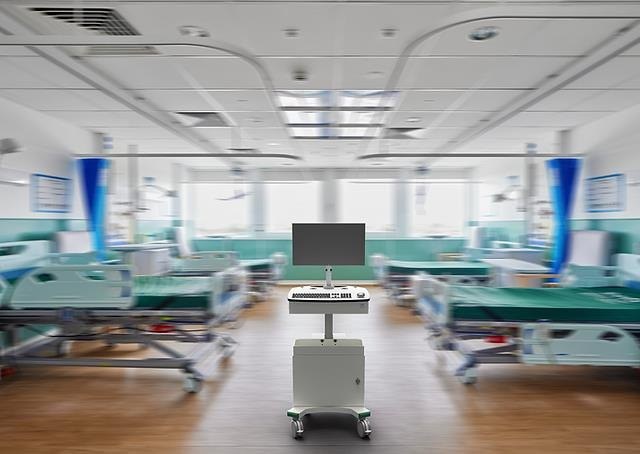
A hospital ward with a computer workstation on wheels between the beds.

Touched constantly. Often missed.

Operating room · touches

The keyboard and mouse are among the most-touched surfaces in the operating room – about 25 touches per operation in a 2026 study.34,35

About 25 touches per operation

IndependentOne hospital in China, 20 operations observed (Huang et al., American Journal of Infection Control, 2026). A US study also found the mouse among the five most-touched operating-room items (Link et al., 2016).

Between-case cleaning

In that study, the most-touched item wasn’t on the operating room’s between-case cleaning checklist.34

IndependentSame study. The authors added the keyboard and mouse to the checklist during the study.

After one operation

In a 2026 hospital study, almost 2 in 3 operating-room keyboards and mice carried bacteria after a single operation.34

13 of 20 samples

IndependentSame study. Swabs taken after the first case of the day; ‘bacteria’ means any colony, species not identified.

75 studies

Hospital keyboards and mice are often contaminated: in a review of 75 studies, most of those that reported an overall rate found 80–100% of devices contaminated. Several disinfection methods reduced it, though results varied.36

A systematic review of 75 studies and 2,804 devices in healthcare settings (Ide et al., BMJ Open, 2019).

Wiping works. Flat surfaces wipe best.

Wiped vs not cleaned

In the same study, keyboards and mice wiped with disinfectant between cases had a median of zero bacterial colonies, against 1.25 on stations that weren’t cleaned.37

IndependentSame 2026 study: 10 wiped samples compared with 10 from stations that weren’t cleaned. Use of a neutralizer not reported.

Surface design

In laboratory and ICU testing, bacteria were found to be most easily removed from a flat, silicone-coated surface.38

Laboratory transfer tests and a controlled ICU trial of eight cleanable keyboards and standard keyboards (Wilson et al., American Journal of Infection Control, 2008).

A white Contour medical keyboard.

Contour QuickClean Medical Keyboard C8112

Easy to wipe. Easy to type on.

Contour medical keyboards and mice can be wipe-disinfected between cases, so care teams can include them in their cleaning routine, as their own protocols require.

  • Clean without unpluggingCleanFunction pauses the keys, so you can wipe it down without unplugging.39
  • Fewer places for germs to hideFlat, sealed and gap-free, with fewer places for germs to hide. Sealed to IP68.39
  • Made for wipe disinfectionDesigned for wipe disinfection in line with the CDC guideline40 and compatible with VAH-listed disinfectants.
  • Familiar typing feelWe designed it to feel like a familiar keyboard to type on.

Design and product specification. No Contour product was tested in the studies above.

05 · Our evidence standard

Claims are easy to make. Here’s what’s behind ours.

  1. Result firstWe lead with what was measured, in degrees, percentages or people.
  2. Who found itAn independent research group, a published study or our own ErgoLab. Always named.
  3. A clear baselineWhere a study had a comparison, we say what it was, most often a mouse at the side.
  4. Who paidIf we ran a study, funded it or supplied the devices, the label says so.
  5. The fine print, in fullOur notes are published as written, with what was tested and, where reported, how many people and how long.

The evidence, product by product.

ProductEvidenceWhat’s behind it
RollerMousePublished or independent research5 published lab studies, 2 of them independent.21–25 Customer survey: 233 customers in Denmark, Sweden and Norway.41
Contour TouchOur own research or surveyErgoLab posture study, 3D motion capture.28 Our own 4-week study of 24 office workers with shoulder discomfort (no control group; devices provided free).31
UniMouseOur own research or surveyOur own lab test of six vertical mice, 20 participants.32
Universal Arm SupportPublished or independent researchAn independent year-long randomized trial of that kind of forearm support (another manufacturer’s).42
Balance KeyboardProduct designBalance tilts the other way, so your wrists stay level.39
Medical keyboards and miceProduct designDesigned for wipe disinfection in line with the CDC guideline.40 Independent studies document the problem; none tested a Contour product.34,36
Hands on a Balance keyboard with Contour Touch in front of it.

The Contour ErgoLab

Designed and tested in our ErgoLab in Denmark.

We test our designs with real people: we track how they move, can record how hard their muscles work and time how fast they point. And we follow people at their own desks for weeks to ask how it feels.

How you moveShoulder, elbow and wrist angles in 3D.
How hard you workMuscle activity, from sensors on the skin.
How fast you pointStandard pointing tests.
How it feels, weeks laterA check-in every week, at your own desk.

Researcher? Run your study in our ErgoLab ↓

Every study, its methods and its limits: request the evidence pack ↓

06 · For professionals

For ergonomists, therapists and workplace assessors.

Our evidence pack has every study on this page, its methods and its limits, and the exact wording we use.

1 in 6 surveyed customers heard about RollerMouse from an occupational therapist, doctor or physiotherapist.43

Commissioned by ContourAn online survey of 233 RollerMouse customers in Denmark, Sweden and Norway, April 2024. Self-reported.

Evidence reviewed by Dror Sever, BSc Med, PhD, Clinical Evidence Manager
Expert panel

We’re setting up a panel of ergonomists, therapists and workplace-safety professionals who try our products hands-on and tell us what they think. Panel members have at least 5 years’ professional experience and no commercial ties to Contour.

Research with us

Study our products. On your terms.

Researching computer work, posture, muscle activity or cleaning at the point of care? Tell us about your study. You design it, run it and publish what you find. If we supply devices, we say so wherever we cite your work.

What we can offer: devices for your study, product specifications, and space in our ErgoLab in Denmark to run your sessions, with 3D motion capture and a contact on our team.

Run occupational health services? Tell us if you could host a study in real workplaces.

Products you’d like to study
What would help your study?
Could you host a study?

We use these details only to reply about your study.

Sources and notes

Each note is printed as written and numbered in the order it first appears on this page.

  1. Source: World Health Organization, ‘Musculoskeletal health’, fact sheet, 14 July 2022, citing an analysis of Global Burden of Disease 2019 data (Cieza et al., The Lancet 396:2006–2017). Musculoskeletal conditions include low back pain, neck pain, osteoarthritis and other conditions of the muscles, bones and joints. Not specific to computer work. ↩
  2. Source: US Bureau of Labor Statistics (BLS), Survey of Occupational Injuries and Illnesses, 2023–2024, Table MSD1: 484,620 musculoskeletal disorder cases involving days away from work in private industry, 2023 and 2024 combined (an annualized 22.9 per 10,000 full-time workers; median 14 days away). Employer-recorded cases, not people; private industry only, excluding farms with fewer than 11 employees. Musculoskeletal disorders as defined by BLS, for example soft-tissue injuries, soreness or numbness from overexertion, repetitive motion or bodily position. Not specific to computer work. ↩
  3. As reported in an independent Cochrane systematic review of ergonomic interventions for office workers. Citation: Hoe et al., Cochrane Database of Systematic Reviews 2018. ↩
  4. Supported by independent evidence from a workplace study measuring real mouse use at people’s own desks (16 office workers, 3 workdays each; the mouse was gripped 78 times an hour on average). 600 a day assumes an 8-hour computer day. Citation: Johnson et al., Scandinavian Journal of Work, Environment & Health 2000. ↩
  5. As reported in an independent, peer-reviewed systematic review of 17 studies of office workers and teleworkers (12-month symptom prevalence in one included study of 560 office workers: neck 55.5%, shoulder 50.7%, wrist/hand 31.5%). Citation: de Alencar et al., Work 2025. ↩
  6. Supported by independent evidence from a meta-analysis of prospective cohort studies of office workers who use computers (more than 4 hours a day of computer or mouse use: risk ratio 1.25, 95% CI 1.08–1.44; 4 studies; 1–2 years of follow-up). Citation: Rijal et al., Work 2026. ↩
  7. As reported in the introduction of a peer-reviewed lab study, citing earlier research (Gerr et al. 2004; IJmker et al. 2007). Citation: Lin et al., Applied Ergonomics 2015. ↩
  8. IJmker et al., Occupational and Environmental Medicine, 2007, systematic review of nine longitudinal studies; Danish cohort with logged mouse time, International Archives of Occupational and Environmental Health, 2011. Neither mentions a Contour product. ↩
  9. Source: Mayo Clinic, ‘Repetitive strain injury’, patient information page (mayoclinic.org/uk). ↩
  10. Supported by independent evidence from a workplace study measuring real mouse use at people’s own desks (16 office workers, 3 workdays each; 78 grips per hour on average). 600 a day assumes an 8-hour computer day; 140,000 a year assumes 230 working days. Citation: Johnson et al., Scandinavian Journal of Work, Environment & Health 2000. ↩
  11. Supported by independent evidence from a workplace study measuring real mouse use at people’s own desks (16 office workers, 3 workdays each; the mouse was gripped 78 times an hour on average). 140,000 a year assumes an 8-hour computer day and 230 working days. Citation: Johnson et al., Scandinavian Journal of Work, Environment & Health 2000. ↩
  12. Supported by independent evidence from a workplace study measuring real mouse use at people’s own desks (16 office workers): mouse use took 14 minutes of every working hour (23.7% of work time). Two hours a day assumes an 8-hour working day. Citation: Johnson et al., Scandinavian Journal of Work, Environment & Health 2000. ↩
  13. Supported by independent evidence from a workplace study measuring real mouse use at people’s own desks (16 office workers): mouse use took 14 minutes of every working hour (23.7% of work time). 11 weeks a year assumes an 8-hour day, 230 working days and a 40-hour week. Citation: Johnson et al., Scandinavian Journal of Work, Environment & Health 2000. ↩
  14. Supported by evidence from a controlled lab study (12 adults; with a traditional mouse at the side the upper arm was lifted out from the body by 14° on average, with RollerMouse Free2 by 7°; the study was partly funded by free product units from Contour). Citation: Lin et al., Applied Ergonomics 2015. ↩
  15. As summarized in an independent systematic review of 17 controlled trials of alternative mouse designs, citing earlier research. Citation: Radwan et al., Cogent Engineering 2018. ↩
  16. As reported in the introduction of a peer-reviewed lab study, citing earlier research (Cook, Burgess-Limerick & Papalia, International Journal of Industrial Ergonomics 2004). Citation: Kumar & Kumar, International Journal of Occupational Safety and Ergonomics 2008. ↩
  17. As concluded in an independent, peer-reviewed systematic review of the main risk factors for work-related musculoskeletal disorders in office workers and teleworkers (468 studies screened, 17 included; duration of keyboard and mouse use among the risk factors). Citation: de Alencar et al., Work 2025. ↩
  18. Grip force as a possible risk factor is discussed in an independent workplace study of mouse use (16 office workers). Citation: Johnson et al., Scandinavian Journal of Work, Environment & Health 2000. ↩
  19. Supported by evidence from a controlled lab study (24 adults new to RollerMouse; nearly 4-hour session using RollerMouse Free2 and a traditional mouse in turn; activity of the shoulder muscle (deltoid) was lower with RollerMouse). Citation: Kluth & Keller, Occupational Ergonomics 2015. ↩
  20. Supported by expert guidance in a peer-reviewed review of computer workstation ergonomics. Citation: Emerson et al., Journal of Hand Therapy 2021. ↩
  21. Supported by evidence from a controlled lab study (12 adults, RollerMouse Free2 vs a traditional mouse; the study was partly funded by free product units from Contour). Citation: Lin et al., Applied Ergonomics 2015. ↩
  22. Supported by evidence from a controlled lab study (24 adults, RollerMouse Free2 vs a traditional mouse). Citation: Kluth & Keller, Occupational Ergonomics 2015. ↩
  23. Supported by independent evidence from a controlled lab study (31 adults, RollerMouse Red Plus vs a traditional mouse). Citation: Gaudez et al., Ergonomics 2026. ↩
  24. Supported by independent evidence from a standardized lab study (6 adults; RollerMouse Red Plus vs nine other pointing devices, including a traditional mouse; overall activity of seven hand, arm and shoulder muscles; devices ranked, not compared pair by pair). Citation: Alcaraz-Mateos et al., Revista Española de Patología 2022. ↩
  25. Supported by evidence from a controlled lab study (15 adults; a centered roller-bar mouse of similar design vs a conventional mouse at the side; the shoulder, upper back and forearm muscles all worked less). Citation: Kumar & Kumar, International Journal of Occupational Safety and Ergonomics 2008. ↩
  26. Supported by evidence from a controlled lab study (15 adults; a centered roller-bar mouse of similar design vs a traditional mouse at the side; activity of the front shoulder muscle (anterior deltoid) was 79% lower). Citation: Kumar & Kumar, International Journal of Occupational Safety and Ergonomics 2008. ↩
  27. Supported by evidence from a controlled lab study (12 adults new to RollerMouse; RollerMouse Free2 vs a traditional mouse to the right of the keyboard; shoulder angles measured during pointing tasks; the study was partly funded by free product units from Contour). Citation: Lin et al., Applied Ergonomics 2015. ↩
  28. Contour ErgoLab study, 2025, 3D motion capture; unpublished data, will be available soon. ↩
  29. Supported by evidence from a controlled lab study (24 adults new to RollerMouse; nearly 4-hour session using RollerMouse Free2 and a traditional mouse in turn; strain self-rated on a 0–4 scale, wrist 1.0 vs 2.2). Citation: Kluth & Keller, Occupational Ergonomics 2015. ↩
  30. Supported by evidence from a customer survey (209 of 233 Contour customers in Denmark, Sweden and Norway agreed; Danish customers were asked about comfort or well-being at work, Swedish and Norwegian customers about comfort or joy at work; online, self-reported; April 2024; commissioned by Contour). Source: Kvadrant customer survey 2024. ↩
  31. Contour internal study (Contour Touch Adoption Study), 2026; unpublished data, will be available soon. Single-group, 4-week pre–post field study (no control group, randomization or blinding): 24 office workers with shoulder discomfort in 6 European countries used Contour Touch Wireless with a Contour Balance keyboard as their only input devices; self-reported online surveys at the start and every week; devices provided free. At week 4, 19 of 24 rated their shoulder better or much better than before the study, 5 the same, none worse. Neck: 16 of 24 better, none worse. ↩
  32. Contour laboratory study (Cappelletto, 2025) of six vertical mice with 20 participants performing Fitts' Law pointing tasks. UniMouse received the highest mean comfort rating and the lowest mean effort and fatigue ratings; differences within the top group were not statistically significant. A Contour-commissioned study; not externally peer-reviewed. ↩
  33. Contour internal study (Contour Touch Adoption Study), 2026; unpublished data, will be available soon. Single-group, 4-week pre–post field study (no control group, randomization or blinding): 24 office workers with shoulder discomfort in 6 European countries used Contour Touch Wireless with a Contour Balance keyboard as their only input devices; self-reported online surveys at the start and every week; devices provided free. Adaptation score at week 4 (1–5, 5 = very easy): 13 of 24 scored 5, 21 of 24 scored 4–5; mean 4.3. Ten everyday tasks rated 1.4–2.3 at week 4 (1 = very easy, 5 = very difficult). ↩
  34. Huang L et al., American Journal of Infection Control 2026;54:953–958. One cancer hospital in China; 20 operations observed; swabs taken after the first case of the day, before cleaning; “bacteria” means any colony, species not identified; device make and type not reported. ↩
  35. Link T et al., American Journal of Infection Control 2016;44:1350–1355. US study; computer mice among the top five operating-room touch points. ↩
  36. Ide N, Frogner BK, LeRouge CM, Vigil P, Thompson M. What’s on your keyboard? A systematic review of the contamination of peripheral computer devices in healthcare settings. BMJ Open 2019;9(3):e026437. 75 studies, 2,804 devices; of the 21 studies that reported device contamination, the pooled mean was 96.7% (range 80–100%). Fourteen of 25 intervention studies reported significant reductions after disinfection; results were inconsistent. ↩
  37. Huang L et al., American Journal of Infection Control 2026;54:953–958: 10 samples after disinfectant wiping vs 10 uncleaned samples from other operations; median 0 vs 1.25 CFU (colony-forming units); use of a neutralizer not reported. ↩
  38. Wilson APR, Ostro P, Magnussen M, Cooper B. Laboratory and in-use assessment of methicillin-resistant Staphylococcus aureus contamination of ergonomic computer keyboards for ward use. American Journal of Infection Control 2008;36(10):e19–e25. Laboratory tests of bacterial transfer between keyboard surfaces and gloves, and a controlled ICU trial comparing eight cleanable keyboards with standard keyboards. ↩
  39. Product specification. ↩
  40. Rutala WA, Weber DJ, and the Healthcare Infection Control Practices Advisory Committee (HICPAC). Guideline for Disinfection and Sterilization in Healthcare Facilities, 2008. Centers for Disease Control and Prevention; updated May 2019. The guideline lists computers among noncritical patient-care items. ↩
  41. Supported by evidence from a customer survey (206 of 233 Contour customers in Denmark, Sweden and Norway said they had recommended RollerMouse to others; any RollerMouse model; online, self-reported; April 2024; commissioned by Contour). Source: Kvadrant customer survey 2024. ↩
  42. Supported by evidence from an independent randomized controlled trial (182 call-center staff, 12 months; a wide padded forearm support from another manufacturer plus ergonomics training vs training alone; neck and shoulder discomfort self-rated weekly on a 0–10 scale; no Contour product was tested). Citation: Rempel et al., Occupational and Environmental Medicine 2006. ↩
  43. Supported by evidence from a customer survey (41 of 233 Contour customers in Denmark, Sweden and Norway heard about RollerMouse from an occupational therapist, doctor or physiotherapist; online, self-reported; April 2024; commissioned by Contour). Source: Kvadrant customer survey 2024. ↩

Contour ergonomic products are designed for comfort at work. Contour medical keyboards and mice are designed for wipe disinfection. They are keyboards and mice, not medical devices. If you have pain or other symptoms, talk to a doctor or physical therapist.