

Armbågsstöd för skrivbord: 5 ergonomiska lösningar för smärtfritt arbete
Du är djupt inne i finliret på ditt senaste projekt, och den där varma, ihållande smärtan på utsidan av armbågen blossar upp varje gång du sträcker dig efter musen. Du skakar ur armen, böjer och sträcker fingrarna och fortsätter — för precisionsarbete kräver timmar vid skrivbordet. Om du behöver armbågsstöd för skrivbordsarbete som faktiskt känns bra och håller över tid, har du kommit rätt. Här får du praktiska lösningar du kan använda redan idag, plus hur Contour Devices® passar in när du är redo för smartare, snyggare verktyg som skyddar dina armar och ditt fokus.
1. Justera stol och armstöd för neutrala armbågar

Mål: vinklar och höjder
Börja med ledvänliga vinklar: armbågar i 90–110° med skrivbordsskivan i eller strax under armbågshöjd, och avslappnade axlar. Fötterna plant i golvet, höfter och knän runt 90°, så att bålen hålls upprätt utan att du höjer axlarna eller sjunker ihop. Den här neutrala “stapeln” minskar tryck på armbågens insida och spänning i senorna på utsidan. Om ditt skrivbord är fast och för högt: höj stolen och lägg till ett fotstöd. Neutral linjering är den snabbaste vinsten för armbågsstöd och skrivbordskomfort (OSHA Computer Workstations eTool, OSHA, 2021).
Snabba inställningssteg
Höj eller sänk stolen tills underarmarna svävar parallellt med bordet. Ställ in armstöden så att armbågarna vilar nära kroppen utan att axlarna trycks upp; skjut sedan in stolen tills magen är en handbredd från bordet. Håll handlederna raka och stöd underarmarna — inte den spetsiga delen av armbågen. De här mikrojusteringarna minskar belastningen snabbt och lägger grunden för varje annan förbättring av armbågsstöd vid skrivbordet.
2. Mjuka upp bordskanten: skrivbordsdynor och underarmsstöd
Vad du ska leta efter (fasthet, material, hygien)
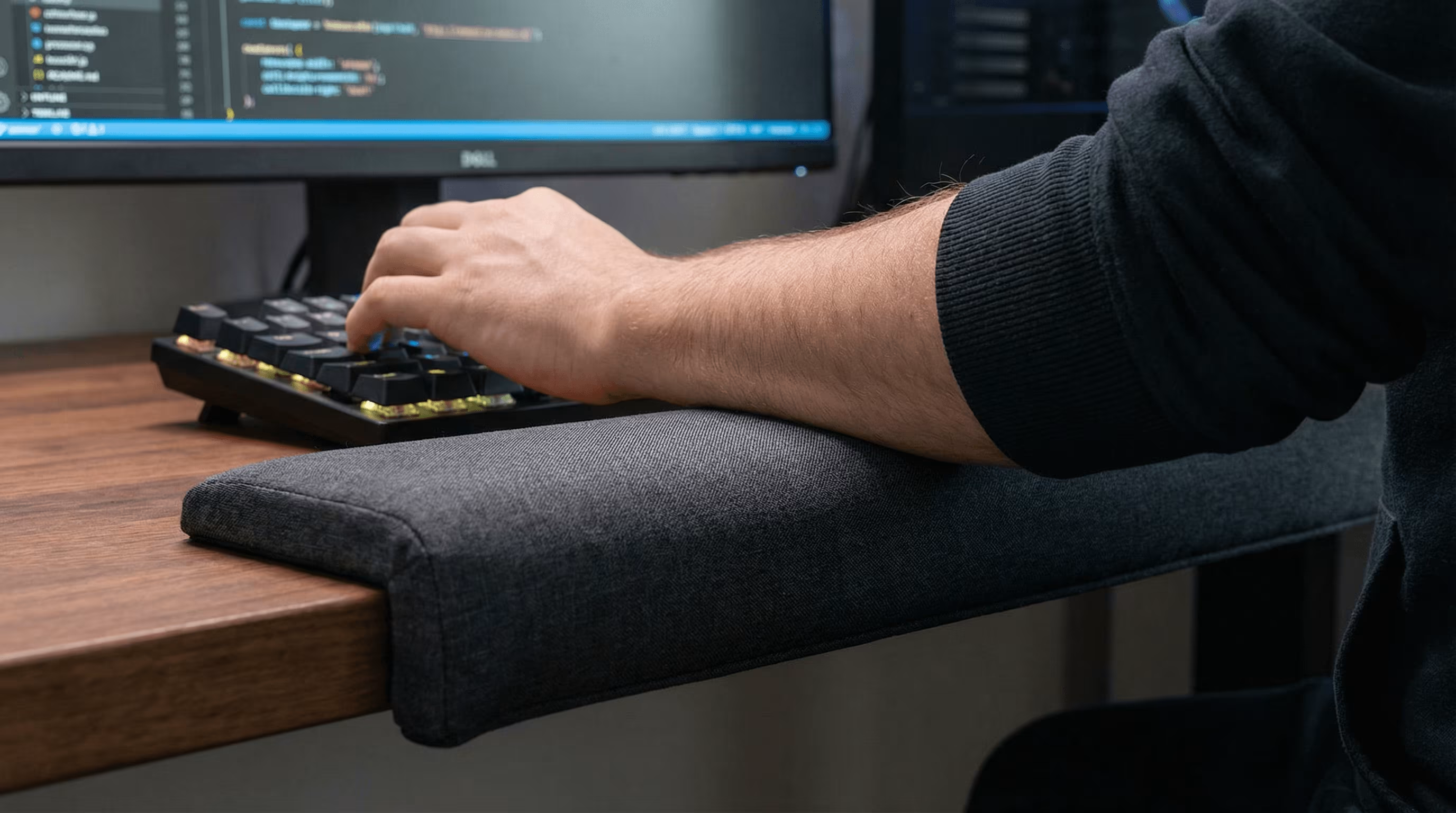
Välj dynor med medelfast stöd som håller upp underarmarna utan att bottenkännas eller bli svampiga. Överdrag ska vara lätta att torka av, till exempel veganskt läder eller belagda textilier, och kanterna ska vara fasade eller mjukt rundade. Storleken spelar roll: en längre underarmsdyna fördelar belastningen bättre än en liten “armbågsdonut”. Rätt dyna ger praktiskt armbågsstöd för skrivbordsuppställningar och håller arbetsflödet smidigt och rent. Vill du ha ett stöd som bär hela underarmen, läs vår köpguide för underarmsstöd till skrivbord, med mått, fästen och inställning.
Placeringstips för att undvika tryck på ulnarisnerven
Placera dynan där underarmarna vilar, inte direkt under vecket på armbågens insida. Direkt tryck där kan irritera ulnarisnerven och ge stickningar i ring- och lillfingret. Låt dynan ligga kant i kant med bordet så att handlederna hålls neutrala, och skjut in stolen så att armbågarna hamnar i 90–110°. Du kommer känna omedelbar lättnad: mindre tryck från en skarp kant, stabilare kontroll och en säkrare, smartare ergonomi för armbågsstöd vid skrivbordet (Cornell CUErgo: Keyboard/Mouse, Cornell University, 2022).
3. Flytta pekdonet framåt: centrala möss minskar räckvidd och belastning
Hur centrerad kontroll skyddar armbågen
När pekdonet flyttas till mitten hålls armarna framför kroppen — ingen utåtsträckning och ingen obekväm vridning. Det innebär färre upprepade handledsavvikelser och mindre belastning på senorna på armbågens utsida som driver “tennisarmbåge”. En central mus förvandlar stora sidosträckningar till små, symmetriska glidrörelser med underarmarna. Det är ett av de enklaste sätten att bygga armbågsstöd för skrivbordsarbete utan att tappa tempo.

Anpassningsval och storlek på handlovs-/handflatsstöd
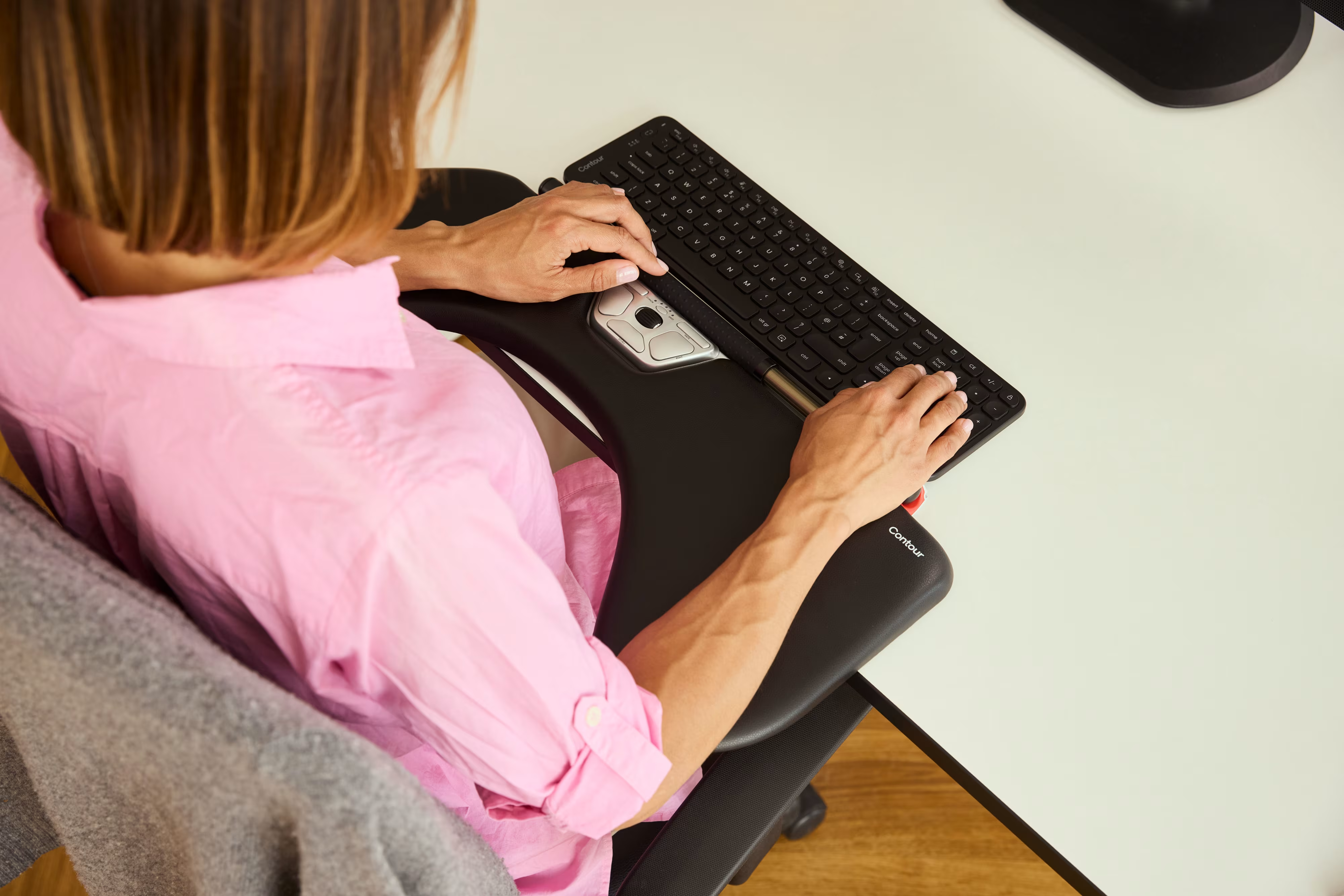
Contours RollerMouse-serie ligger framför tangentbordet, så att tummar och fingrar rullar och klickar i mitten. Välj längd på handflatsstödet som matchar din axelbredd och handstorlek så att underarmarna kan vila naturligt och avslappnat. Föredrar du en touchpad-känsla? SliderMouse Pro ger bred, intuitiv kontroll med justerbara handstöd. De här enheterna ger avlastning för armbågsstöd vid skrivbordet genom att eliminera räckvidd och ge centrerad kontroll — i en stram skandinavisk design.
4. Optimera tangentbord- och muslayout för kortare räckvidd

Kompakta tangenter, låg kraft och neutral bredd
Ett kompakt tangentbord minskar avståndet till pekdonet, vilket minskar axelabduktion och vridmoment i armbågen. Låg aktiveringskraft och lågprofilknappar minskar belastningen på underarmens flexorer och extensorer. Balance Keyboard från Contour är medvetet kompakt, med en neutral bredd som gör att RollerMouse eller SliderMouse kan ligga nära. Den tajtare triangeln — axlar, tangentbord, pekdon — ger vardagligt armbågsstöd vid skrivbordspass.
Vänster–höger-balans och genvägsstrategier
Ha tangentbord och pekdon i samma höjd och centrerade. Om en armbåge dominerar, variera uppgifter med den andra handen eller dela upp musande och scrollande. Använd kortkommandon och app-makron för att kapa tusentals mikrorörelser varje vecka. Para ihop ett centralt pekdon med det kompakta Balance Keyboard, så försvinner räckviddsglappet nästan helt — en elegant armbågsstöd-lösning för skrivbordet som dessutom ökar tempot (EU-OSHA: Work-Related MSDs, European Agency for Safety and Health at Work, 2021).
5. Ställ in skärm och hållning för att undvika “svävande” axlar

Skärmhöjd, avstånd och lutning
Ställ in skärmens överkant nära ögonhöjd, ungefär en armlängd bort. Luta skärmen svagt uppåt så att huvudet hålls i balans över axlarna — hakan varken framåtskjuten eller hårt indragen. När blicken är neutral slutar axlarna att krypa upp, vilket gör att armbågarna kan vila mjukt på armstöd eller underarmsdynor. Den uppströms justeringen tar ofta bort behovet av att “stödja” armbågen alls.
Avslappnade arm-signaler du kan känna
Checka in: Är axlarna tunga och låga — eller nära öronen? Känns underarmarna lugnt stödda, eller “svävar” du för att hitta markören? Om nacken är mjuk, armbågarna hänger lätt och underarmarna ligger kvar, har du troligen hittat en skärmhöjd som skyddar armbågarna. Den här enkla hållningssignalen förstärker varje annan armbågsstöd-justering vid skrivbordet du har gjort (OSHA Computer Workstations eTool, OSHA, 2021).
Slutsats
Du vill ha lugna armbågar som låter dig skriva, koda, redigera och analysera utan en enda extra tanke. Den snabbaste vägen är enkel: neutrala armbågar i 90–110°, underarmar mjukt stödda vid bordskanten, pekdonet flyttat till mitten, kompakt tangentbord nära, skärm i ögonhöjd och en rytm av mikropauser som håller vävnaden fräsch. Den kombinationen ger pålitligt armbågsstöd för skrivbordsarbete idag och färre skov imorgon.
När du är redo att låsa in det med hårdvara som matchar dina krav, flytta verktygen till dig: en RollerMouse eller SliderMouse Pro för centrerad kontroll, ett Balance Keyboard för kompakt räckvidd och UniMouse när du vill kunna justera vinklarna vid behov. Färre sträckningar. Mindre belastning. Mer flow.
Säg hej då till den gnagande smärtan och oron att jobbet sliter ner dig. Välj enheter och vanor som hjälper dig må bättre, arbeta på ditt sätt och hålla längre — snygga, funktionella, byggda för att hålla. Contour Devices® finns med på lång sikt. Hitta din passform. Jobba mirakel.
Viktiga takeaways
- Ställ in stol och armstöd för neutrala armbågar i 90–110° med bordet i eller strax under armbågshöjd — den snabbaste vinsten för armbågsstöd och skrivbordskomfort.
- Använd medelfasta underarmsdynor i nivå med bordskanten för att dämpa tryck och undvika irritation av ulnarisnerven vid armbågens insida.
- Flytta pekdonet till mitten (t.ex. RollerMouse eller SliderMouse Pro) och kombinera med ett kompakt Balance Keyboard för att eliminera räckvidd och minska armbågsbelastning — för ett hållbart armbågsstöd vid skrivbordet.
- Ställ in skärmen nära ögonhöjd och följ en 30–5–30-rytm med mjuka sen-glidningar och långsamma excentriska övningar för att minska överbelastning och förebygga skov.
- Vid skov: använd en kortvarig counterforce-rem eller en justerbar mus som UniMouse, och sök vård om smärtan kvarstår eller om du märker domningar, svaghet, svullnad eller nattlig smärta.
Vanliga frågor
Vad är bästa sättet att ställa in armbågsstöd för skrivbordsarbete?
Börja med neutral hållning: armbågar i 90–110°, bordsskivan i eller strax under armbågshöjd, avslappnade axlar och fötterna plant i golvet. Lägg till ett underarmsstöd eller en kantdyna för att dämpa tryck, håll handlederna raka och flytta pekdonet nära — eller centrerat med en RollerMouse eller SliderMouse — för att minska räckvidd och belastning på armbågens senor.
Hur placerar jag en underarms- eller skrivbordsdyna för att undvika tryck på ulnarisnerven?
Placera dynan under underarmarna, inte direkt under vecket på armbågens insida. Låt den ligga kant i kant med bordet så att handlederna hålls neutrala, och justera stolen så att armbågarna hamnar i 90–110°. Det minskar kontakt med en skarp kant och hjälper till att förebygga stickningar i ring- och lillfingret.
Hjälper centrala möss verkligen med armbågsstöd vid skrivbordsjobb?
Ja. Ett centralt pekdon håller båda armarna framför kroppen och minimerar utåtsträckning samt upprepade handledsavvikelser som irriterar senorna på armbågens utsida. Enheter som Contours RollerMouse eller SliderMouse centrerar kontrollen och passar bra med kompakta tangentbord, så att sidosträckningar blir små, symmetriska underarmsrörelser som minskar den samlade belastningen.
Ska jag använda ett armbågsstöd/armbågsortos vid skrivbordet, och hur länge?
En counterforce-rem eller en mjuk sleeve kan lugna ett skov under dagar med mycket musande, men det är en kortsiktig hjälp. Använd den tillsammans med åtgärder som adresserar orsakerna: centrerat pekdon, kompakt tangentbord, finjusterade armstöd och underarmsdämpning. Om smärtan kvarstår längre än två veckor eller förvärras, kontakta vården.
Är gelkuddar eller memory foam bättre för armbågsstöd vid skrivbord?
Medelfast stöd fungerar oftast bäst. Väldigt mjuk gel eller djup memory foam kan bottna eller kännas instabilt, vilket ökar handledsböjning. Leta efter medelfasta dynor med avtorkningsbara överdrag och rundade kanter, och som är tillräckligt långa för att stödja underarmarna — inte bara armbågarna. Prioritera stabilt stöd och enkel hygien framför “plush”-känsla.
Hur lång tid tar det för skrivbordsrelaterad tennisarmbåge att förbättras efter ergonomiska förändringar?
Många märker lindring inom 2–6 veckor när de kombinerar neutral hållning, underarmsdämpning, minskad räckvidd (helst med ett centralt pekdon), mikropauser och gradvis senbelastning. Återhämtningen varierar med svårighetsgrad och vanor. Håll obehaget milt under övningar, öka långsamt och sök professionell vägledning om smärtan dröjer kvar, sprider sig, stör sömnen eller begränsar funktionen.
