

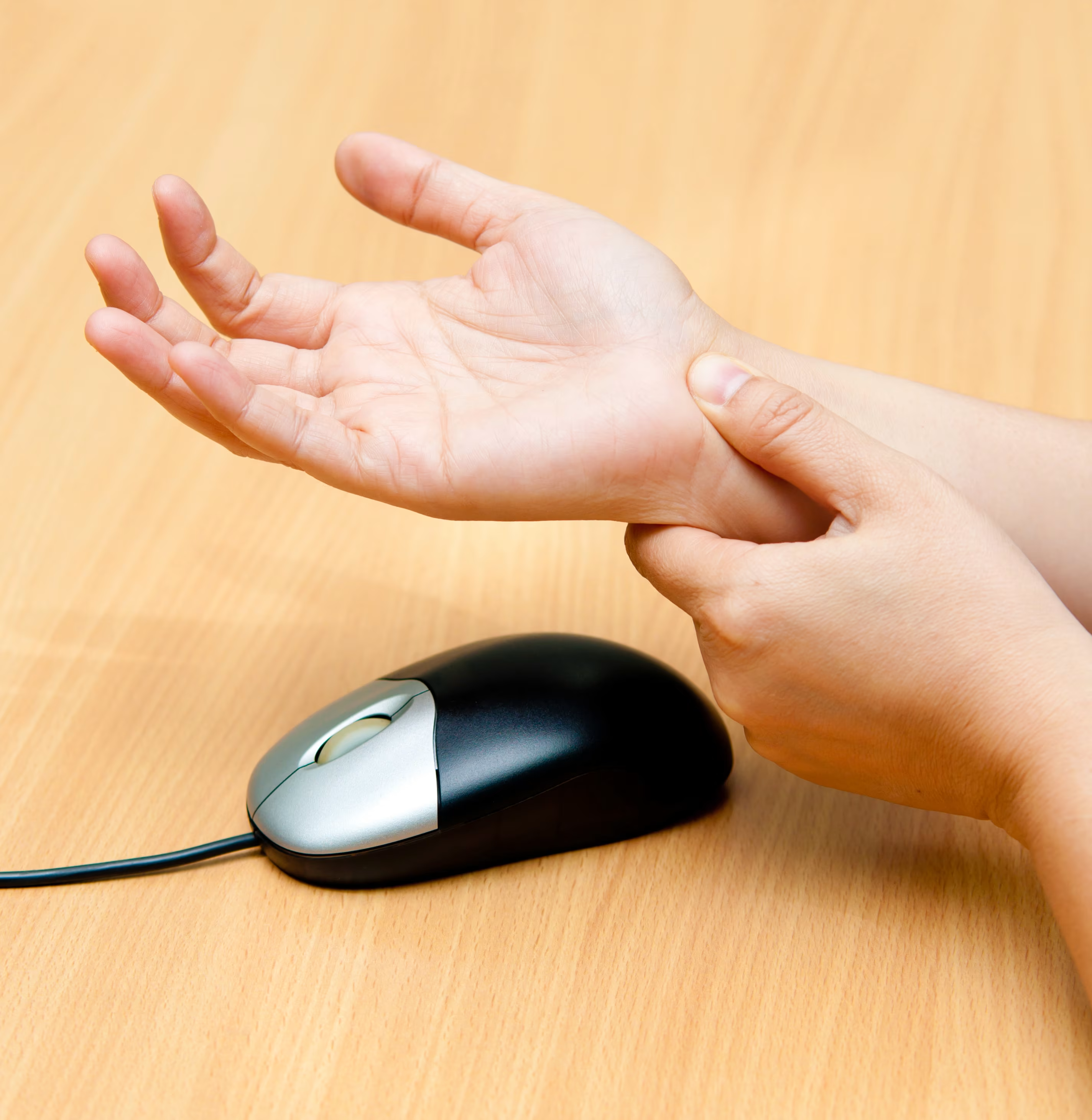
Do you wince every time you pick up your mouse? You’re not alone. For those of us clocking in five, eight, or even ten hours a day on a laptop or desktop, the tool that's supposed to help us be precise and productive - your traditional mouse - is often the culprit behind frustrating discomfort and pain.
But what if I told you there’s an ergonomic game-changer? The vertical mouse is an essential piece of hardware that transforms your workday by reducing strain and promoting a natural handshake position. That simple change in posture can be the key to unlocking new levels of comfort, and one of the most common questions we get is: Is using a vertical mouse better? (Spoiler: Yes, and we have the data to prove it!)
The Core Problem: Why Your Traditional Mouse Is the Enemy of Comfort
Functionally, a traditional mouse (or regular mouse) is designed for one job: moving the cursor with speed and accuracy. And yes, they're great at that (at least most mice). What many mice are not designed for is supporting your hand and arm through hours of mouse movements.
When you place your hand on a standard mouse, your wrist is often flat on the desk. This forces your hand and forearm into an unnatural posture.
The Problem: Imagine twisting your arm to hold something; that’s what your wrist does with most input devices, from your average mouse to expensive gaming mice. Your hand lies flat, and your wrist becomes the primary driver of your mouse. Over time, that twist can pinch the nerves inside, like stepping on a garden hose. The water (or in this case, signals) can’t flow properly. That’s when your fingers might feel tingly, go numb, or start to hurt. Left unchecked, this awkward positioning is a major contributing factor in common workplace issues like carpal tunnel syndrome, general wrist pain, and other repetitive strain injuries (RSIs).

The Ergonomic Solution: Why the Vertical Mouse Design Works
As the name "vertical mouse" says, the core innovation lies in the vertical mouse design itself.
Unlike a traditional mouse, a vertical mouse encourages a natural handshake position. This change in posture provides two key ergonomic benefits:
- Eliminates Wrist Strain: The design encourages you to lift your wrist off the desk, reducing pressure on the carpal tunnel and preventing "kinking" of the nerves. This directly answers the question: Is a vertical mouse good for wrist pain? Yes, by eliminating the source of wrist strain and compression.
- Engages Larger Muscle Groups: The handshake posture encourages you to control the vertical mouse with your forearms and shoulders. These larger muscle groups are better equipped to handle the day-to-day workload than the small muscles and joints used with a regular mouse. This is how a vertical ergonomic mouse provides better ergonomic support and promotes a better ergonomic posture.
This answers two of your biggest questions: Do vertical mice make a difference? Absolutely. Which mouse is better, vertical or horizontal? For prolonged use and comfort, the vertical mouse wins thanks to its superior ergonomic design that doesn't strain the wrist.
Performance and Comfort: A Deep Dive into the Best Vertical Mouse
When you're looking for the best ergonomic mouse, you need more than just comfort; you need performance. And there is an academic study that tested six different ergonomic mouse designs to help figure out which vertical mouse to buy.
The study, which used the gold standard ISO 9241-400:2007, measured "throughput," combining speed and accuracy while participants performed standardized tests (point-and-click tasks).
Throughput Performance: The Speed and Accuracy Tier List
The study, which tested mice like the Evoluent Vertical Mouse, Kinesis DXT Mouse, HandShoe Mouse, Posturite Penguin Mouse, and Contour UniMouse, found three clear performance tiers in overall efficiency:
- Tier one: The Contour UniMouse, Contour Mouse, and Evoluent Vertical Mouse were statistically the fastest and most accurate, proving that you don't have to sacrifice precision for an ergonomic shape.
- Tier two: The Kinesis DXT Mouse and HandShoe Mouse.
- Tier three: The Posturite Penguin Mouse.
Subjective Comfort: The User Experience Winner
Throughput is objective, but how the mouse works and feels is critical for all-day use. Participants rated each vertical mouse on perceived effort, fatigue, and overall comfort.
The winner in user satisfaction? The Contour UniMouse!
- Unbeatable Comfort: According to most users, it was rated the most comfortable mouse, minimizing discomfort during extended use and alleviating wrist pain.
- Effortless Mousing: Users reported the lowest perceived effort and fatigue, meaning less muscle strain.
- Ease of Use: Rated the easiest to use, which is vital for a short learning curve.
This subjective data, combined with top objective performance, makes a strong case for the Contour UniMouse as a top-performing vertical ergonomic mouse that prioritizes comfort when compared to other mice.
Going Beyond the Basics: Features That Define the Best Vertical Mouse
While popular models like the Logitech MX Vertical (MX Vertical) or the Logitech Lift are common choices, the Unimouse is a great mouse that stands out with features that truly maximize ergonomic support:
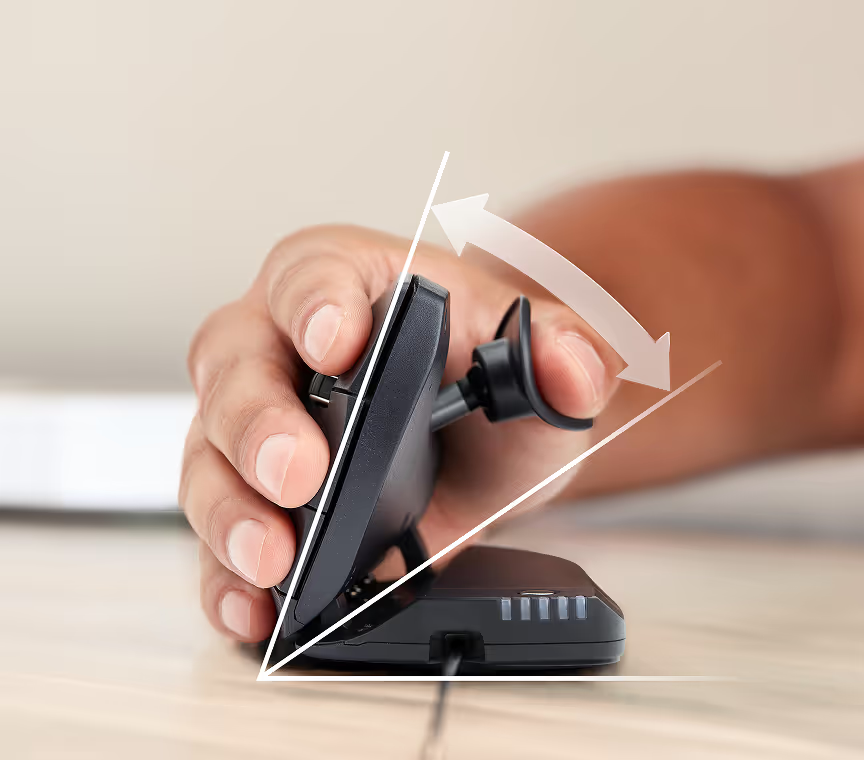
- Customizable Comfort: Unlike most options with a fixed ergonomic shape, the Unimouse offers a fully customizable body angle and thumb rest. This is critical since a fixed shape is often only suited for medium hands. The adjustability lets you fit the mouse to your entire hand, which is helpful if you have large hands.
- Extended Buttons: Unlike the compact design of most gaming mice, Unimouse features extended buttons that require only a light touch to activate, further reducing the effort and muscle strain needed for selections.
- Frictionless Scroll Wheel: A quality scroll wheel is a must for navigating long documents and websites.
- Connectivity Options: For a modern workspace, the ability to connect via Bluetooth and a USB receiver (or USB dongle) is a must. Many premium ergonomic mice also offer features like connecting up to three devices. The Unimouse even uses a convenient USB-C charging cable.
Trackball vs. Vertical Mouse: What's Best for Wrist Pain?
This is a common question: Is a trackball or a vertical mouse better for wrist pain?
While trackball mice are excellent for eliminating mouse movements and minimizing wrist activity entirely, a vertical mouse addresses the forearm twisting that causes compression and wrist strain. Both offer significant ergonomic benefits, but if you prefer the familiar feel of a traditional mouse (with a vertical orientation), the vertical design is often the easiest transition to a more ergonomic postures
Final Verdict: Your Health and Productivity Upgrade
Don’t let discomfort hold you back. Using a regular mouse for prolonged use is a serious risk that can lead to repetitive strain injuries and lost time. Upgrading to an ergonomic mouse like the top-performing Contour Unimouse is an investment in your long-term health and your immediate productivity.
Check this study "Cappelletto, Jessica & Foglia, Stevie & Lyons, James. (2019). A productivity analysis of 6 ergonomic mouse designs" for more details.