


Left-handed users make up about 10% of the world's population, yet most computer products are still designed for right-handed users. For many left-handers, that means discomfort in the neck, shoulder, elbow, wrist, or even fingers, or the fear that pain might show up later.
This guide walks you through everything you need to know about choosing the correct left-hand mouse, especially if you’re dealing with discomfort or want to protect your long-term well-being. You'll learn how ergonomic designs work, why vertical shapes matter, and how to pick a great mouse that you will love and that truly fits your hand, your workflow, and your body.
Whether you’re an office worker, a creative professional, or someone who spends a lot of time using a mouse, this guide will help you stop adapting and finally start working in comfort and effectively.
What Defines a Left-Hand Mouse?
A left-handed mouse is designed specifically for left-handed computer users. While most mice follow a right-hand–oriented contour, true left-handed models mirror the ergonomics to match left-hand alignment. This means redesigned support, reshaped contours, and button placement that naturally follows the way left-handed users position their fingers and thumb.
Some designs are fully mirrored, others are symmetrical, and some offer adjustable grips and customizable angles. Regardless of style, a left-handed mouse is built so your hand can relax into its natural posture, without twisting or compensating.
Do Lefties Need a Special Mouse?
Often, yes.
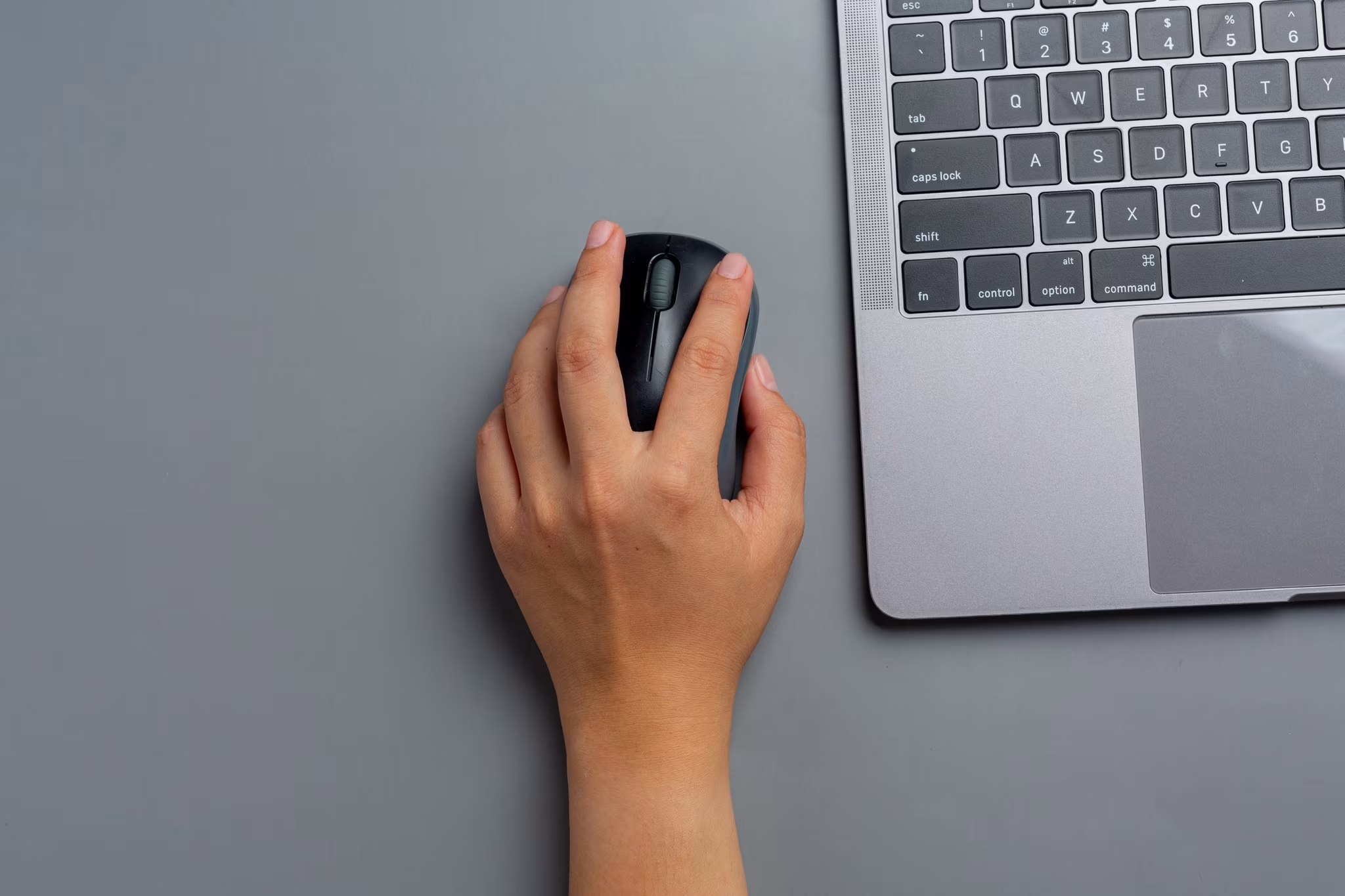
Using a standard mouse — especially with the right hand — forces left-handed users into awkward movements and compensations. Even when using a right-handed mouse with the left hand, the wrist and forearm are pushed into unnatural positions. These small daily adjustments can build up over time, creating discomfort or inefficient movement patterns.
Many lefties try to adapt: switching sides, twisting their posture, or pulling the mouse inward to reach it. But these workarounds often increase pressure on the shoulder and upper arm.
A vertical left-handed mouse helps eliminate these stress points by allowing your hand to rest in a relaxed, neutral position. When your mouse supports your natural posture, your body can work comfortably and consistently throughout the day.
Types of Mice For Left-Handed Users
Ambidextrous Mice
Ambidextrous mice use a symmetrical shape so they can be used in either hand. This makes them flexible, but it also means the design must fit everyone — and therefore rarely offers the tailored ergonomic support left-handed users benefit from.
There are two types:
- Side-positioned ambidextrous mice: Placed to the side of the keyboard, they still require reaching and can strain the shoulder.
- Centered ambidextrous mice: Placed directly in front of the keyboard, they reduce reaching and help maintain a more neutral shoulder posture for both left- and right-handed users.
Vertical Mice for Left-Handed Users
These vertical mice are designed to support your left hand in a natural handshake position, keeping the palm, thumb, and fingers aligned without forcing the wrist or forearm to twist. This upright posture reduces the rotation and bending that traditional flat mice often cause, helping to relieve tension in the wrist, forearm, and shoulder.
A vertical left-hand mouse helps:
- Reduce wrist and forearm strain
- Keep the elbow in a more neutral, relaxed position
- Improve comfort and productivity during long workdays
Models that offer adjustable angles, movable thumb rests, or customizable grips provide even greater flexibility. These features let you fine-tune the mouse to match your hand shape and posture.
It is the mouse that should adapt to you and your hand, not the other way around.

Are There Left-Handed Gaming Mice?
Many left-handers also ask:
“Do left-handed people use different mice for gaming?”
Some gaming mouse designs are symmetrical and can work well for lefties. These often include:
- Fast optical sensors
- High DPI ranges
- Responsive switches
- Custom software settings
- Wired and wireless models
Gamers often need quick clicks, comfortable grips, and consistent tracking. A vertical mouse can also be used for gaming, depending on your play style, but most gamers also use symmetrical shapes.
You’ll find plenty of great mice that keep left-handed comfort in mind—even if they aren’t branded as “left-hand only.”
Ergonomic Benefits of Adjustable Left-Handed Vertical Mice
A systematic review of controlled trials (Radwan, A. et al. (2018) ‘Benefits of alternative computer mouse designs: A systematic review of controlled trials’, Cogent Engineering, 5(1). doi: 10.1080/23311916.2018.1521503.) showed consistent reductions in muscle load, improved wrist posture, and lower discomfort levels when people switched from standard mice to alternative ergonomic designs such as vertical mice. The researchers concluded that these designs can meaningfully support long-term comfort, especially for people who spend many hours at a computer.
Vertical Designs Reduce Strain
A vertical left-hand mouse helps your arm stop twisting. This gentle “handshake” posture removes the constant tension many lefties feel in their shoulder and wrists.
Why Adjustable Mice Matter
One size never fits all.
That’s why adjustable models, those with movable thumb rests and angle settings, matter so much. You can fit the mouse to your body instead of forcing your body to fit the mouse.
Long-Term Benefits
Switching to a left-handed adjustable ergonomic mouse can help:
- Prevent RSI
- Reduce existing discomfort
- Improve all-day comfort
- Protect long-term health
- Increase productivity
Many users describe it as the moment their workday “finally feels right.”
Key Features to Consider When You Buy a Left-Hand Mouse
When choosing your next left-hand mouse, compare:
DPI & Sensitivity
Higher DPI is helpful for gaming, multiple screens, or fast navigation.
Lower DPI supports precision tasks.
Optical Sensor Quality
A strong optical sensor ensures smooth, accurate tracking.
Wired or Wireless
Choose based on convenience, portability, and battery life.
Build Quality
Look for durable switches, smooth clicks, and solid construction.
Compatibility
Most mice work across systems, but some advanced software features may require specific OS support.
Price
Budget options offer basics.
Premium models add adjustability, comfort, and workday-long support.
UniMouse: A Left-Handed Vertical Mouse That Adjusts to You
Most vertical mice lock your hand into a single fixed angle.
UniMouse gives left-handers something far more adaptable:
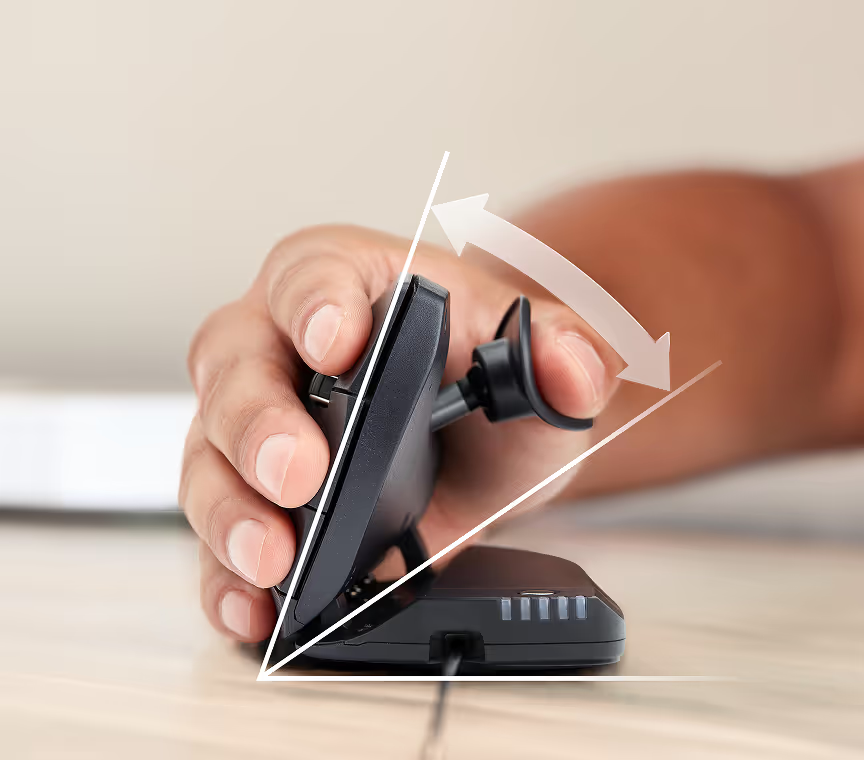
- Adjustable angle: Fine-tune the tilt to match your wrist and elbow for a more natural posture.
- Adjustable thumb rest: Position the support exactly where your thumb feels most comfortable.
- Natural vertical posture: Helps your hand stay relaxed, aligned, and free of tension.
- Wired or wireless options: Choose the setup that best suits your workspace.
- Designed for both hands: Left-handed users finally get a mouse built to fit their hand — without compromise.
You’re not just getting a mouse.
You’re reclaiming comfort, control, and freedom at work.
You gain:
- the confidence that pain won’t interrupt your flow
- the peace of mind that your tools support your body
- the freedom to focus on your ideas, not your discomfort
It’s about feeling like yourself again—and maybe even better.
Explore more about Contour UniMouse here!
User Review Highlight
A left-handed user shared:
“I got the left hand wireless version. Out of the box, the angle felt right, and the adjustable thumb rest made it fit perfectly. It came fully charged so I could use it immediately. This is the third left-handed mouse I’ve tried, and the primary button finally sits where my index finger naturally rests.”
You can get your left-handed UniMouse here!
Conclusion
Yes — there is a mouse for left-handed people.
Yes — it is worth it to get a left-handed mouse.
And yes — lefties deserve tools designed for their bodies, not adaptations they must work around.
When you choose the right left-hand mouse, especially one with adjustable ergonomics, you’re not just buying a product. You’re protecting your comfort, your productivity, and your long-term health.
Take the time to review, compare, and choose what truly fits your hand.
Your body will thank you.
Your work will thank you.
And you’ll feel the difference every single day.