

Attelle de coude pour la souris : 8 options étayées par des preuves et alternatives ergonomiques pour travailler sans douleur

Votre réunion de projet s’éternise, et une douleur sourde apparaît sur l’extérieur de votre coude à chaque clic. Une orthèse pour le coude liée à la souris peut vous apporter un soulagement immédiat, mais ce n’est qu’une partie de la solution. Si vous passez 6 à 10 heures par jour à un bureau, vous avez besoin d’un plan qui soulage la douleur, protège les tendons et vous permette de travailler sans interruption. Voici un guide clair, à l’approche clinique, avec des options de dispositifs ergonomiques pour rester à l’aise, bien aligné et maître de vos mouvements. Si la douleur s’accompagne de picotements dans l’annulaire et l’auriculaire, il peut s’agir d’une compression du nerf ulnaire plutôt que d’un trouble tendineux.
1. Orthèse de contre-appui pour le coude (bracelet pour tennis elbow) pour soulager le coude lié à la souris
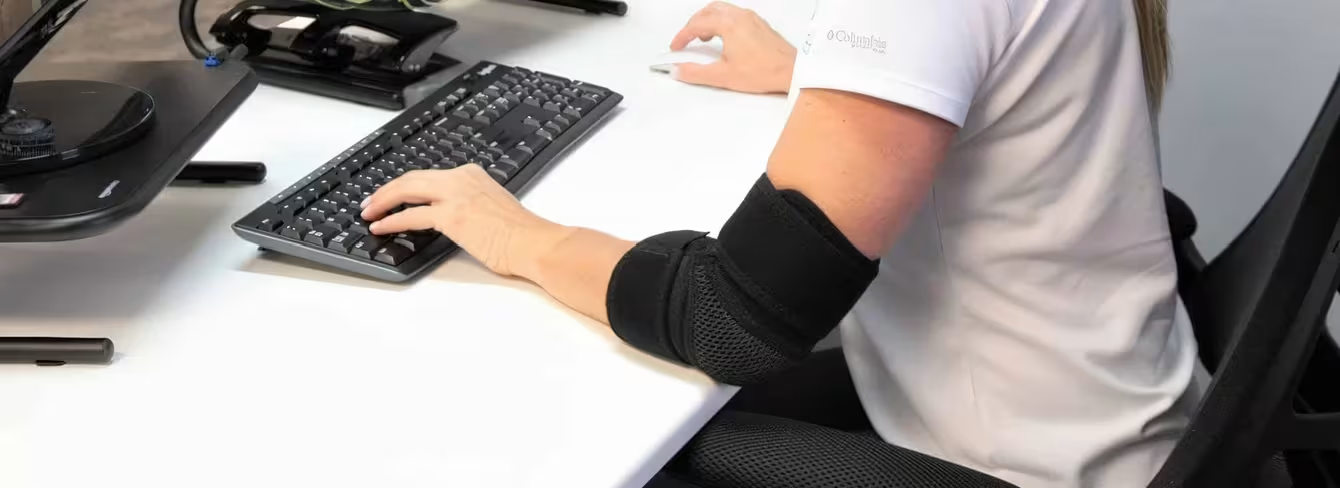
Comment ça fonctionne
Une orthèse de contre-appui pour le coude liée à la souris applique une pression ciblée juste en dessous du coude afin de décharger les tendons extenseurs du poignet. En comprimant le corps musculaire, la sangle réduit la tension maximale au niveau de l’épicondyle latéral (la partie osseuse externe du coude) lors des clics et du défilement. De nombreux utilisateurs ressentent une diminution immédiate de la douleur pendant le travail au bureau, moins de traction sur les tissus sensibles et davantage de conditions favorables à la guérison. Imaginez que vous pincez doucement un tuyau d’arrosage en amont pour réduire la pression à un raccord qui fuit.
Conseils d’ajustement et de taille
Ajustée, mais sans engourdir. Placez la sangle à 2–3 largeurs de doigt sous le pli du coude, sur la zone musculaire sensible. Règle pratique : vous devez pouvoir glisser trois doigts entre la sangle et la peau. Commencez avec une compression légère, testez quelques clics et frappes au clavier, puis ajustez finement. Choisissez un modèle avec une boucle réglable et un petit coussinet de pression positionné sur la masse des extenseurs. Si vous ressentez des picotements, des doigts froids ou un blanchiment de la peau, desserrez immédiatement.
Qui devrait l’éviter
Évitez les orthèses de contre-appui trop serrées en cas de gonflement marqué, d’irritation cutanée ou de troubles circulatoires connus. Si la douleur persiste au-delà de 6 à 8 semaines malgré une utilisation adaptée et des ajustements du poste de travail, consultez un professionnel de santé afin d’exclure une douleur référée depuis le cou, un syndrome du tunnel radial ou d’autres pathologies. Les signes d’alerte — engourdissement, faiblesse progressive, fièvre — nécessitent une prise en charge rapide.
2. Orthèse de coude articulée pour les poussées aiguës et le repos contrôlé
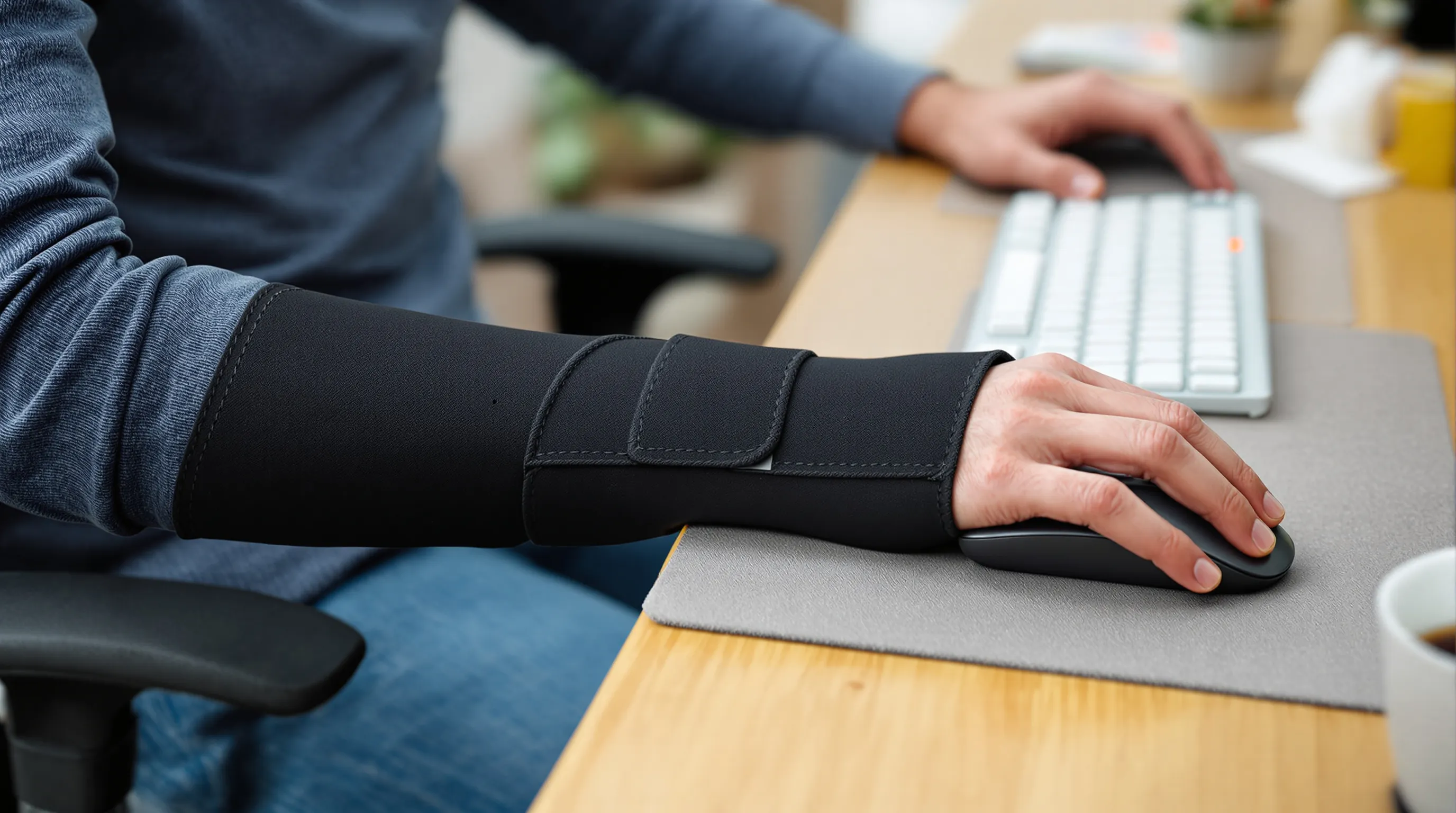
Contrôle de l’amplitude de mouvement
Lors d’une poussée douloureuse, une orthèse de coude articulée limite les mouvements pénibles et permet aux tissus irrités de se reposer. Les butées réglables peuvent restreindre une flexion ou une extension excessives et réduire la contrainte sur le tendon extenseur commun. Il s’agit d’un apaisement à court terme, pas d’une solution permanente : utilisez-la pour calmer la situation avant de reprendre des mouvements doux et vos tâches professionnelles.
Avantages et inconvénients au bureau
Avantages : stabilisation claire, réduction de l’irritation lors de mouvements brusques et sentiment de sécurité pour bouger sans excès. Inconvénients : l’encombrement. Les orthèses articulées peuvent heurter le bureau, encombrer le plateau du clavier et ralentir la frappe. Si vous l’utilisez au travail, surélevez légèrement votre chaise, rapprochez les périphériques et envisagez un clavier compact pour réduire l’amplitude des gestes. La plupart des personnes réservent les orthèses articulées aux trajets, aux tâches domestiques et aux moments douloureux hors bureau, puis optent pour un soutien plus léger devant l’ordinateur.
3. Manchon de compression souple pour un confort toute la journée et le contrôle du gonflement
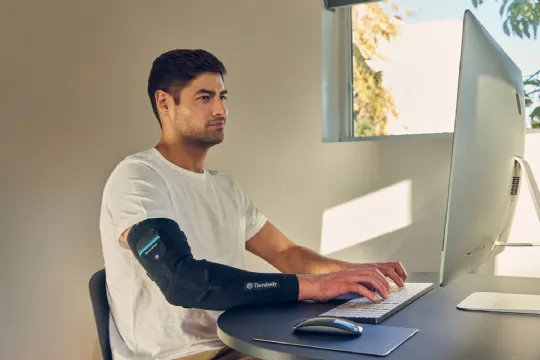
Matériaux et respirabilité
Un manchon de compression souple offre une pression douce et uniforme ainsi qu’une sensation de chaleur. Privilégiez des mailles respirantes, des zones évacuant l’humidité et des matériaux hypoallergéniques. Le néoprène retient la chaleur (parfois utile), mais les mélanges textiles modernes respirent mieux lors des longues journées de travail. Des coutures plates et une bande antidérapante empêchent le manchon de rouler sans comprimer la peau.
Quand la compression est utile
Douleur légère et persistante. Gonflement modéré après de longues sessions d’édition ou de programmation. Prévention lorsque les échéances augmentent votre temps de travail. La compression peut améliorer la proprioception, c’est-à-dire la perception de la position du corps, vous aidant à éviter inconsciemment les amplitudes douloureuses. Si votre coude s’apaise avec un soutien léger et des pauses d’étirement, un manchon peut être votre allié quotidien le plus simple.
4. Positionnement nocturne : supports pour le poignet et le coude afin de réduire la charge sur les tendons
Attelles ou coussins
La nuit compte. Beaucoup d’entre nous dorment avec les coudes fléchis et les poignets enroulés, ce qui augmente la charge sur les tendons. Une simple attelle de poignet maintient la position neutre et réduit le stress répétitif pendant le sommeil. Une attelle de coude limite la flexion excessive si vous avez tendance à replier le bras. Les coussins et serviettes roulées sont des options plus souples : moins de contrôle, plus de confort. Choisissez la solution la moins contraignante qui vous maintient en position neutre jusqu’au matin.
Conseils de posture pendant le sommeil
Sur le dos ou sur le côté, soutenez le bras pour que le coude ne pende pas. Évitez la position fœtale trop serrée : visez une flexion douce d’environ 30 à 45°. Si vous vous réveillez avec des picotements, vérifiez les points de pression et desserrez les attelles. Des nuits calmes et régulières signifient souvent des coudes plus sereins dès la mi-matinée.
5. Alternatives de souris ergonomiques pour réduire l’extension, la prise et les contraintes

Dispositifs de pointage centrés (ex. RollerMouse)
Réduire l’extension du bras est l’un des leviers les plus efficaces contre la douleur latérale du coude. Un dispositif de pointage centré garde les mains proches du clavier, évitant le mouvement répétitif vers la droite qui irrite les tendons extenseurs. Le RollerMouse de Contour se place devant le clavier : vous contrôlez une barre roulante tactile avec les deux mains. Des mouvements petits et précis, sans extension inconfortable. De nombreux utilisateurs constatent un soulagement des épaules et des coudes en quelques jours. Découvrez des options comme RollerMouse Red pour voir comment le pointage central change la donne.
Souris verticales et modèles réglables (ex. Unimouse)
Si vous préférez un pointeur traditionnel, une souris verticale réglable réduit la pronation de l’avant-bras et la force de préhension. UniMouse de Contour permet d’ajuster l’angle et le support du pouce à la volée. Passez à un angle plus prononcé lors des périodes douloureuses, puis revenez progressivement en arrière lorsque les symptômes diminuent. Moins de torsion, une prise plus légère et moins de micro-contraintes sur l’origine des extenseurs.
Claviers associés pour une portée neutre (ex. Balance Keyboard)
Un clavier compact à faible portée complète l’installation. Balance Keyboard de Contour réduit les déplacements latéraux vers le dispositif de pointage et favorise un alignement neutre des avant-bras. Associez-le à RollerMouse ou UniMouse pour garder des mouvements courts et centrés. Résultat : moins d’extension, moins de contraintes et un meilleur contrôle tout au long de la journée.
6. Comment porter une orthèse pour le coude liée à la souris au bureau sans perdre en dextérité
Placement avec le clavier et le dispositif de pointage
Commencez par l’alignement. Placez la sangle de contre-appui à 2–3 largeurs de doigt sous le coude, sur la zone musculaire externe sensible. Réglez votre chaise pour que les coudes soient proches de 90°, les poignets neutres et les épaules détendues. Rapprochez le clavier à portée facile : placez le dispositif de pointage juste devant (RollerMouse) ou près sur le côté (UniMouse) afin d’éviter toute extension excessive. Testez par courtes séquences : tapez 2–3 minutes, naviguez dans un tableur, puis ajustez la tension de la sangle et la position des périphériques jusqu’à ce que les mouvements paraissent légers et fluides.

Micro-pauses et routine d’étirements
Toutes les 30 minutes, faites une pause de 30 à 60 secondes. Ouvrez et fermez la main dix fois. Étendez doucement le poignet, coude tendu, jusqu’à sentir un étirement de l’avant-bras (sans douleur vive), maintenez 20 à 30 secondes, 2 à 3 répétitions. Puis fléchissez le poignet pour l’étirement opposé. Ajoutez 5 à 8 rotations lentes de pronation/supination (paume vers le haut puis vers le bas). Ces petits réajustements améliorent la circulation sanguine et réduisent la micro-irritation qui s’accumule au fil des heures. Nous avons déjà une playlist de micro-pauses prête pour vous ici !
7. Que rechercher dans une orthèse pour le coude liée à la souris : checklist d’achat
Taille, réglage et conception du coussinet de pression
- Ajustement simple et reproductible avec des indications de taille claires ou une large plage de réglage.
- Coussinet de pression profilé ciblant la masse des extenseurs sans glisser.
- Éléments de fixation discrets qui ne s’accrochent pas aux manches ou aux bords du bureau.
Matériaux, entretien et durabilité
- Textiles respirants et respectueux de la peau : évitez le latex agressif en cas de sensibilité.
- Lavable en machine ou nettoyable facilement — la transpiration est inévitable.
- Durabilité et réparabilité : une longue durée de vie réduit les déchets. Lorsque c’est possible, privilégiez des matériaux recyclés ou issus de sources responsables.
Politiques de retour et périodes d’essai
Les coudes sont exigeants. Choisissez des marques offrant une période d’essai équitable et des retours simples afin de tester la tension, le positionnement du coussinet et le confort au quotidien sur votre propre poste de travail.
8. Quand consulter un professionnel de santé et traitements fondés sur les preuves
Signes d’alerte nécessitant une consultation rapide
Consultez rapidement si vous observez une douleur sévère ou nocturne, un gonflement visible ou une chaleur locale, une faiblesse progressive, des engourdissements ou picotements dans la main, de la fièvre ou une chute récente. Cet article fournit des informations générales et ne constitue pas un diagnostic.
Prise en charge de première intention : adaptation des activités, exercices, AINS
La plupart des cas de douleur latérale du coude liée à l’utilisation de la souris répondent à une modification des activités, à une mise en charge progressive et à de courtes cures d’AINS oraux ou topiques, si cela vous convient. Les exercices excentriques et isométriques des extenseurs du poignet, associés à un travail des épaules et des omoplates, bénéficient d’un soutien scientifique dans la prise en charge des tendinopathies. Combinez-les avec une orthèse pour le coude liée à la souris pour un soulagement à court terme et un poste de travail ergonomique qui réduit l’extension et la force de préhension.
Injections, imagerie et étapes suivantes
Si les symptômes persistent au-delà de 6 à 12 semaines, discutez des options avec votre professionnel de santé. Les injections de corticostéroïdes peuvent offrir un soulagement à court terme, mais présentent des résultats à long terme variables par rapport aux exercices et à l’éducation (« Corticosteroid Injections Versus Physical Therapy for Lateral Epicondylalgia », JOSPT, 2013). L’échographie peut aider au diagnostic ; l’IRM est réservée aux cas atypiques ou résistants. Le plasma riche en plaquettes montre des résultats variables selon les études. Un kinésithérapeute peut faire progresser la mise en charge en toute sécurité et traiter les facteurs contributifs au niveau du cou et des épaules.
Conclusion
Voici l’essentiel : une orthèse pour le coude liée à la souris peut calmer rapidement la douleur, mais un soulagement durable passe par la réduction de l’extension, de la prise et des angles inconfortables pendant le travail. Commencez dès aujourd’hui : ajustez une sangle de contre-appui, rapprochez le clavier et centrez le pointage avec un RollerMouse ou allégez votre prise avec une UniMouse. Ajoutez des micro-pauses, une mise en charge douce et un meilleur positionnement nocturne. Vous vous sentirez plus stable d’ici la fin de la semaine et plus fort dans les semaines suivantes.
Si vous êtes prêt à créer un poste de travail qui soutient votre carrière, explorez le RollerMouse centré et la UniMouse réglable, puis associez l’un ou l’autre au Balance Keyboard pour garder des mouvements compacts et neutres. Dites adieu aux journées douloureuses au bureau. Les dispositifs Contour sont conçus pour le confort, avec des designs élégants et durables qui vous aident à travailler mieux et plus longtemps, sans sacrifier vos mains. Trouvez votre configuration. Travaillez sereinement.
Points clés à retenir
- Une orthèse pour le coude liée à la souris peut soulager rapidement la douleur en déchargeant les tendons extenseurs du poignet, mais elle doit être associée à des ajustements ergonomiques et d’activité pour un soulagement durable.
- Ajustez la sangle de contre-appui à 2–3 largeurs de doigt sous le coude, maintenez-la ajustée sans serrer excessivement et desserrez immédiatement en cas de picotements, de doigts froids ou de blanchiment de la peau.
- Utilisez brièvement une orthèse articulée lors des poussées aiguës pour contrôler le mouvement, et optez pour un manchon de compression souple pour un confort prolongé et le contrôle du gonflement au bureau.
- Dormez avec le poignet et le coude proches de la position neutre à l’aide d’une attelle ou de coussins afin de réduire la charge nocturne sur les tendons et la raideur matinale.
- Réduisez l’extension et la force de préhension grâce à du matériel ergonomique — pointage centré (Contour RollerMouse), souris verticale réglable (UniMouse) et clavier compact (Balance Keyboard).
- Faites des micro-pauses de 30 à 60 secondes toutes les 30 minutes, commencez des exercices de mise en charge douce, envisagez de courtes cures d’AINS si approprié et consultez un professionnel si les symptômes ou signes d’alerte persistent au-delà de 6 à 12 semaines ; l’orthèse pour le coude liée à la souris est un outil parmi d’autres dans ce plan.
Orthèse pour le coude liée à la souris : questions fréquentes
Qu’est-ce qu’une orthèse pour le coude liée à la souris et comment soulage-t-elle la douleur ?
Une orthèse pour le coude liée à la souris (sangle de contre-appui) applique une pression ciblée à 2–3 largeurs de doigt sous le coude afin de décharger les tendons extenseurs du poignet. En comprimant le corps musculaire, elle réduit la tension au niveau de l’épicondyle latéral lors des clics et du défilement, offrant souvent un soulagement immédiat pour permettre aux tissus irrités de se calmer et de guérir pendant le travail.
Comment porter une orthèse pour le coude liée à la souris au bureau sans perdre en dextérité ?
Placez la sangle ajustée — sans serrer — sur l’extérieur sensible de l’avant-bras, à 2–3 largeurs de doigt sous le coude. Réglez la chaise pour que les coudes soient proches de 90°, les poignets neutres et les épaules détendues. Gardez le dispositif de pointage à proximité pour éviter toute extension excessive. Testez par courtes séquences de travail, puis ajustez la tension de la sangle et la position des périphériques pour des mouvements fluides et sans effort.
Dois-je utiliser une orthèse de coude articulée lors d’une poussée douloureuse ?
En cas de poussée aiguë, une orthèse de coude articulée peut limiter les mouvements douloureux et réduire la contrainte sur le tendon extenseur. C’est un outil à court terme pour apaiser les symptômes, pas une solution durable. Attendez-vous à un certain encombrement au bureau ; beaucoup de personnes la réservent aux trajets ou aux tâches domestiques et optent pour un soutien plus léger lors de la frappe et de l’utilisation de la souris.
Quelles alternatives ergonomiques de souris aident en cas de coude lié à la souris ?
Les dispositifs de pointage centrés réduisent l’extension en gardant les mains proches du clavier, diminuant ainsi le stress sur le coude. Les souris verticales ou réglables réduisent la pronation de l’avant-bras et la force de préhension. Associez-les à un clavier compact pour limiter les déplacements latéraux. Ensemble, ces changements réduisent l’extension, la prise et les angles inconfortables qui aggravent la douleur latérale du coude.
Combien de temps par jour dois-je porter une orthèse pour le coude liée à la souris ?
Utilisez l’orthèse pendant les activités qui déclenchent la douleur — en particulier l’utilisation de la souris et du clavier — et non en continu. Commencez avec une compression légère et retirez-la ou desserrez-la en cas de picotements, de doigts froids ou de blanchiment de la peau. À mesure que les symptômes s’améliorent et que votre installation ergonomique et vos exercices progressent, réduisez progressivement le temps de port afin d’éviter une dépendance excessive.
Combien de temps faut-il pour guérir un coude lié à la souris et les exercices sont-ils utiles ?
De nombreux cas s’améliorent en 6 à 12 semaines avec une adaptation des activités, une mise en charge progressive et de courtes cures d’AINS si approprié. Les exercices excentriques et isométriques des extenseurs du poignet, associés à un travail des épaules et des omoplates, sont soutenus par les données scientifiques dans la prise en charge des tendinopathies. Une douleur persistante au-delà de 6 à 12 semaines justifie un avis professionnel ; l’imagerie ou les injections peuvent être envisagées selon la situation.
